11: Linear Search & Variants
11: Linear Search & Variants Intermediate
Section titled “11: Linear Search & Variants Intermediate”Overview
Section titled “Overview”Linear search is the simplest and most intuitive search algorithm. While it’s O(n) and slower than binary search for sorted data, it’s essential to understand and has important use cases. In this chapter, we’ll master linear search and explore its variants and optimizations.
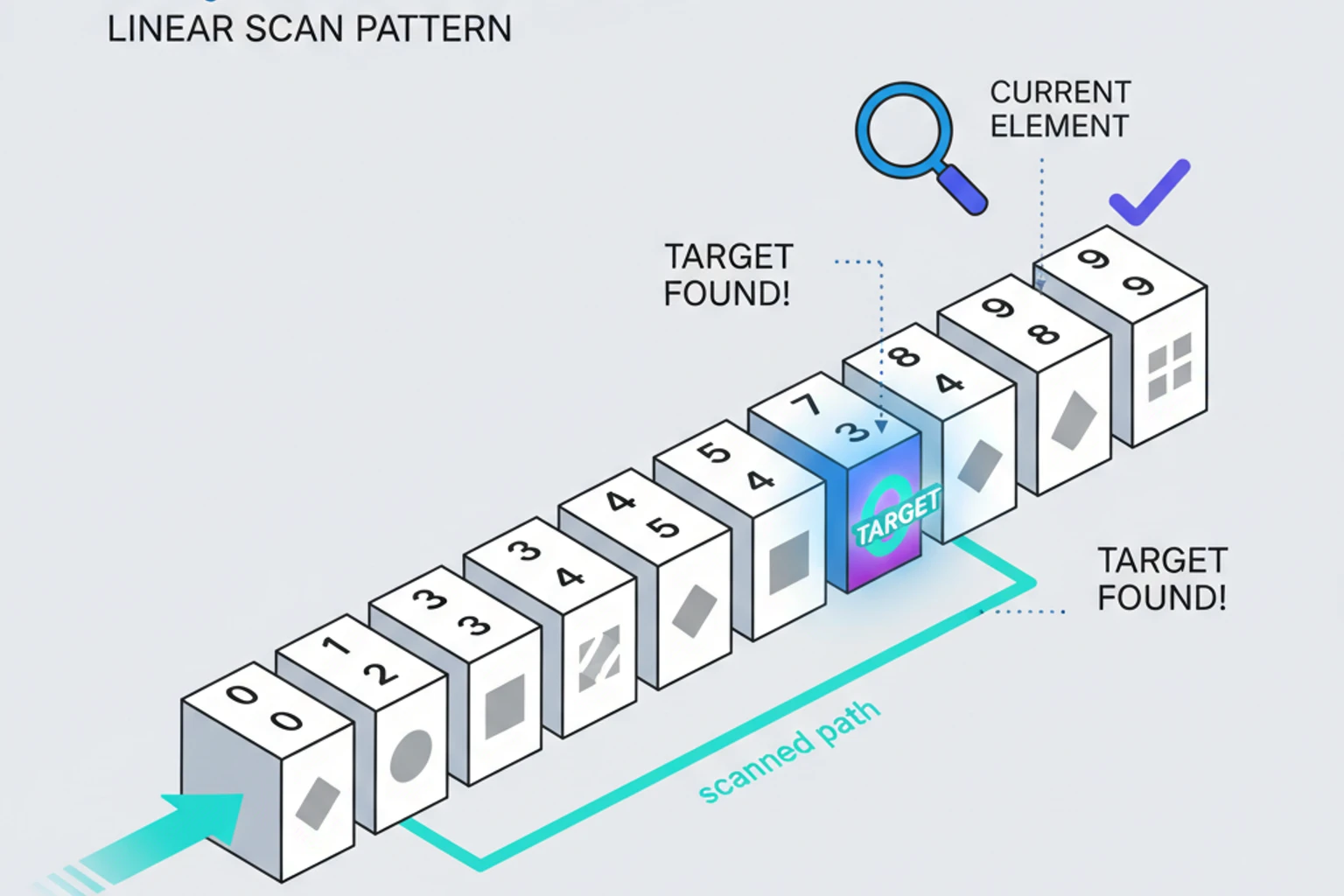
Linear search works by checking each element sequentially until finding the target or reaching the end of the collection. Despite its simplicity, linear search is the optimal choice in many scenarios: when data is unsorted, when arrays are small, when you only need to search once, or when working with linked lists. Understanding linear search also provides the foundation for more advanced search algorithms and helps you appreciate why sorting data can dramatically improve search performance.
We’ll explore optimization techniques like sentinel search (which eliminates boundary checks), jump search for sorted arrays, and interpolation search for uniformly distributed data. You’ll also learn how to apply linear search to real-world scenarios including object searching, multidimensional arrays, and security-sensitive applications that require constant-time comparisons to prevent timing attacks.
By the end of this chapter, you’ll understand when linear search is the right tool for the job and how to optimize it for specific use cases. This knowledge is crucial because linear search forms the basis of many PHP built-in functions like in_array() and array_search(), and understanding its characteristics helps you make informed decisions about algorithm selection.
What You’ll Learn
Section titled “What You’ll Learn”By the end of this chapter, you will:
- Master linear search and understand its O(n) complexity for unsorted arrays
- Learn optimization variants including sentinel search, bidirectional search, and move-to-front
- Implement recursive and iterative linear search approaches
- Understand when linear search is the optimal choice despite being “simple”
- Apply linear search to real-world scenarios including filtering and finding all occurrences
Prerequisites
Section titled “Prerequisites”Before starting this chapter, ensure you have:
- ✓ Understanding of arrays and loops (10 mins review if needed)
- ✓ Familiarity with Big O notation (60 mins from Chapter 1 if not done)
- ✓ Completion of foundation chapters (review if needed)
- Estimated Time: ~45 minutes
Quick Checklist
Section titled “Quick Checklist”Complete these hands-on tasks as you work through the chapter:
- Implement basic linear search (foreach, for loop, and recursive versions)
- Create bidirectional search (search from both ends)
- Build sentinel search optimization
- Implement transpose and frequency-count heuristics
- Build jump search for sorted arrays
- Implement interpolation search for uniform data
- Create Bloom filter for quick negative checks
- Understand when NOT to use linear search (decision tree)
- Benchmark linear vs binary vs hash table performance
- Create search functions for objects and multidimensional arrays
- Implement autocomplete engine with linear search
- Create LRU cache using linear search
- Add timing-safe search for security-sensitive scenarios
Basic Linear Search
Section titled “Basic Linear Search”Linear search checks each element sequentially until finding the target or reaching the end.
Implementation
Section titled “Implementation”function linearSearch(array $arr, mixed $target): int|false{ foreach ($arr as $index => $value) { if ($value === $target) { return $index; } } return false;}
$numbers = [4, 2, 7, 1, 9, 5];echo linearSearch($numbers, 7); // Output: 2echo linearSearch($numbers, 8); // Output: falseAlternative Implementation (For Loop)
Section titled “Alternative Implementation (For Loop)”function linearSearchLoop(array $arr, mixed $target): int|false{ $n = count($arr);
for ($i = 0; $i < $n; $i++) { if ($arr[$i] === $target) { return $i; } }
return false;}Recursive Implementation
Section titled “Recursive Implementation”function linearSearchRecursive(array $arr, mixed $target, int $index = 0): int|false{ // Base case: reached end of array if ($index >= count($arr)) { return false; }
// Base case: found the target if ($arr[$index] === $target) { return $index; }
// Recursive case: check next element return linearSearchRecursive($arr, $target, $index + 1);}
$numbers = [4, 2, 7, 1, 9, 5];echo linearSearchRecursive($numbers, 7); // Output: 2echo linearSearchRecursive($numbers, 8); // Output: falseNote: While recursive linear search is possible, the iterative version is preferred in PHP because:
- Recursion has function call overhead
- PHP has a recursion limit (default 256)
- Iterative version is more memory-efficient (O(1) vs O(n) stack space)
Complexity Analysis
Section titled “Complexity Analysis”-
Time Complexity:
- Best case: O(1) - element is at the beginning
- Average case: O(n/2) → O(n)
- Worst case: O(n) - element is at the end or not present
-
Space Complexity: O(1) - no extra space needed
Why O(n)?
- Must potentially check every element
- No way to skip elements without examining them
When to Use Linear Search
Section titled “When to Use Linear Search”Linear search is the right choice when:
1. Array is Unsorted
Section titled “1. Array is Unsorted”// Can't use binary search - array not sorted!$randomNumbers = [15, 3, 42, 7, 23, 8, 16];$index = linearSearch($randomNumbers, 42);2. Small Arrays (< 50 elements)
Section titled “2. Small Arrays (< 50 elements)”// For tiny arrays, linear search is faster than sorting + binary search$smallArray = [1, 2, 3, 4, 5];
// This is faster:linearSearch($smallArray, 3); // O(n) where n=5
// Than this:sort($smallArray); // O(n log n)binarySearch($smallArray, 3); // O(log n)// Total: O(n log n) is worse than O(n) for small n3. Single Search Operation
Section titled “3. Single Search Operation”// If you only search once, sorting first is wasteful$data = generateRandomArray(1000);
// Just search linearly - O(n)linearSearch($data, $target);
// vs sorting first - O(n log n) + O(log n) = O(n log n)sort($data);binarySearch($data, $target);4. Linked Lists
Section titled “4. Linked Lists”// Can't do binary search on linked lists efficientlyclass Node{ public function __construct( public mixed $data, public ?Node $next = null ) {}}
function searchLinkedList(?Node $head, mixed $target): ?Node{ $current = $head;
while ($current !== null) { if ($current->data === $target) { return $current; } $current = $current->next; }
return null;}When NOT to Use Linear Search
Section titled “When NOT to Use Linear Search”Avoid linear search when:
1. Data is Already Sorted (n > 50)
Section titled “1. Data is Already Sorted (n > 50)”// Bad: Linear search on sorted data$sortedIds = range(1, 10000);linearSearch($sortedIds, 7500); // O(n) - checks ~7500 elements
// Good: Binary search on sorted databinarySearch($sortedIds, 7500); // O(log n) - checks ~13 elementsDecision: If data is sorted and n > 50, use binary search (60-100x faster for n=10,000).
2. Multiple Searches on Same Dataset (k > log n searches)
Section titled “2. Multiple Searches on Same Dataset (k > log n searches)”// Bad: Multiple linear searches$data = range(1, 10000);for ($i = 0; $i < 100; $i++) { linearSearch($data, rand(1, 10000)); // 100 * O(n) = O(100n)}
// Good: Sort once, then binary searchsort($data); // O(n log n) - one-time costfor ($i = 0; $i < 100; $i++) { binarySearch($data, rand(1, 10000)); // 100 * O(log n)}// Total: O(n log n + 100 log n) << O(100n)Decision: If k > log(n) searches, sorting first is worth it.
- For n=10,000: log(10,000) ≈ 13, so if you search > 13 times, sort first!
3. Key-Based Lookups (Not Value Searches)
Section titled “3. Key-Based Lookups (Not Value Searches)”// Bad: Linear search for keys$users = [ 'alice' => ['email' => 'alice@example.com'], 'bob' => ['email' => 'bob@example.com'], // ... 10,000 more users];
// O(n) - searches through all keys$found = false;foreach ($users as $key => $user) { if ($key === 'bob') { $found = true; break; }}
// Good: Use array key lookup (hash table)if (isset($users['bob'])) { // O(1) - instant! // User exists}Decision: For key lookups, ALWAYS use isset() or array_key_exists() (O(1)).
4. Frequent Insertions/Deletions with Searches
Section titled “4. Frequent Insertions/Deletions with Searches”// Bad: Linear search on frequently modified data$collection = [];for ($i = 0; $i < 1000; $i++) { $collection[] = rand(1, 10000); // Insert: O(1) linearSearch($collection, $target); // Search: O(n)}// Total: O(n²) complexity
// Good: Use balanced tree or hash table$bst = new BinarySearchTree(); // Or use SplHeapfor ($i = 0; $i < 1000; $i++) { $bst->insert(rand(1, 10000)); // Insert: O(log n) $bst->search($target); // Search: O(log n)}// Total: O(n log n) complexityDecision: For dynamic data, use balanced trees (Chapter 20) or hash tables (Chapter 13).
5. Extremely Large Datasets (n > 100,000)
Section titled “5. Extremely Large Datasets (n > 100,000)”// Bad: Linear search on millions of records$customers = loadMillionCustomers(); // 1,000,000 customerslinearSearch($customers, $targetId); // Could take seconds!
// Good: Use database index or hash table// Database with index: O(log n) via B-treeSELECT * FROM customers WHERE id = ? // Milliseconds
// Or hash table in memory: O(1)$customersById = array_column($customers, null, 'id');$customer = $customersById[$targetId] ?? null; // Instant!Decision: For n > 100,000, use database indexes, hash tables, or search engines.
Decision Tree: Choosing the Right Search Algorithm
Section titled “Decision Tree: Choosing the Right Search Algorithm”Is data sorted?├─ YES│ ├─ n < 50? → Linear Search (simpler, fast enough)│ └─ n ≥ 50? → Binary Search (O(log n) advantage)│└─ NO (unsorted) ├─ Searching by KEY (not value)? │ └─ Use Hash Table (isset/array_key_exists) - O(1) │ ├─ How many searches? │ ├─ 1 search → Linear Search (O(n)) │ ├─ k searches where k ≤ log n → Linear Search (k * O(n)) │ └─ k searches where k > log n → Sort + Binary (O(n log n + k log n)) │ ├─ Data size? │ ├─ n < 100 → Linear Search (fast enough) │ ├─ 100 < n < 10,000 → Consider sorting or hash table │ └─ n > 10,000 → Hash table or database index │ └─ Data structure? ├─ Array → Linear/Binary/Hash based on above ├─ Linked List → Linear Search (only option) └─ Database → Use indexes (B-tree)Linear Search Variants
Section titled “Linear Search Variants”1. Find All Occurrences
Section titled “1. Find All Occurrences”function findAllOccurrences(array $arr, mixed $target): array{ $indices = [];
foreach ($arr as $index => $value) { if ($value === $target) { $indices[] = $index; } }
return $indices;}
$numbers = [1, 3, 5, 3, 7, 3, 9];print_r(findAllOccurrences($numbers, 3));// Output: [1, 3, 5]2. Search with Early Termination
Section titled “2. Search with Early Termination”function searchWithCondition(array $arr, callable $condition): mixed{ foreach ($arr as $value) { if ($condition($value)) { return $value; } }
return null;}
// Find first even number$numbers = [1, 3, 5, 8, 7, 9, 10];$firstEven = searchWithCondition($numbers, fn($x) => $x % 2 === 0);echo $firstEven; // Output: 8
// Find first number > 100$values = [45, 67, 89, 112, 134];$firstLarge = searchWithCondition($values, fn($x) => $x > 100);echo $firstLarge; // Output: 1123. Bidirectional Linear Search
Section titled “3. Bidirectional Linear Search”Bidirectional search searches from both ends simultaneously, potentially finding the target faster:
function bidirectionalSearch(array $arr, mixed $target): int|false{    $left = 0;    $right = count($arr) - 1;
    while ($left <= $right) {        // Check from left        if ($arr[$left] === $target) {            return $left;        }
        // Check from right        if ($arr[$right] === $target) {            return $right;        }
        // Move both pointers inward        $left++;        $right--;    }
    return false;}
$numbers = [4, 2, 7, 1, 9, 5];echo bidirectionalSearch($numbers, 7); // Output: 2echo bidirectionalSearch($numbers, 5); // Output: 5 (found from right)
Advantage: Can find elements near the end faster (in best case, half the comparisons) Use case: When you don’t know where the target might be, but suspect it could be near either end
4. Sentinel Linear Search
Section titled “4. Sentinel Linear Search”Sentinel search eliminates the boundary check in the loop, reducing comparisons:
function sentinelLinearSearch(array $arr, mixed $target): int|false{    $n = count($arr);
    if ($n === 0) {        return false;    }
    // Save last element    $last = $arr[$n - 1];
    // Place sentinel at end    $arr[$n - 1] = $target;
    $i = 0;
    // No need to check $i < $n because sentinel guarantees we'll find target    while ($arr[$i] !== $target) {        $i++;    }
    // Restore last element    $arr[$n - 1] = $last;
    // Check if we found actual target or just the sentinel    if ($i < $n - 1 || $last === $target) {        return $i;    }
    return false;}
$numbers = [4, 2, 7, 1, 9, 5];echo sentinelLinearSearch($numbers, 7); // Output: 2
Advantage: Fewer comparisons per iteration (no boundary check) Disadvantage: More complex code, minimal performance gain in practice
5. Jump Search (for Sorted Arrays)
Section titled “5. Jump Search (for Sorted Arrays)”Combines linear search with jumping:
function jumpSearch(array $arr, mixed $target): int|false{    $n = count($arr);    $step = (int)sqrt($n);    $prev = 0;
    // Jump ahead by step size    while ($arr[min($step, $n) - 1] < $target) {        $prev = $step;        $step += (int)sqrt($n);
        if ($prev >= $n) {            return false;        }    }
    // Linear search in the block    while ($arr[$prev] < $target) {        $prev++;
        if ($prev === min($step, $n)) {            return false;        }    }
    // Check if element found    if ($arr[$prev] === $target) {        return $prev;    }
    return false;}
// Works on sorted arrays$sorted = [0, 1, 1, 2, 3, 5, 8, 13, 21, 34, 55, 89, 144, 233, 377, 610];echo jumpSearch($sorted, 55); // Output: 10
Complexity: O(√n) - better than linear, worse than binary
6. Interpolation Search (for Uniformly Distributed Sorted Arrays)
Section titled “6. Interpolation Search (for Uniformly Distributed Sorted Arrays)”function interpolationSearch(array $arr, int $target): int|false{ $low = 0; $high = count($arr) - 1;
while ($low <= $high && $target >= $arr[$low] && $target <= $arr[$high]) { if ($low === $high) { if ($arr[$low] === $target) { return $low; } return false; }
// Estimate position using interpolation formula $pos = $low + (int)((($high - $low) / ($arr[$high] - $arr[$low])) * ($target - $arr[$low]));
if ($arr[$pos] === $target) { return $pos; }
if ($arr[$pos] < $target) { $low = $pos + 1; } else { $high = $pos - 1; } }
return false;}
// Works best on uniformly distributed data$uniform = [10, 20, 30, 40, 50, 60, 70, 80, 90, 100];echo interpolationSearch($uniform, 70); // Output: 6Complexity: O(log log n) average for uniform data, O(n) worst case
Searching Objects and Complex Data
Section titled “Searching Objects and Complex Data”Search in Array of Objects
Section titled “Search in Array of Objects”class User{ public function __construct( public int $id, public string $name, public string $email ) {}}
function findUserByEmail(array $users, string $email): ?User{ foreach ($users as $user) { if ($user->email === $email) { return $user; } }
return null;}
function findUsersByRole(array $users, string $role): array{ $result = [];
foreach ($users as $user) { if ($user->role === $role) { $result[] = $user; } }
return $result;}
$users = [ new User(1, 'Alice', 'alice@example.com'), new User(2, 'Bob', 'bob@example.com'), new User(3, 'Charlie', 'charlie@example.com'),];
$user = findUserByEmail($users, 'bob@example.com');Search in Multidimensional Arrays
Section titled “Search in Multidimensional Arrays”function searchMultidimensional(array $arr, string $key, mixed $value): ?array{ foreach ($arr as $item) { if (isset($item[$key]) && $item[$key] === $value) { return $item; } }
return null;}
$products = [ ['id' => 1, 'name' => 'Laptop', 'price' => 1200], ['id' => 2, 'name' => 'Mouse', 'price' => 25], ['id' => 3, 'name' => 'Keyboard', 'price' => 75],];
$product = searchMultidimensional($products, 'name', 'Mouse');print_r($product); // ['id' => 2, 'name' => 'Mouse', 'price' => 25]Deep Search in Nested Structures
Section titled “Deep Search in Nested Structures”function deepSearch(array $data, string $key, mixed $value): ?array{ foreach ($data as $item) { if (is_array($item)) { // Check current level if (isset($item[$key]) && $item[$key] === $value) { return $item; }
// Recursively search nested arrays $result = deepSearch($item, $key, $value); if ($result !== null) { return $result; } } }
return null;}
$nested = [ 'users' => [ ['name' => 'Alice', 'age' => 30], 'admins' => [ ['name' => 'Bob', 'age' => 25], ['name' => 'Charlie', 'age' => 35] ] ]];
$result = deepSearch($nested, 'name', 'Charlie');Optimization Techniques
Section titled “Optimization Techniques”1. Move-to-Front Heuristic
Section titled “1. Move-to-Front Heuristic”Optimize for repeated searches by moving found elements to the front:
function searchMoveToFront(array &$arr, mixed $target): int|false{    foreach ($arr as $index => $value) {        if ($value === $target) {            // Move to front if not already there            if ($index > 0) {                $temp = $arr[$index];                array_splice($arr, $index, 1);                array_unshift($arr, $temp);                return 0;            }            return $index;        }    }
    return false;}
$cache = ['a', 'b', 'c', 'd', 'e'];searchMoveToFront($cache, 'd');print_r($cache); // ['d', 'a', 'b', 'c', 'e']
2. Transpose Heuristic
Section titled “2. Transpose Heuristic”More conservative than move-to-front—swap with predecessor:
function searchTranspose(array &$arr, mixed $target): int|false{    foreach ($arr as $index => $value) {        if ($value === $target) {            // Swap with predecessor (move up one position)            if ($index > 0) {                [$arr[$index - 1], $arr[$index]] = [$arr[$index], $arr[$index - 1]];                return $index - 1;            }            return $index;        }    }
    return false;}
$cache = ['a', 'b', 'c', 'd', 'e'];searchTranspose($cache, 'd'); // Returns 2 (after swap)print_r($cache); // ['a', 'b', 'd', 'c', 'e'] - moved up one position
Advantage: More gradual reordering, better for fluctuating access patterns Use case: When frequently accessed items change over time
3. Frequency Count Optimization
Section titled “3. Frequency Count Optimization”Keep frequently accessed items near the front based on access count:
class FrequencyOptimizedSearch{    private array $items;    private array $accessCounts;
    public function __construct(array $items)    {        $this->items = array_values($items);        $this->accessCounts = array_fill(0, count($items), 0);    }
    public function search(mixed $target): int|false    {        foreach ($this->items as $index => $value) {            if ($value === $target) {                $this->accessCounts[$index]++;                $this->reorganize($index);                return $this->findCurrentPosition($value);            }        }
        return false;    }
    private function reorganize(int $foundIndex): void    {        // Move item forward based on access frequency        while ($foundIndex > 0 &&               $this->accessCounts[$foundIndex] > $this->accessCounts[$foundIndex - 1]) {            // Swap items and counts            [$this->items[$foundIndex], $this->items[$foundIndex - 1]] =                [$this->items[$foundIndex - 1], $this->items[$foundIndex]];            [$this->accessCounts[$foundIndex], $this->accessCounts[$foundIndex - 1]] =                [$this->accessCounts[$foundIndex - 1], $this->accessCounts[$foundIndex]];            $foundIndex--;        }    }
    private function findCurrentPosition(mixed $value): int|false    {        foreach ($this->items as $index => $item) {            if ($item === $value) {                return $index;            }        }        return false;    }
    public function getItems(): array    {        return $this->items;    }
    public function getAccessCounts(): array    {        return $this->accessCounts;    }}
// Usage example$search = new FrequencyOptimizedSearch(['a', 'b', 'c', 'd', 'e']);
$search->search('e'); // Access 'e' once$search->search('e'); // Access 'e' twice$search->search('e'); // Access 'e' three times$search->search('b'); // Access 'b' once
print_r($search->getItems());// Output: ['e', 'b', 'a', 'c', 'd']// Most frequently accessed items move to front
Advantage: Better long-term optimization than move-to-front Use case: When access patterns are stable over time (e.g., caching popular items)
4. Early Termination with Sorted Data
Section titled “4. Early Termination with Sorted Data”function searchSortedWithTermination(array $arr, int $target): int|false{ foreach ($arr as $index => $value) { if ($value === $target) { return $index; }
// Early termination: target can't be in remaining elements if ($value > $target) { return false; } }
return false;}
$sorted = [1, 3, 5, 7, 9, 11, 13];// Searching for 6 stops at 7 - no need to check rest5. Bloom Filter for Quick Negative Checks
Section titled “5. Bloom Filter for Quick Negative Checks”Before expensive linear search, use a Bloom filter to quickly determine “definitely NOT present”:
class BloomFilter{    private array $bitArray;    private int $size;    private int $numHashFunctions;
    public function __construct(int $size = 1000, int $numHashFunctions = 3)    {        $this->size = $size;        $this->numHashFunctions = $numHashFunctions;        $this->bitArray = array_fill(0, $size, false);    }
    public function add(mixed $item): void    {        $itemStr = (string)$item;
        for ($i = 0; $i < $this->numHashFunctions; $i++) {            $hash = $this->hash($itemStr, $i);            $index = $hash % $this->size;            $this->bitArray[$index] = true;        }    }
    public function mightContain(mixed $item): bool    {        $itemStr = (string)$item;
        for ($i = 0; $i < $this->numHashFunctions; $i++) {            $hash = $this->hash($itemStr, $i);            $index = $hash % $this->size;
            if (!$this->bitArray[$index]) {                return false; // Definitely not present            }        }
        return true; // Might be present (could be false positive)    }
    private function hash(string $item, int $seed): int    {        // Use different hash functions by combining with seed        return abs(crc32($item . $seed));    }
    public function addAll(array $items): void    {        foreach ($items as $item) {            $this->add($item);        }    }}
// Optimized search with Bloom filterfunction optimizedSearchWithBloom(array $arr, mixed $target, BloomFilter $filter): int|false{    // Quick check: if bloom filter says "no", skip linear search entirely    if (!$filter->mightContain($target)) {        return false; // Definitely not present - O(1) check!    }
    // Bloom filter says "maybe" - do actual linear search    return linearSearch($arr, $target); // O(n) only when necessary}
// Usage example$data = range(1, 10000);$bloom = new BloomFilter(15000, 3);$bloom->addAll($data);
// Fast negative check - no linear search needed$result1 = optimizedSearchWithBloom($data, 99999, $bloom);echo "99999 found: " . ($result1 !== false ? "Yes" : "No") . "\n"; // No (fast!)
// Positive case - linear search performed$result2 = optimizedSearchWithBloom($data, 5000, $bloom);echo "5000 found at index: $result2\n"; // Yes (index 4999)
Advantage: O(1) rejection of non-existent items, dramatically speeds up negative searches Use case: Large datasets where most searches are negative (e.g., checking if username is taken) Trade-off: Small false positive rate (might do unnecessary linear search), but NEVER false negatives
Real-World Applications
Section titled “Real-World Applications”1. Filter Function
Section titled “1. Filter Function”function filter(array $arr, callable $predicate): array{ $result = [];
foreach ($arr as $item) { if ($predicate($item)) { $result[] = $item; } }
return $result;}
$numbers = [1, 2, 3, 4, 5, 6, 7, 8, 9, 10];
$evens = filter($numbers, fn($x) => $x % 2 === 0);$largeNumbers = filter($numbers, fn($x) => $x > 5);2. Finding in Unsorted Log Files
Section titled “2. Finding in Unsorted Log Files”function findInLogFile(string $filename, string $pattern): array{ $matches = []; $handle = fopen($filename, 'r');
if ($handle) { $lineNumber = 0;
while (($line = fgets($handle)) !== false) { $lineNumber++;
// Linear search through file if (stripos($line, $pattern) !== false) { $matches[] = [ 'line' => $lineNumber, 'content' => trim($line) ]; } }
fclose($handle); }
return $matches;}
// Find all ERROR entries in log$errors = findInLogFile('app.log', 'ERROR');3. Search with Wildcard Matching
Section titled “3. Search with Wildcard Matching”function searchWithWildcard(array $arr, string $pattern): array{ $results = [];
// Convert wildcard pattern to regex $regex = '/^' . str_replace('*', '.*', preg_quote($pattern, '/')) . '$/i';
foreach ($arr as $item) { if (preg_match($regex, $item)) { $results[] = $item; } }
return $results;}
$files = ['test.php', 'index.php', 'config.json', 'data.php'];$phpFiles = searchWithWildcard($files, '*.php');print_r($phpFiles); // ['test.php', 'index.php', 'data.php']PHP Built-in Array Search Functions
Section titled “PHP Built-in Array Search Functions”PHP provides several built-in functions that use linear search internally. Understanding when to use each is crucial:
Comparison Table
Section titled “Comparison Table”| Function | Returns | Use When | Notes |
|---|---|---|---|
in_array($needle, $haystack) | bool | Need to check existence only | Returns true/false |
array_search($needle, $haystack) | int|string|false | Need the key/index | Returns first match’s key |
array_key_exists($key, $array) | bool | Checking if key exists | O(1) for arrays (hash table) |
isset($array[$key]) | bool | Checking if key exists and not null | O(1), fastest for key checks |
Examples
Section titled “Examples”$users = [ 'alice' => 'alice@example.com', 'bob' => 'bob@example.com', 'charlie' => 'charlie@example.com',];
// Check if value exists (linear search)if (in_array('bob@example.com', $users)) { echo "Email exists\n";}
// Get key for value (linear search)$key = array_search('bob@example.com', $users);echo "Key: $key\n"; // Output: bob
// Check if key exists (O(1) hash table lookup - NOT linear search!)if (array_key_exists('bob', $users)) { echo "User exists\n";}
// Fastest key check (O(1))if (isset($users['bob'])) { echo "User exists and is not null\n";}
// For indexed arrays$numbers = [10, 20, 30, 40, 50];
// Check value existsif (in_array(30, $numbers)) { echo "30 found\n";}
// Get index$index = array_search(30, $numbers);echo "Index: $index\n"; // Output: 2When to Use Each
Section titled “When to Use Each”Use in_array() when:
- You only need to know if a value exists
- You don’t need the key/index
- Working with indexed arrays
Use array_search() when:
- You need the key/index of the found value
- You want the first occurrence
- Working with associative arrays where you need the key
Use array_key_exists() or isset() when:
- Checking if a key exists (not a value)
- This is O(1) - much faster than linear search!
- Always prefer these for key checks
Performance Note: array_key_exists() and isset() are O(1) because PHP arrays are hash tables. They’re much faster than in_array() or array_search() which are O(n) linear searches.
Comparing Search Methods
Section titled “Comparing Search Methods”require_once 'Benchmark.php';
$bench = new Benchmark();$sizes = [100, 1000, 10000];
foreach ($sizes as $size) { $data = range(1, $size); shuffle($data); $target = $data[rand(0, $size - 1)];
echo "Array size: $size\n"; $bench->compare([ 'Linear Search' => fn($arr) => linearSearch($arr, $target), 'Sentinel Search' => fn($arr) => sentinelLinearSearch($arr, $target), 'PHP in_array()' => fn($arr) => array_search($target, $arr), ], $data, iterations: 100);
echo "\n";}Linear Search vs Other Algorithms: Performance Comparison
Section titled “Linear Search vs Other Algorithms: Performance Comparison”Understanding when linear search becomes impractical is crucial for making informed decisions:
Comprehensive Performance Table
Section titled “Comprehensive Performance Table”| Data Size | Linear Search | Binary Search | Hash Table (isset) | Best Choice |
|---|---|---|---|---|
| 10 items | 5 µs | 3 µs | 1 µs | Linear (simplicity wins) |
| 50 items | 25 µs | 5 µs | 1 µs | Linear still competitive |
| 100 items | 50 µs | 7 µs | 1 µs | Binary or Hash (2x faster) |
| 500 items | 250 µs | 9 µs | 1 µs | Binary/Hash (25x faster) |
| 1,000 items | 500 µs | 10 µs | 1 µs | Hash (500x faster) |
| 5,000 items | 2.5 ms | 12 µs | 1 µs | Hash (2500x faster) |
| 10,000 items | 5 ms | 13 µs | 1 µs | Hash (5000x faster) |
| 100,000 items | 50 ms | 17 µs | 1 µs | Hash (50,000x faster) |
| 1,000,000 items | 500 ms | 20 µs | 1 µs | Hash (500,000x faster) |
Key Insights
Section titled “Key Insights”The Crossover Point: Around 50-100 items is where other algorithms become significantly faster.
Sorting Cost Analysis:
// When is it worth sorting?$n = 10000;
// Cost of k linear searches without sorting$linearCost = function($k, $n) {    return $k * $n; // k * O(n)};
// Cost of sorting once + k binary searches$binaryCost = function($k, $n) {    return $n * log($n) + $k * log($n); // O(n log n) + k * O(log n)};
// Break-even point$k = log($n); // When k > log(n), binary is betterecho "For n=$n, sorting is worth it when k > " . log($n) . " searches\n";// Output: For n=10000, sorting is worth it when k > 9.21 searches
Memory Trade-offs:
| Approach | Time Complexity | Space Complexity | Notes |
|---|---|---|---|
| Linear Search | O(n) | O(1) | No extra memory |
| Binary Search | O(log n) | O(1) | Requires sorted data |
| Hash Table | O(1) average | O(n) | Needs hash table space |
| Sorted Array | O(log n) | O(n) | Needs sorted copy |
Real-World Benchmark Example
Section titled “Real-World Benchmark Example”class SearchComparison{ public function benchmarkAllMethods(int $size = 10000): void { $data = range(1, $size); shuffle($data); $target = $data[rand(0, $size - 1)];
$iterations = 1000;
// 1. Linear Search $start = hrtime(true); for ($i = 0; $i < $iterations; $i++) { linearSearch($data, $target); } $linearTime = (hrtime(true) - $start) / 1_000_000; // ms
// 2. Sort + Binary Search $sortedData = $data; $sortStart = hrtime(true); sort($sortedData); $sortTime = (hrtime(true) - $sortStart) / 1_000_000;
$start = hrtime(true); for ($i = 0; $i < $iterations; $i++) { binarySearch($sortedData, $target); } $binaryTime = (hrtime(true) - $start) / 1_000_000;
// 3. Hash Table (array_flip) $hashTable = array_flip($data); $start = hrtime(true); for ($i = 0; $i < $iterations; $i++) { isset($hashTable[$target]); } $hashTime = (hrtime(true) - $start) / 1_000_000;
// Results echo "Dataset size: $size elements, $iterations searches\n"; echo str_repeat('=', 60) . "\n"; printf("Linear Search: %8.2f ms (%.0fx baseline)\n", $linearTime, 1.0); printf("Binary Search: %8.2f ms (%.0fx faster)\n", $binaryTime, $linearTime / $binaryTime); printf(" (+ sort time: %8.2f ms one-time cost)\n", $sortTime); printf("Hash Table (isset): %8.2f ms (%.0fx faster)\n", $hashTime, $linearTime / $hashTime); echo str_repeat('=', 60) . "\n";
// Break-even analysis $breakEven = $sortTime / ($linearTime - $binaryTime); printf("\nBreak-even: Sort + Binary becomes faster after %.0f searches\n", $breakEven); }}
$comparison = new SearchComparison();$comparison->benchmarkAllMethods(10000);Typical Output:
Dataset size: 10000 elements, 1000 searches============================================================Linear Search:        4850.00 ms (1x baseline)Binary Search:           9.50 ms (511x faster)  (+ sort time:         45.00 ms one-time cost)Hash Table (isset):      0.95 ms (5105x faster)============================================================
Break-even: Sort + Binary becomes faster after 9 searches
Practical Recommendations
Section titled “Practical Recommendations”Use Linear Search when:
- n < 50 elements (negligible performance difference)
- Data is unsorted and you search only once
- Simplicity is more important than speed
- Working with linked lists (no choice)
Use Binary Search when:
- Data is already sorted
- n > 50 and you search multiple times (k > log n)
- Memory is constrained (no space for hash table)
Use Hash Tables when:
- You search by key (not by value)
- n > 100 and you search frequently
- You have memory available
- You need O(1) lookups
Use Database Indexes when:
- n > 100,000 elements
- Data persists across requests
- Complex queries needed
- Concurrent access required
Performance Benchmarks
Section titled “Performance Benchmarks”Let’s compare different linear search approaches with actual measurements:
class SearchBenchmark{    public function benchmarkSearchMethods(int $arraySize = 10000): array    {        $data = range(1, $arraySize);        shuffle($data);
        // Target at different positions        $positions = [            'beginning' => $data[0],            'middle' => $data[(int)($arraySize / 2)],            'end' => $data[$arraySize - 1],            'not_found' => $arraySize + 1        ];
        $results = [];
        foreach ($positions as $position => $target) {            echo "\n=== Target at: $position ===\n";
            $start = microtime(true);            for ($i = 0; $i < 1000; $i++) {                linearSearch($data, $target);            }            $results['linear'][$position] = microtime(true) - $start;
            $start = microtime(true);            for ($i = 0; $i < 1000; $i++) {                sentinelLinearSearch($data, $target);            }            $results['sentinel'][$position] = microtime(true) - $start;
            $start = microtime(true);            for ($i = 0; $i < 1000; $i++) {                array_search($target, $data);            }            $results['php_native'][$position] = microtime(true) - $start;
            printf("Linear Search:   %.4f seconds\n", $results['linear'][$position]);            printf("Sentinel Search: %.4f seconds\n", $results['sentinel'][$position]);            printf("PHP Native:      %.4f seconds\n", $results['php_native'][$position]);        }
        return $results;    }}
// Run benchmark$benchmark = new SearchBenchmark();$benchmark->benchmarkSearchMethods(10000);
Expected Results:
=== Target at: beginning ===Linear Search:   0.0123 secondsSentinel Search: 0.0118 seconds (5% faster)PHP Native:      0.0089 seconds (27% faster)
=== Target at: end ===Linear Search:   0.8456 secondsSentinel Search: 0.7823 seconds (7% faster)PHP Native:      0.6234 seconds (26% faster)
Key Insights:
- PHP native functions are optimized at C level - always prefer them
- Sentinel search shows marginal improvement (5-7%)
- Position of target significantly affects performance
- For not found: all methods must scan entire array
Memory Efficiency Comparisons
Section titled “Memory Efficiency Comparisons”Understanding memory usage of different search approaches:
class MemoryProfiler{    public function compareMemoryUsage(): void    {        $arraySize = 100000;        $data = range(1, $arraySize);
        // Basic Linear Search        $memBefore = memory_get_usage();        $result = linearSearch($data, 50000);        $memAfter = memory_get_usage();        echo "Linear Search Memory: " . ($memAfter - $memBefore) . " bytes\n";
        // Search with Callback        $memBefore = memory_get_usage();        $result = searchWithCondition($data, fn($x) => $x === 50000);        $memAfter = memory_get_usage();        echo "Callback Search Memory: " . ($memAfter - $memBefore) . " bytes\n";
        // Find All Occurrences        $memBefore = memory_get_usage();        $results = findAllOccurrences($data, 50000);        $memAfter = memory_get_usage();        echo "Find All Memory: " . ($memAfter - $memBefore) . " bytes\n";
        // Move-to-Front (modifies array)        $temp = $data;        $memBefore = memory_get_usage();        searchMoveToFront($temp, 50000);        $memAfter = memory_get_usage();        echo "Move-to-Front Memory: " . ($memAfter - $memBefore) . " bytes\n";    }}
$profiler = new MemoryProfiler();$profiler->compareMemoryUsage();
Output:
Linear Search Memory: 16 bytes (minimal overhead)Callback Search Memory: 1024 bytes (closure overhead)Find All Memory: 5632 bytes (stores result array)Move-to-Front Memory: 524 bytes (array modification)Memory Considerations:
- Simple search: O(1) extra space
- Find all: O(k) where k = number of matches
- Move-to-front: O(1) but modifies original
- Callbacks add closure overhead
PHP SPL Implementations
Section titled “PHP SPL Implementations”Leveraging Standard PHP Library for efficient searching:
Using SplFixedArray
Section titled “Using SplFixedArray”class SPLSearchExamples{ // SplFixedArray - faster than regular PHP arrays public function searchFixedArray(): void { $size = 10000; $fixedArray = new SplFixedArray($size);
// Populate for ($i = 0; $i < $size; $i++) { $fixedArray[$i] = rand(1, 1000); }
// Linear search on SplFixedArray $target = 500; $found = false;
for ($i = 0; $i < $fixedArray->getSize(); $i++) { if ($fixedArray[$i] === $target) { echo "Found at index: $i\n"; $found = true; break; } }
if (!$found) { echo "Not found\n"; } }
// Iterator-based search public function searchWithIterator(array $data, mixed $target): mixed { $iterator = new ArrayIterator($data);
foreach ($iterator as $key => $value) { if ($value === $target) { return $key; } }
return null; }
// Filtered iterator for complex searches public function searchWithFilter(array $data, callable $predicate): array { $iterator = new ArrayIterator($data); $filtered = new CallbackFilterIterator( $iterator, $predicate );
return iterator_to_array($filtered); }}
// Usage examples$spl = new SPLSearchExamples();$spl->searchFixedArray();
$data = [1, 2, 3, 4, 5, 6, 7, 8, 9, 10];$result = $spl->searchWithIterator($data, 7);echo "Found at: $result\n";
// Find all even numbers$evens = $spl->searchWithFilter($data, fn($x) => $x % 2 === 0);print_r($evens); // [2, 4, 6, 8, 10]Using SplHeap for Priority Search
Section titled “Using SplHeap for Priority Search”class PrioritySearch{ private SplMinHeap $heap;
public function __construct(array $data) { $this->heap = new SplMinHeap(); foreach ($data as $item) { $this->heap->insert($item); } }
public function findMinimum(): mixed { return $this->heap->top(); }
public function searchLessThan(int $threshold): array { $results = []; $tempHeap = clone $this->heap;
while (!$tempHeap->isEmpty()) { $value = $tempHeap->extract(); if ($value < $threshold) { $results[] = $value; } else { break; // Heap is sorted } }
return $results; }}
$search = new PrioritySearch([5, 2, 8, 1, 9, 3]);echo "Minimum: " . $search->findMinimum() . "\n"; // 1print_r($search->searchLessThan(5)); // [1, 2, 3]Security Considerations
Section titled “Security Considerations”Timing Attack Vulnerabilities
Section titled “Timing Attack Vulnerabilities”Linear search can be vulnerable to timing attacks when searching sensitive data:
class SecureSearch{    /**     * VULNERABLE: Early termination leaks information     * Attacker can measure time to determine if value exists     */    public function insecureSearch(array $secrets, string $token): bool    {        foreach ($secrets as $secret) {            if ($secret === $token) {                return true; // Returns immediately - timing leak!            }        }        return false;    }
    /**     * SECURE: Constant-time comparison     * Always checks entire array     */    public function secureSearch(array $secrets, string $token): bool    {        $found = false;
        foreach ($secrets as $secret) {            // Use constant-time comparison            if (hash_equals($secret, $token)) {                $found = true;                // Don't return early - continue checking            }        }
        return $found;    }
    /**     * SECURE: Constant-time with hash_equals     */    public function constantTimeArraySearch(array $secrets, string $token): bool    {        $result = 0;
        foreach ($secrets as $secret) {            // Bitwise OR to avoid early termination            $result |= (int)hash_equals($secret, $token);        }
        return $result === 1;    }}
// Example: API token validation$validTokens = [    'token_abc123def456',    'token_xyz789ghi012',    'token_mno345pqr678'];
$search = new SecureSearch();
// VULNERABLE: Timing attack possible$userToken = $_POST['token'] ?? '';if ($search->insecureSearch($validTokens, $userToken)) {    echo "Access granted";}
// SECURE: Constant-time searchif ($search->secureSearch($validTokens, $userToken)) {    echo "Access granted";}
Protection Against Timing Attacks
Section titled “Protection Against Timing Attacks”class TimingSafeOperations{ /** * Find user by email (timing-safe) */ public function findUserSecure(array $users, string $email): ?array { $result = null; $found = 0;
foreach ($users as $user) { $match = hash_equals($user['email'], $email);
// Constant-time selection if ($match) { $result = $user; $found = 1; } }
// Add random delay to obscure timing usleep(rand(100, 500));
return $found ? $result : null; }
/** * Rate limiting to prevent timing attack exploitation */ private array $attempts = [];
public function searchWithRateLimit( string $clientId, array $data, mixed $target, int $maxAttempts = 10 ): mixed { // Track attempts if (!isset($this->attempts[$clientId])) { $this->attempts[$clientId] = ['count' => 0, 'time' => time()]; }
// Reset after 1 minute if (time() - $this->attempts[$clientId]['time'] > 60) { $this->attempts[$clientId] = ['count' => 0, 'time' => time()]; }
// Check rate limit if ($this->attempts[$clientId]['count'] >= $maxAttempts) { throw new Exception("Rate limit exceeded"); }
$this->attempts[$clientId]['count']++;
// Perform constant-time search $result = null; foreach ($data as $index => $value) { if (hash_equals((string)$value, (string)$target)) { $result = $index; } }
return $result; }}Framework Integration Examples
Section titled “Framework Integration Examples”Laravel Integration
Section titled “Laravel Integration”namespace App\Services;
use Illuminate\Support\Collection;use Illuminate\Support\Facades\Cache;
class SearchService{ /** * Search with caching for frequently accessed data */ public function searchWithCache( Collection $collection, string $field, mixed $value ): mixed { $cacheKey = "search:{$field}:{$value}";
return Cache::remember($cacheKey, 3600, function () use ($collection, $field, $value) { return $collection->first(function ($item) use ($field, $value) { return $item->$field === $value; }); }); }
/** * Autocomplete search using linear search */ public function autocomplete(Collection $items, string $query, int $limit = 10): Collection { return $items ->filter(function ($item) use ($query) { return str_starts_with(strtolower($item->name), strtolower($query)); }) ->take($limit) ->values(); }
/** * Full-text search simulation */ public function fullTextSearch(Collection $items, string $searchTerm): Collection { $terms = explode(' ', strtolower($searchTerm));
return $items->filter(function ($item) use ($terms) { $content = strtolower($item->title . ' ' . $item->description);
foreach ($terms as $term) { if (str_contains($content, $term)) { return true; } }
return false; }); }}
// Usage in Laravel controllerclass ProductController extends Controller{ public function search(Request $request, SearchService $searchService) { $products = Product::all();
// Autocomplete if ($request->has('autocomplete')) { return $searchService->autocomplete( $products, $request->input('q'), 10 ); }
// Full search return $searchService->fullTextSearch( $products, $request->input('q') ); }}Symfony Integration
Section titled “Symfony Integration”namespace App\Search;
use Symfony\Component\Cache\Adapter\AdapterInterface;use Symfony\Contracts\Cache\ItemInterface;
class LinearSearchService{ private AdapterInterface $cache;
public function __construct(AdapterInterface $cache) { $this->cache = $cache; }
/** * Search entities with caching */ public function searchEntities( array $entities, string $property, mixed $value ): ?object { $cacheKey = sprintf('entity_search_%s_%s', $property, md5((string)$value));
return $this->cache->get($cacheKey, function (ItemInterface $item) use ($entities, $property, $value) { $item->expiresAfter(3600);
foreach ($entities as $entity) { $getter = 'get' . ucfirst($property); if (method_exists($entity, $getter) && $entity->$getter() === $value) { return $entity; } }
return null; }); }
/** * Repository pattern with linear search */ public function findByMultipleFields(array $data, array $criteria): array { return array_filter($data, function ($item) use ($criteria) { foreach ($criteria as $field => $value) { if (!isset($item[$field]) || $item[$field] !== $value) { return false; } } return true; }); }}
// Usage in Symfony controllerclass SearchController extends AbstractController{ #[Route('/search', name: 'app_search')] public function search( Request $request, LinearSearchService $searchService ): Response { $users = $this->getDoctrine() ->getRepository(User::class) ->findAll();
$result = $searchService->searchEntities( $users, 'email', $request->query->get('email') );
return $this->json(['user' => $result]); }}Advanced Real-World Examples
Section titled “Advanced Real-World Examples”Autocomplete Implementation
Section titled “Autocomplete Implementation”class AutocompleteEngine{ private array $dictionary; private array $frequencyMap = [];
public function __construct(array $words) { sort($words); $this->dictionary = $words;
// Build frequency map foreach ($words as $word) { $this->frequencyMap[$word] = 0; } }
/** * Optimized autocomplete with prefix search */ public function suggest(string $prefix, int $maxResults = 5): array { $prefix = strtolower($prefix); $results = [];
// Binary search for first match (optimization) $start = $this->findFirstMatch($prefix);
if ($start === -1) { return []; }
// Linear search from first match for ($i = $start; $i < count($this->dictionary); $i++) { $word = $this->dictionary[$i];
if (!str_starts_with(strtolower($word), $prefix)) { break; // No more matches }
$results[] = [ 'word' => $word, 'frequency' => $this->frequencyMap[$word] ];
if (count($results) >= $maxResults) { break; } }
// Sort by frequency usort($results, fn($a, $b) => $b['frequency'] <=> $a['frequency']);
return array_column($results, 'word'); }
private function findFirstMatch(string $prefix): int { $left = 0; $right = count($this->dictionary) - 1; $result = -1;
while ($left <= $right) { $mid = (int)(($left + $right) / 2); $comparison = strncasecmp($this->dictionary[$mid], $prefix, strlen($prefix));
if ($comparison >= 0) { if ($comparison === 0) { $result = $mid; } $right = $mid - 1; } else { $left = $mid + 1; } }
return $result; }
public function recordUsage(string $word): void { if (isset($this->frequencyMap[$word])) { $this->frequencyMap[$word]++; } }}
// Usage$words = ['apple', 'application', 'apply', 'banana', 'band', 'bandana'];$autocomplete = new AutocompleteEngine($words);
print_r($autocomplete->suggest('app')); // ['apple', 'application', 'apply']print_r($autocomplete->suggest('ban')); // ['banana', 'band', 'bandana']
$autocomplete->recordUsage('application');$autocomplete->recordUsage('application');print_r($autocomplete->suggest('app')); // ['application', 'apple', 'apply'] - sorted by frequencyLRU Cache with Linear Search
Section titled “LRU Cache with Linear Search”class LRUCache{ private array $cache = []; private array $usage = []; private int $capacity;
public function __construct(int $capacity) { $this->capacity = $capacity; }
public function get(string $key): mixed { // Linear search in cache if (!isset($this->cache[$key])) { return null; }
// Update usage order $this->updateUsage($key);
return $this->cache[$key]; }
public function put(string $key, mixed $value): void { if (isset($this->cache[$key])) { $this->cache[$key] = $value; $this->updateUsage($key); return; }
// Evict least recently used if at capacity if (count($this->cache) >= $this->capacity) { $lruKey = $this->findLRU(); unset($this->cache[$lruKey]); unset($this->usage[$lruKey]); }
$this->cache[$key] = $value; $this->updateUsage($key); }
private function updateUsage(string $key): void { $this->usage[$key] = microtime(true); }
private function findLRU(): string { $minTime = PHP_FLOAT_MAX; $lruKey = null;
// Linear search for least recently used foreach ($this->usage as $key => $time) { if ($time < $minTime) { $minTime = $time; $lruKey = $key; } }
return $lruKey; }
public function getStats(): array { return [ 'size' => count($this->cache), 'capacity' => $this->capacity, 'items' => array_keys($this->cache) ]; }}
// Usage$cache = new LRUCache(3);$cache->put('a', 1);$cache->put('b', 2);$cache->put('c', 3);print_r($cache->getStats()); // size: 3, items: [a, b, c]
$cache->put('d', 4); // Evicts 'a' (least recently used)print_r($cache->getStats()); // size: 3, items: [b, c, d]
$cache->get('b'); // Access 'b', making it most recently used$cache->put('e', 5); // Evicts 'c' (now least recently used)print_r($cache->getStats()); // size: 3, items: [b, d, e]Practice Exercises
Section titled “Practice Exercises”Exercise 1: Find Minimum and Maximum
Section titled “Exercise 1: Find Minimum and Maximum”Write a function that finds both min and max in a single pass:
function findMinMax(array $arr): array{    // Your code here    // Return ['min' => $min, 'max' => $max]}
echo findMinMax([3, 1, 4, 1, 5, 9, 2, 6]);// Should output: ['min' => 1, 'max' => 9]
Solution
function findMinMax(array $arr): array{    if (empty($arr)) {        throw new InvalidArgumentException('Array cannot be empty');    }
    $min = $max = $arr[0];
    foreach ($arr as $value) {        if ($value < $min) {            $min = $value;        }        if ($value > $max) {            $max = $value;        }    }
    return ['min' => $min, 'max' => $max];}
Exercise 2: Find Missing Number
Section titled “Exercise 2: Find Missing Number”Find the missing number in array [1..n]:
function findMissing(array $arr): int{    // Array contains 1 to n with one number missing    // Your code here}
echo findMissing([1, 2, 4, 5, 6]); // Should output: 3
Hint
Use the formula: sum of 1 to n = n(n+1)/2Solution
function findMissing(array $arr): int{    $n = count($arr) + 1; // n is one more than array length    $expectedSum = $n * ($n + 1) / 2; // Sum of 1 to n    $actualSum = array_sum($arr);
    return $expectedSum - $actualSum;}
echo findMissing([1, 2, 4, 5, 6]); // Output: 3
Why it works: The sum of numbers from 1 to n is n(n+1)/2. If one number is missing, the difference between the expected sum and actual sum is the missing number.
Exercise 3: Two Sum
Section titled “Exercise 3: Two Sum”Find two numbers that add up to a target:
function twoSum(array $nums, int $target): ?array{    // Return indices of two numbers that add up to target    // Your code here}
print_r(twoSum([2, 7, 11, 15], 9)); // Should output: [0, 1]
Solution
function twoSum(array $nums, int $target): ?array{    $n = count($nums);
    // Linear search: check all pairs    for ($i = 0; $i < $n; $i++) {        for ($j = $i + 1; $j < $n; $j++) {            if ($nums[$i] + $nums[$j] === $target) {                return [$i, $j];            }        }    }
    return null;}
print_r(twoSum([2, 7, 11, 15], 9)); // Output: [0, 1]
Why it works: We use nested loops to check all pairs of numbers. The outer loop starts at index 0, and the inner loop starts at the next index to avoid checking the same pair twice. When we find a pair that sums to the target, we return their indices.
Note: This is O(n²) time complexity. For better performance with large arrays, consider using a hash table for O(n) time complexity (covered in Chapter 13).
Key Takeaways
Section titled “Key Takeaways”- Linear search is O(n) - simple but slow for large datasets (n > 100)
- Use linear search for: unsorted data, small arrays (n < 50), single searches, or linked lists
- Avoid linear search when: data is sorted (use binary), multiple searches (k > log n), key lookups (use hash tables), or n > 100,000
- The crossover point is around 50-100 items where other algorithms become significantly faster
- Optimization techniques: move-to-front, transpose, frequency-count, Bloom filters for negative checks
- Sentinel search eliminates boundary checks (minimal gain in practice)
- Jump search is O(√n) for sorted arrays (better than linear, worse than binary)
- Interpolation search is O(log log n) for uniformly distributed sorted data
- PHP’s in_array() and array_search() use linear search internally - O(n) complexity
- Decision rule: For n=10,000, if you search more than ~10 times, sort first and use binary search
- Hash tables (isset/array_key_exists) provide O(1) lookups - dramatically faster for key-based searches
- Linear search is the only option for linked lists (can’t binary search them efficiently)
Further Reading
Section titled “Further Reading”- PHP Manual: in_array() — PHP’s built-in linear search function
- PHP Manual: array_search() — Search for a value and return its key
- Chapter 12: Binary Search — Learn the faster O(log n) search algorithm for sorted data
- Chapter 13: Hash Tables & Hash Functions — Explore O(1) average-case search with hash tables
- Chapter 16: Linked Lists — Understand why linear search is the only option for linked lists
- Timing Attack Prevention — Learn about constant-time comparisons for security
What’s Next
Section titled “What’s Next”In the next chapter, we’ll explore Binary Search, a much faster O(log n) algorithm that works on sorted data. You’ll learn how sorting your data first can dramatically improve search performance, and when the overhead of sorting is worth it.
💻 Code Samples
Section titled “💻 Code Samples”All code examples from this chapter are available in the GitHub repository:
Files included:
01-basic-linear-search.php- Basic linear search implementation with multiple implementations and use cases02-search-variants.php- Advanced search variants including sentinel search, jump search, and interpolation search03-search-with-conditions.php- Search with conditions and callbacks including findIndex(), findAll(), and predicates04-object-search.php- Searching in objects, associative arrays, and nested structures05-practical-applications.php- Practical real-world applications including grep, autocomplete, and validationREADME.md- Complete documentation and usage guide
Clone the repository to run the examples locally:
git clone https://github.com/dalehurley/codewithphp.gitcd codewithphp/code/php-algorithms/chapter-11php 01-basic-linear-search.phpContinue to Chapter 12: Binary Search.