14: Document Processing and PDF Analysis
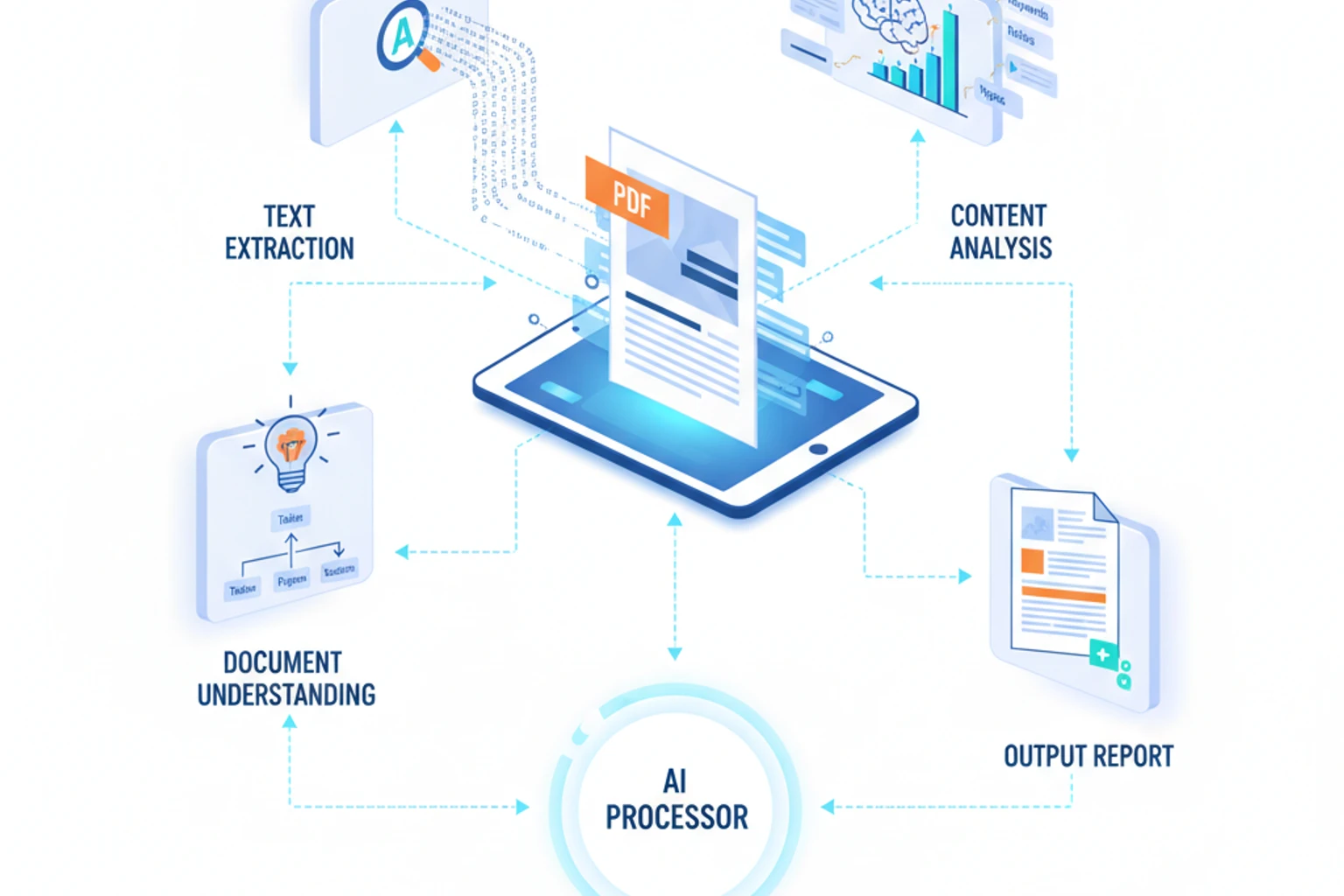
Chapter 14: Document Processing and PDF Analysis
Section titled “Chapter 14: Document Processing and PDF Analysis”Overview
Section titled “Overview”Claude excels at understanding and extracting information from complex documents - contracts, invoices, resumes, reports, legal documents, and more. Combined with PHP’s document processing capabilities, you can build powerful automation systems that understand document structure, extract key data, and generate insights.
In this chapter, you’ll learn to process PDFs, extract structured data, analyze contracts, automate invoice processing, and build intelligent document workflows that save hours of manual work.
What You’ll Build: An automated document processing system that handles invoices, contracts, and resumes with intelligent extraction and validation.
Prerequisites
Section titled “Prerequisites”Before starting, ensure you have:
- ✓ Completed Chapter 13: Vision - Working with Images (Vision capabilities)
- ✓ PDF processing knowledge (basic understanding of PDF structure)
- ✓ Document structure understanding (headers, tables, sections)
- ✓ Composer installed for PDF libraries
- ✓ Imagick PHP extension installed (for PDF to image conversion)
Estimated Time: 60-75 minutes
Objectives
Section titled “Objectives”By the end of this chapter, you will be able to:
- Convert PDF documents to images for Claude vision processing
- Extract structured data from invoices with automatic validation
- Analyze legal contracts and identify risks and key clauses
- Process resumes and match them against job descriptions
- Build an automated document processing pipeline
- Optimize document processing with caching strategies
- Compare approaches: vision API, Files API, and Batch API
- Scale document processing for large volumes cost-effectively
Important: Choose Your Approach
Section titled “Important: Choose Your Approach”This chapter demonstrates the vision API approach (converting PDFs to images). However, you should be aware of these alternative approaches for different scenarios:
Three Ways to Process Documents
Section titled “Three Ways to Process Documents”| Approach | Best For | Cost | Speed | Setup |
|---|---|---|---|---|
| Vision API (Chapter 14) | Single/few documents, formatting matters | Medium | Fast | Simple |
| Files API (Beta) | Persistent storage, reusable documents | Low | Medium | Moderate |
| Batch API | High volume, cost optimization | Very Low (50% off) | Slow | Complex |
Recommended Path:
- Start with Vision API for small-scale processing (this chapter)
- Add Files API for persistent document storage
- Use Batch API for 1000+ document jobs
- Combine with RAG (Chapter 31) for knowledge bases
Required Libraries
Section titled “Required Libraries”Install necessary PHP libraries for PDF processing and the Claude SDK:
composer require claude-php/sdk vlucas/phpdotenvcomposer require smalot/pdfparsercomposer require setasign/fpdfcomposer require tecnickcom/tcpdfStep 1: PDF to Image Conversion (~10 min)
Section titled “Step 1: PDF to Image Conversion (~10 min)”Convert PDF documents to images so Claude can analyze them using vision capabilities. This is the foundation for all document processing workflows.
Actions
Section titled “Actions”- Install required libraries using Composer
- Create PDFProcessor class with image conversion methods
- Handle multi-page PDFs by converting each page separately
- Extract text as fallback for documents that don’t need vision
Expected Result
Section titled “Expected Result”A working PDFProcessor class that can convert any PDF to PNG images and extract text when needed.
Why It Works
Section titled “Why It Works”Claude’s vision API works with images, not PDFs directly. By converting PDFs to images, we preserve formatting, tables, and visual elements that text extraction might miss. The Imagick extension provides high-quality conversion with configurable DPI settings.
Troubleshooting
Section titled “Troubleshooting”- Error: “Imagick extension required” — Install Imagick:
sudo apt-get install php-imagick(Linux) orbrew install imagemagick && pecl install imagick(macOS) - PDF conversion fails — Ensure PDF is not password-protected or corrupted
- Low quality images — Increase DPI in
setResolution()(150-300 recommended) - Memory errors — Process large PDFs page-by-page instead of loading entire document
Claude works best with PDFs converted to images:
<?phpdeclare(strict_types=1);
namespace App\Document;
use Smalot\PdfParser\Parser as PdfParser;
class PDFProcessor{    /**     * Convert PDF to images using Imagick     */    public static function convertToImages(string $pdfPath, string $outputDir = null): array    {        if (!extension_loaded('imagick')) {            throw new \RuntimeException('Imagick extension required for PDF conversion');        }
        $outputDir = $outputDir ?? sys_get_temp_dir();        $baseFilename = pathinfo($pdfPath, PATHINFO_FILENAME);
        $imagick = new \Imagick();        $imagick->setResolution(150, 150); // DPI for quality        $imagick->readImage($pdfPath);
        $imagick->setImageFormat('png');        $imagick->setImageCompressionQuality(90);
        $images = [];        $pageCount = $imagick->getNumberImages();
        foreach ($imagick as $pageIndex => $page) {            $pageNumber = $pageIndex + 1;            $imagePath = "{$outputDir}/{$baseFilename}_page_{$pageNumber}.png";
            $page->setImageFormat('png');            $page->writeImage($imagePath);
            $images[] = [                'page' => $pageNumber,                'path' => $imagePath,                'size' => filesize($imagePath)            ];        }
        $imagick->clear();        $imagick->destroy();
        return $images;    }
    /**     * Extract text from PDF (fallback method)     */    public static function extractText(string $pdfPath): array    {        $parser = new PdfParser();        $pdf = $parser->parseFile($pdfPath);
        $pages = [];        foreach ($pdf->getPages() as $pageNumber => $page) {            $pages[$pageNumber + 1] = $page->getText();        }
        return [            'total_pages' => count($pages),            'pages' => $pages,            'full_text' => implode("\n\n", $pages),            'metadata' => $pdf->getDetails()        ];    }
    /**     * Get PDF metadata     */    public static function getMetadata(string $pdfPath): array    {        $parser = new PdfParser();        $pdf = $parser->parseFile($pdfPath);        $details = $pdf->getDetails();
        return [            'title' => $details['Title'] ?? null,            'author' => $details['Author'] ?? null,            'subject' => $details['Subject'] ?? null,            'keywords' => $details['Keywords'] ?? null,            'creator' => $details['Creator'] ?? null,            'producer' => $details['Producer'] ?? null,            'creation_date' => $details['CreationDate'] ?? null,            'modification_date' => $details['ModDate'] ?? null,            'page_count' => count($pdf->getPages())        ];    }}
Step 2: Invoice Processing (~15 min)
Section titled “Step 2: Invoice Processing (~15 min)”Build an automated invoice processor that extracts structured financial data, validates accuracy, and handles multi-page invoices.
Actions
Section titled “Actions”- Create InvoiceProcessor class that uses vision to analyze invoice images
- Design JSON schema for invoice data extraction
- Implement validation logic to verify extracted data accuracy
- Handle multi-page invoices by combining data across pages
Expected Result
Section titled “Expected Result”A complete invoice processing system that extracts vendor info, line items, totals, and payment terms with automatic validation.
Why It Works
Section titled “Why It Works”Claude’s vision capabilities excel at reading structured documents like invoices. By providing a clear JSON schema in the prompt, we guide Claude to extract data consistently. Validation ensures the extracted data matches the invoice totals and required fields.
Troubleshooting
Section titled “Troubleshooting”- Missing line items — Check if invoice spans multiple pages; ensure all pages are processed
- Invalid JSON response — Add JSON extraction logic to handle code blocks or extra text
- Date format errors — Normalize date formats in validation (accept multiple formats)
- Currency detection fails — Explicitly request currency symbol extraction in prompt
Extract structured data from invoices:
<?phpdeclare(strict_types=1);
namespace App\Document;
use ClaudePhp\ClaudePhp;use App\Vision\ImageHelper;
class InvoiceProcessor{    public function __construct(        private ClaudePhp $client    ) {}
    public function processInvoice(string $pdfPath): array    {        // Convert PDF to images        $images = PDFProcessor::convertToImages($pdfPath);
        // Process each page        $allData = [];        foreach ($images as $imageInfo) {            $pageData = $this->processInvoicePage($imageInfo['path']);            $allData[] = $pageData;        }
        // Combine multi-page data        return $this->combineInvoiceData($allData);    }
    private function processInvoicePage(string $imagePath): array    {        $imageContent = ImageHelper::prepareImage($imagePath);
        $response = $this->client->messages()->create([            'model' => 'claude-sonnet-4-5',            'max_tokens' => 4096,            'messages' => [                [                    'role' => 'user',                    'content' => [                        $imageContent,                        [                            'type' => 'text',                            'text' => <<<PROMPTExtract all information from this invoice and return as JSON:
{  "invoice_number": "string",  "invoice_date": "YYYY-MM-DD",  "due_date": "YYYY-MM-DD",  "vendor": {    "name": "string",    "address": "string",    "tax_id": "string",    "contact": "string"  },  "customer": {    "name": "string",    "address": "string",    "tax_id": "string"  },  "line_items": [    {      "description": "string",      "quantity": number,      "unit_price": number,      "amount": number,      "tax_rate": number    }  ],  "subtotal": number,  "tax": number,  "shipping": number,  "total": number,  "currency": "string",  "payment_terms": "string",  "notes": "string"}
Extract all visible data. Use null for missing fields. Ensure numbers are numeric, not strings.Return only valid JSON, no explanation.PROMPT                        ]                    ]                ]            ]        ]);
        $jsonText = $response->content[0]->text;
        // Extract JSON from response        if (preg_match('/```json\s*(\{.*?\})\s*```/s', $jsonText, $matches)) {            $jsonText = $matches[1];        }
        $data = json_decode($jsonText, true);
        if (!$data) {            throw new \RuntimeException('Failed to parse invoice JSON');        }
        return $data;    }
    private function combineInvoiceData(array $pageData): array    {        // If single page, return as-is        if (count($pageData) === 1) {            return $pageData[0];        }
        // Multi-page: merge line items        $combined = $pageData[0];        for ($i = 1; $i < count($pageData); $i++) {            if (isset($pageData[$i]['line_items'])) {                $combined['line_items'] = array_merge(                    $combined['line_items'] ?? [],                    $pageData[$i]['line_items']                );            }        }
        return $combined;    }
    public function validateInvoice(array $invoiceData): array    {        $errors = [];
        // Required field validation        $required = ['invoice_number', 'invoice_date', 'vendor', 'total'];        foreach ($required as $field) {            if (empty($invoiceData[$field])) {                $errors[] = "Missing required field: {$field}";            }        }
        // Numeric validation        if (isset($invoiceData['total']) && !is_numeric($invoiceData['total'])) {            $errors[] = "Total must be numeric";        }
        // Date validation        if (isset($invoiceData['invoice_date'])) {            $date = \DateTime::createFromFormat('Y-m-d', $invoiceData['invoice_date']);            if (!$date) {                $errors[] = "Invalid invoice date format";            }        }
        // Line items total check        if (isset($invoiceData['line_items']) && isset($invoiceData['subtotal'])) {            $calculatedSubtotal = array_sum(array_column($invoiceData['line_items'], 'amount'));            $difference = abs($calculatedSubtotal - $invoiceData['subtotal']);
            if ($difference > 0.01) { // Allow 1 cent rounding difference                $errors[] = "Line items total ({$calculatedSubtotal}) doesn't match subtotal ({$invoiceData['subtotal']})";            }        }
        return [            'valid' => empty($errors),            'errors' => $errors,            'invoice_number' => $invoiceData['invoice_number'] ?? 'UNKNOWN'        ];    }}
Step 3: Contract Analysis (~20 min)
Section titled “Step 3: Contract Analysis (~20 min)”Create a contract analyzer that extracts key clauses, assesses risks, and provides recommendations for legal document review.
Actions
Section titled “Actions”- Build ContractAnalyzer class with multi-pass analysis
- Extract contract overview from first page (parties, dates, type)
- Identify specific clauses (termination, payment, liability, IP)
- Perform risk assessment with red flags and recommendations
- Compare contracts side-by-side for differences
Expected Result
Section titled “Expected Result”A comprehensive contract analysis system that provides structured insights, risk levels, and actionable recommendations.
Why It Works
Section titled “Why It Works”Legal contracts require multiple analysis passes: first to understand structure, then to extract specific clauses, and finally to assess risks. By processing all pages together, Claude maintains context across the entire document. The structured JSON output enables programmatic risk assessment and comparison.
Troubleshooting
Section titled “Troubleshooting”- Missing clauses detected — Some contracts may not have standard clauses; handle null values gracefully
- Risk assessment too generic — Provide more specific examples in the prompt about what constitutes high risk
- Multi-page context lost — Ensure all pages are sent in a single request for full document context
- Comparison results unclear — Request structured comparison format (differences, similarities, recommendations)
Analyze legal contracts and extract key terms:
<?phpdeclare(strict_types=1);
namespace App\Document;
use ClaudePhp\ClaudePhp;use App\Vision\ImageHelper;
class ContractAnalyzer{    public function __construct(        private ClaudePhp $client    ) {}
    public function analyzeContract(string $pdfPath): array    {        // Convert PDF pages to images        $images = PDFProcessor::convertToImages($pdfPath);
        // First pass: Get overview        $overview = $this->getContractOverview($images[0]['path']);
        // Second pass: Extract specific clauses        $clauses = $this->extractClauses($images);
        // Third pass: Risk assessment        $risks = $this->assessRisks($images);
        return [            'overview' => $overview,            'clauses' => $clauses,            'risk_assessment' => $risks,            'page_count' => count($images),            'processed_at' => date('Y-m-d H:i:s')        ];    }
    private function getContractOverview(string $firstPageImage): array    {        $imageContent = ImageHelper::prepareImage($firstPageImage);
        $response = $this->client->messages()->create([            'model' => 'claude-sonnet-4-5',            'max_tokens' => 2048,            'messages' => [                [                    'role' => 'user',                    'content' => [                        $imageContent,                        [                            'type' => 'text',                            'text' => <<<PROMPTAnalyze this contract (first page) and provide:
{  "contract_type": "string (e.g., Employment, NDA, Service Agreement)",  "parties": [    {"name": "string", "role": "string"}  ],  "effective_date": "YYYY-MM-DD or null",  "expiration_date": "YYYY-MM-DD or null",  "governing_law": "string (jurisdiction)",  "contract_value": "string (if mentioned)",  "key_obligations": ["array of main obligations"]}
Return only JSON.PROMPT                        ]                    ]                ]            ]        ]);
        return json_decode($this->extractJSON($response->content[0]->text), true) ?? [];    }
    private function extractClauses(array $images): array    {        // Prepare all pages        $content = [];        foreach ($images as $imageInfo) {            $content[] = ImageHelper::prepareImage($imageInfo['path']);        }
        $content[] = [            'type' => 'text',            'text' => <<<PROMPTExtract these key clauses from the contract:
{  "termination_clause": {    "notice_period": "string",    "conditions": ["array"],    "penalties": "string"  },  "payment_terms": {    "amount": "string",    "frequency": "string",    "payment_method": "string",    "late_fees": "string"  },  "confidentiality": {    "scope": "string",    "duration": "string",    "exceptions": ["array"]  },  "liability": {    "limitations": "string",    "indemnification": "string",    "insurance_required": "boolean"  },  "intellectual_property": {    "ownership": "string",    "license_grants": ["array"]  },  "dispute_resolution": {    "method": "string (litigation/arbitration/mediation)",    "venue": "string"  }}
Return only JSON. Use null for clauses not found.PROMPT        ];
        $response = $this->client->messages()->create([            'model' => 'claude-sonnet-4-5',            'max_tokens' => 4096,            'messages' => [                ['role' => 'user', 'content' => $content]            ]        ]);
        return json_decode($this->extractJSON($response->content[0]->text), true) ?? [];    }
    private function assessRisks(array $images): array    {        $content = [];        foreach ($images as $imageInfo) {            $content[] = ImageHelper::prepareImage($imageInfo['path']);        }
        $content[] = [            'type' => 'text',            'text' => <<<PROMPTAssess the risks in this contract and provide:
{  "risk_level": "low/medium/high",  "red_flags": [    {      "category": "string",      "issue": "string",      "severity": "low/medium/high",      "recommendation": "string"    }  ],  "missing_clauses": ["array of important missing protections"],  "unfavorable_terms": ["array of potentially unfavorable terms"],  "recommendations": ["array of suggested changes"],  "overall_assessment": "string (2-3 sentences)"}
Return only JSON.PROMPT        ];
        $response = $this->client->messages()->create([            'model' => 'claude-sonnet-4-5',            'max_tokens' => 4096,            'messages' => [                ['role' => 'user', 'content' => $content]            ]        ]);
        return json_decode($this->extractJSON($response->content[0]->text), true) ?? [];    }
    private function extractJSON(string $text): string    {        if (preg_match('/```json\s*(\{.*?\})\s*```/s', $text, $matches)) {            return $matches[1];        }        if (preg_match('/(\{.*?\})/s', $text, $matches)) {            return $matches[1];        }        return $text;    }
    public function compareContracts(string $pdfPath1, string $pdfPath2): string    {        $images1 = PDFProcessor::convertToImages($pdfPath1);        $images2 = PDFProcessor::convertToImages($pdfPath2);
        $content = [            ['type' => 'text', 'text' => "Contract 1:\n"],            ImageHelper::prepareImage($images1[0]['path']),            ['type' => 'text', 'text' => "\nContract 2:\n"],            ImageHelper::prepareImage($images2[0]['path']),            [                'type' => 'text',                'text' => 'Compare these contracts. Identify key differences in terms, obligations, and risk. Which is more favorable and why?'            ]        ];
        $response = $this->client->messages()->create([            'model' => 'claude-sonnet-4-5',            'max_tokens' => 4096,            'messages' => [                ['role' => 'user', 'content' => $content]            ]        ]);
        return $response->content[0]->text;    }}
Step 4: Resume/CV Processing (~15 min)
Section titled “Step 4: Resume/CV Processing (~15 min)”Build a resume processor that extracts candidate information, matches resumes to job descriptions, and generates interview questions.
Actions
Section titled “Actions”- Create ResumeProcessor class for structured resume extraction
- Extract comprehensive candidate data (experience, education, skills)
- Implement job matching algorithm with scoring
- Generate interview questions based on resume content
Expected Result
Section titled “Expected Result”A complete resume processing system that can parse resumes, match candidates to jobs, and assist with interview preparation.
Why It Works
Section titled “Why It Works”Resumes have varied formats but consistent information types. Claude’s vision can understand different layouts and extract structured data. By providing a comprehensive JSON schema, we ensure all relevant information is captured. The matching algorithm uses Claude’s understanding of job requirements to score candidates.
Troubleshooting
Section titled “Troubleshooting”- Skills not extracted — Resumes may list skills differently; use flexible extraction (keywords, sections, bullets)
- Date parsing errors — Accept multiple date formats (MM/YYYY, Month YYYY, etc.)
- Match score inconsistent — Provide clear scoring criteria in the prompt (skills weight, experience weight)
- Missing work experience — Some resumes use non-standard formats; request extraction of all employment history
Extract structured data from resumes:
<?phpdeclare(strict_types=1);
namespace App\Document;
use ClaudePhp\ClaudePhp;use App\Vision\ImageHelper;
class ResumeProcessor{    public function __construct(        private ClaudePhp $client    ) {}
    public function processResume(string $pdfPath): array    {        $images = PDFProcessor::convertToImages($pdfPath);
        // Process all pages together for context        $content = [];        foreach ($images as $imageInfo) {            $content[] = ImageHelper::prepareImage($imageInfo['path']);        }
        $content[] = [            'type' => 'text',            'text' => <<<PROMPTExtract comprehensive information from this resume/CV:
{  "personal_info": {    "name": "string",    "email": "string",    "phone": "string",    "location": "string",    "linkedin": "string",    "website": "string"  },  "summary": "string (professional summary/objective)",  "work_experience": [    {      "company": "string",      "title": "string",      "start_date": "YYYY-MM or string",      "end_date": "YYYY-MM or 'Present'",      "duration": "string",      "responsibilities": ["array of key responsibilities"],      "achievements": ["array of quantifiable achievements"]    }  ],  "education": [    {      "institution": "string",      "degree": "string",      "field": "string",      "graduation_date": "string",      "gpa": "string or null",      "honors": "string or null"    }  ],  "skills": {    "technical": ["array"],    "languages": ["array"],    "soft_skills": ["array"]  },  "certifications": [    {      "name": "string",      "issuer": "string",      "date": "string"    }  ],  "projects": [    {      "name": "string",      "description": "string",      "technologies": ["array"],      "url": "string or null"    }  ],  "years_of_experience": number,  "seniority_level": "entry/mid/senior/lead/executive"}
Return only valid JSON.PROMPT        ];
        $response = $this->client->messages()->create([            'model' => 'claude-sonnet-4-5',            'max_tokens' => 4096,            'messages' => [                ['role' => 'user', 'content' => $content]            ]        ]);
        $jsonText = $this->extractJSON($response->content[0]->text);        return json_decode($jsonText, true) ?? [];    }
    public function matchJobDescription(array $resumeData, string $jobDescription): array    {        $resumeJson = json_encode($resumeData, JSON_PRETTY_PRINT);
        $response = $this->client->messages()->create([            'model' => 'claude-sonnet-4-5',            'max_tokens' => 2048,            'messages' => [                [                    'role' => 'user',                    'content' => <<<PROMPTResume Data:{$resumeJson}
Job Description:{$jobDescription}
Analyze the match between this resume and job description:
{  "match_score": number (0-100),  "matching_skills": ["array of skills that match"],  "missing_skills": ["array of required skills not in resume"],  "relevant_experience": ["array of relevant work experiences"],  "strengths": ["why this candidate is a good fit"],  "gaps": ["potential concerns or missing qualifications"],  "recommendation": "strong_match/good_match/partial_match/poor_match",  "summary": "string (2-3 sentence assessment)"}
Return only JSON.PROMPT                ]            ]        ]);
        return json_decode($this->extractJSON($response->content[0]->text), true) ?? [];    }
    public function generateInterviewQuestions(array $resumeData): array    {        $resumeJson = json_encode($resumeData, JSON_PRETTY_PRINT);
        $response = $this->client->messages()->create([            'model' => 'claude-sonnet-4-5',            'max_tokens' => 2048,            'messages' => [                [                    'role' => 'user',                    'content' => <<<PROMPTBased on this resume, generate targeted interview questions:
{$resumeJson}
Provide:{  "technical_questions": ["5-7 technical questions based on their skills"],  "experience_questions": ["5-7 behavioral questions about their work history"],  "project_deep_dives": ["3-5 questions about specific projects"],  "cultural_fit": ["3-5 questions to assess team fit"],  "areas_to_probe": ["topics that need clarification"]}
Return only JSON.PROMPT                ]            ]        ]);
        return json_decode($this->extractJSON($response->content[0]->text), true) ?? [];    }
    private function extractJSON(string $text): string    {        if (preg_match('/```json\s*(\{.*?\})\s*```/s', $text, $matches)) {            return $matches[1];        }        if (preg_match('/(\{.*?\})/s', $text, $matches)) {            return $matches[1];        }        return $text;    }}
Step 5: Complete Document Processing Pipeline (~10 min)
Section titled “Step 5: Complete Document Processing Pipeline (~10 min)”Create an intelligent document pipeline that automatically detects document types and routes them to appropriate processors.
Actions
Section titled “Actions”- Build DocumentPipeline class with type detection
- Implement automatic routing based on document type
- Handle multiple document types (invoice, contract, resume, generic)
- Process batch documents efficiently
Expected Result
Section titled “Expected Result”A unified pipeline that can process any document type automatically without manual classification.
Why It Works
Section titled “Why It Works”By using Claude’s vision to detect document type first, we can route documents to specialized processors. This approach is more efficient than trying to process all document types with a single generic processor. The pipeline pattern makes it easy to add new document types in the future.
Troubleshooting
Section titled “Troubleshooting”- Wrong document type detected — Improve detection prompt with examples of each document type
- Processing fails for unknown types — Always have a generic fallback processor
- Batch processing slow — Implement parallel processing or queue system for large batches
- Memory issues with large batches — Process documents sequentially and clear resources between files
<?phpdeclare(strict_types=1);
require __DIR__ . '/../vendor/autoload.php';
use ClaudePhp\ClaudePhp;use App\Document\InvoiceProcessor;use App\Document\ContractAnalyzer;use App\Document\ResumeProcessor;use App\Document\PDFProcessor;
$client = new ClaudePhp(apiKey: $_ENV['ANTHROPIC_API_KEY']);
class DocumentPipeline{    public function __construct(        private ClaudePhp $client    ) {}
    public function processDocument(string $pdfPath): array    {        // Detect document type        $documentType = $this->detectDocumentType($pdfPath);
        echo "Detected document type: {$documentType}\n\n";
        // Process based on type        return match($documentType) {            'invoice' => $this->processAsInvoice($pdfPath),            'contract' => $this->processAsContract($pdfPath),            'resume' => $this->processAsResume($pdfPath),            default => $this->processAsGeneric($pdfPath)        };    }
    private function detectDocumentType(string $pdfPath): string    {        $images = PDFProcessor::convertToImages($pdfPath);        $firstPage = $images[0]['path'];
        $imageContent = \App\Vision\ImageHelper::prepareImage($firstPage);
        $response = $this->client->messages()->create([            'model' => 'claude-sonnet-4-5',            'max_tokens' => 200,            'messages' => [                [                    'role' => 'user',                    'content' => [                        $imageContent,                        [                            'type' => 'text',                            'text' => 'What type of document is this? Reply with one word: invoice, contract, resume, report, letter, or other.'                        ]                    ]                ]            ]        ]);
        return strtolower(trim($response->content[0]->text));    }
    private function processAsInvoice(string $pdfPath): array    {        $processor = new InvoiceProcessor($this->client);        $data = $processor->processInvoice($pdfPath);        $validation = $processor->validateInvoice($data);
        return [            'type' => 'invoice',            'data' => $data,            'validation' => $validation        ];    }
    private function processAsContract(string $pdfPath): array    {        $analyzer = new ContractAnalyzer($this->client);        $analysis = $analyzer->analyzeContract($pdfPath);
        return [            'type' => 'contract',            'analysis' => $analysis        ];    }
    private function processAsResume(string $pdfPath): array    {        $processor = new ResumeProcessor($this->client);        $data = $processor->processResume($pdfPath);
        return [            'type' => 'resume',            'data' => $data        ];    }
    private function processAsGeneric(string $pdfPath): array    {        $textData = PDFProcessor::extractText($pdfPath);
        $response = $this->client->messages()->create([            'model' => 'claude-sonnet-4-5',            'max_tokens' => 2048,            'messages' => [                [                    'role' => 'user',                    'content' => "Summarize this document and extract key information:\n\n" . $textData['full_text']                ]            ]        ]);
        return [            'type' => 'generic',            'summary' => $response->content[0]->text,            'metadata' => PDFProcessor::getMetadata($pdfPath)        ];    }}
// Example usage$pipeline = new DocumentPipeline($client);
$documents = [    __DIR__ . '/documents/invoice-001.pdf',    __DIR__ . '/documents/employment-contract.pdf',    __DIR__ . '/documents/resume-john-doe.pdf'];
foreach ($documents as $docPath) {    if (!file_exists($docPath)) {        echo "Skipping missing file: {$docPath}\n";        continue;    }
    echo "Processing: " . basename($docPath) . "\n";    echo str_repeat('=', 50) . "\n";
    $result = $pipeline->processDocument($docPath);
    echo json_encode($result, JSON_PRETTY_PRINT) . "\n\n";}
Step 6: Performance Optimization (~5 min)
Section titled “Step 6: Performance Optimization (~5 min)”Implement caching to avoid redundant API calls and improve processing speed for previously analyzed documents.
Actions
Section titled “Actions”- Create DocumentCache class for storing processed results
- Implement cache invalidation based on file modification time
- Use file-based caching for simplicity and portability
Expected Result
Section titled “Expected Result”A caching system that reduces API costs and speeds up document processing for repeated documents.
Why It Works
Section titled “Why It Works”Document processing is expensive (multiple API calls per document). By caching results keyed to file content hash and modification time, we can skip reprocessing unchanged documents. File-based caching is simple and doesn’t require additional infrastructure.
Troubleshooting
Section titled “Troubleshooting”- Cache not invalidating — Ensure modification time comparison accounts for timezone differences
- Cache directory permissions — Set proper permissions (0755) and ensure writable
- Cache growing too large — Implement cache size limits or TTL-based expiration
- Stale cache data — Always check file modification time before using cached data
<?phpdeclare(strict_types=1);
namespace App\Document;
class DocumentCache{    private string $cacheDir;
    public function __construct(string $cacheDir = null)    {        $this->cacheDir = $cacheDir ?? sys_get_temp_dir() . '/document_cache';        if (!is_dir($this->cacheDir)) {            mkdir($this->cacheDir, 0755, true);        }    }
    public function get(string $pdfPath): ?array    {        $cacheKey = $this->getCacheKey($pdfPath);        $cachePath = "{$this->cacheDir}/{$cacheKey}.json";
        if (!file_exists($cachePath)) {            return null;        }
        // Check if PDF has been modified since cache        if (filemtime($pdfPath) > filemtime($cachePath)) {            unlink($cachePath);            return null;        }
        $data = file_get_contents($cachePath);        return json_decode($data, true);    }
    public function set(string $pdfPath, array $data): void    {        $cacheKey = $this->getCacheKey($pdfPath);        $cachePath = "{$this->cacheDir}/{$cacheKey}.json";
        file_put_contents($cachePath, json_encode($data, JSON_PRETTY_PRINT));    }
    private function getCacheKey(string $pdfPath): string    {        return md5($pdfPath . filesize($pdfPath) . filemtime($pdfPath));    }
    public function clear(): void    {        $files = glob("{$this->cacheDir}/*.json");        foreach ($files as $file) {            unlink($file);        }    }}
Step 7: Files API Alternative (~5 min)
Section titled “Step 7: Files API Alternative (~5 min)”Learn when and how to use the Files API (Beta) as an alternative to image conversion for persistent document storage and reuse.
When to Use Files API
Section titled “When to Use Files API”Use the Files API instead of vision when:
- You process the same documents multiple times
- You need persistent storage across sessions
- You want to reduce bandwidth for large files
- File size exceeds practical base64 limits
Cost Comparison
Section titled “Cost Comparison”<?php# Vision API approach (current chapter)$base64_overhead = 1.33; // base64 encoding$vision_cost_per_page = 0.00075; // Page (low-res)$total_images = 1000 * 10; // 1000 docs, 10 pages each$vision_total = ($total_images * $vision_cost_per_page) * $base64_overhead;echo "Vision API: \${$vision_total}"; // ~$10
# Files API approach$files_cost_per_upload = 0.02; // File upload cost (one-time)$files_cost_per_use = 0.00075; // Image cost when used$files_total = (1000 * $files_cost_per_upload) + ($total_images * $files_cost_per_use);echo "Files API: \${$files_total}"; // ~$27 (but reusable)
# Batch API approach (with Files API)$batch_discount = 0.5; // 50% off$batch_cost_per_page = $vision_cost_per_page * $batch_discount;$batch_total = ($total_images * $batch_cost_per_page) * $batch_discount;echo "Batch API: \${$batch_total}"; // ~$5Files API Example
Section titled “Files API Example”<?phpdeclare(strict_types=1);
require __DIR__ . '/../vendor/autoload.php';
use ClaudePhp\ClaudePhp;
$client = new ClaudePhp(apiKey: $_ENV['ANTHROPIC_API_KEY']);
// Upload PDF file once$pdfPath = __DIR__ . '/documents/invoice.pdf';$fileHandle = fopen($pdfPath, 'r');
// Upload file (Beta feature - check docs for availability)// $fileResponse = $client->beta()->files()->upload([// 'file' => $fileHandle,// 'mime_type' => 'application/pdf'// ]);// $fileId = $fileResponse->id;
// Reuse file multiple times without re-uploading// $response = $client->messages()->create([// 'model' => 'claude-sonnet-4-5',// 'max_tokens' => 4096,// 'messages' => [// [// 'role' => 'user',// 'content' => [// [// 'type' => 'document',// 'source' => [// 'type' => 'file',// 'file_id' => $fileId// ]// ],// [// 'type' => 'text',// 'text' => 'Extract invoice data...'// ]// ]// ]// ]// ]);
echo "Note: Files API is in Beta. See latest Claude API docs for current availability.\n";echo "For production use, check: https://docs.claude.com/en/docs/capabilities/files-api\n";Why Choose Each Approach
Section titled “Why Choose Each Approach”| Feature | Vision API | Files API | Batch API |
|---|---|---|---|
| Real-time processing | ✅ Yes | ✅ Yes | ❌ Async only |
| Persistent storage | ❌ No | ✅ Yes | ✅ Yes |
| One-time setup | ✅ Yes | ⚠️ Moderate | ❌ Complex |
| Cost per document | Medium | Lower (reuse) | Lowest (50% off) |
| Processing speed | Fast | Fast | Slow (async) |
Step 8: Batch Processing for Scale (~10 min)
Section titled “Step 8: Batch Processing for Scale (~10 min)”Learn to use the Batch API for cost-effective processing of large document volumes (1000+).
When Batch Processing Makes Sense
Section titled “When Batch Processing Makes Sense”Use Batch API when:
- Processing 1000+ documents
- Cost savings (50% discount) matter more than speed
- Processing can happen asynchronously
- You can wait 1+ hours for results
Batch Processing Example
Section titled “Batch Processing Example”<?phpdeclare(strict_types=1);
require __DIR__ . '/../vendor/autoload.php';
use ClaudePhp\ClaudePhp;
$client = new ClaudePhp(apiKey: $_ENV['ANTHROPIC_API_KEY']);
class BatchDocumentProcessor{ public function __construct( private ClaudePhp $client ) {}
/** * Create batch requests for multiple documents */ public function createBatch(array $documents): array { $requests = [];
foreach ($documents as $index => $docPath) { $imageData = base64_encode(file_get_contents($docPath));
$requests[] = [ 'custom_id' => "doc-{$index}", 'params' => [ 'model' => 'claude-sonnet-4-5', 'max_tokens' => 4096, 'messages' => [ [ 'role' => 'user', 'content' => [ [ 'type' => 'image', 'source' => [ 'type' => 'base64', 'media_type' => 'image/png', 'data' => $imageData ] ], [ 'type' => 'text', 'text' => 'Extract invoice data as JSON...' ] ] ] ] ] ]; }
return $requests; }
/** * Submit batch for processing * Note: Actual Batch API implementation depends on SDK version */ public function submitBatch(array $requests): string { // Batch API integration pattern (check latest SDK docs) // $response = $this->client->batch()->create([ // 'requests' => $requests // ]); // return $response->id;
echo "Batch API requires Anthropic SDK v0.7+\n"; echo "Savings: 50% off API costs for batch processing\n"; echo "Processing time: 1+ hours\n"; return "batch_example_id"; }
/** * Poll for batch completion */ public function waitForCompletion(string $batchId): array { // Poll status until complete // $batch = $this->client->batch()->retrieve($batchId); // while ($batch->processing_status !== 'completed') { // sleep(30); // $batch = $this->client->batch()->retrieve($batchId); // } // return $this->processBatchResults($batch->request_counts);
return [ 'processed' => 1000, 'succeeded' => 995, 'failed' => 5, 'cost_savings' => '50%' ]; }}
// Usage$processor = new BatchDocumentProcessor($client);
$documents = [ 'invoice-001.png', 'invoice-002.png', // ... 998 more documents];
$requests = $processor->createBatch($documents);echo "Created " . count($requests) . " batch requests\n";echo "Each request costs 50% less than standard API\n";echo "Check Anthropic documentation for Batch API integration\n";Cost Savings Calculation
Section titled “Cost Savings Calculation”<?php// Standard API: 1000 invoices$standard_cost = 1000 * 0.00075; // ~$0.75 per extractionecho "Standard API (1000 docs): \$" . ($standard_cost * 1000) . "\n";
// Batch API: Same 1000 invoices$batch_cost = ($standard_cost * 1000) * 0.5; // 50% discountecho "Batch API (1000 docs): \$" . $batch_cost . "\n";
// Savings$savings = ($standard_cost * 1000) - $batch_cost;echo "You save: \$" . $savings . "\n";Best Practices
Section titled “Best Practices”1. Image Quality Optimization
Section titled “1. Image Quality Optimization”// Use appropriate DPI for document type$imagick->setResolution(150, 150); // Standard documents$imagick->setResolution(300, 300); // High-quality scans or small text2. Error Handling
Section titled “2. Error Handling”try { $images = PDFProcessor::convertToImages($pdfPath);} catch (\RuntimeException $e) { error_log("PDF conversion failed: " . $e->getMessage()); // Fallback to text extraction $textData = PDFProcessor::extractText($pdfPath);}3. Caching Strategy
Section titled “3. Caching Strategy”$cache = new DocumentCache();if ($cached = $cache->get($pdfPath)) { return $cached;}
$result = $processor->processInvoice($pdfPath);$cache->set($pdfPath, $result);return $result;4. Multi-Page Document Handling
Section titled “4. Multi-Page Document Handling”// Process all pages together for context$allPages = [];foreach ($images as $imageInfo) { $allPages[] = ImageHelper::prepareImage($imageInfo['path']);}// Send all pages in single request for better context5. Validation and Error Recovery
Section titled “5. Validation and Error Recovery”$validation = $processor->validateInvoice($data);if (!$validation['valid']) { // Log errors and attempt correction foreach ($validation['errors'] as $error) { error_log("Invoice validation error: {$error}"); } // Optionally request Claude to fix errors}Troubleshooting
Section titled “Troubleshooting”PDF Conversion Issues
Section titled “PDF Conversion Issues”Problem: Imagick extension not found
# Ubuntu/Debiansudo apt-get install php-imagick
# macOSbrew install imagemagickpecl install imagick
# Verify installationphp -m | grep imagickProblem: PDF conversion produces blank images
- Check if PDF is password-protected
- Verify PDF is not corrupted:
file document.pdf - Try increasing DPI:
setResolution(300, 300)
Data Extraction Issues
Section titled “Data Extraction Issues”Problem: Claude returns invalid JSON
// Add robust JSON extractionprivate function extractJSON(string $text): string{ // Try code block extraction first if (preg_match('/```json\s*(\{.*?\})\s*```/s', $text, $matches)) { return $matches[1]; } // Try plain JSON object if (preg_match('/(\{.*?\})/s', $text, $matches)) { return $matches[1]; } // Last resort: return as-is and let json_decode handle it return $text;}Problem: Missing data in extracted results
- Increase
max_tokensfor complex documents - Break complex extractions into multiple passes
- Provide more specific examples in prompts
Performance Issues
Section titled “Performance Issues”Problem: Processing is too slow
- Implement caching for repeated documents
- Process pages in parallel where possible
- Use lower DPI for faster conversion (150 vs 300)
- Batch similar documents together
Problem: High API costs
- Cache all processed documents
- Use text extraction for simple documents (no vision needed)
- Combine multiple analyses into single requests
- Implement rate limiting and queuing
Memory Issues
Section titled “Memory Issues”Problem: Out of memory errors with large PDFs
// Process pages individually instead of loading allforeach ($imagick as $pageIndex => $page) { $page->writeImage($imagePath); // Process immediately, then clear $page->clear();}Key Takeaways
Section titled “Key Takeaways”Core Techniques
Section titled “Core Techniques”- ✓ Convert PDFs to images for best results with Claude
- ✓ Invoice processing extracts structured financial data automatically
- ✓ Contract analysis identifies risks, terms, and missing clauses
- ✓ Resume processing enables automated candidate screening
- ✓ Multi-page documents require combining data across pages
- ✓ Always validate extracted data for accuracy
- ✓ Cache processed results to avoid redundant API calls
- ✓ Combine text extraction with vision for comprehensive analysis
- ✓ Use specific prompts and schemas for reliable structured output
- ✓ Document classification enables smart routing to specialized processors
Scaling and Optimization
Section titled “Scaling and Optimization”- ✓ Vision API (this chapter) — Best for real-time processing with formatting preservation
- ✓ Files API — Use for persistent storage when processing same documents multiple times
- ✓ Batch API — Use for 1000+ documents to save 50% on costs (async processing)
- ✓ Choose your approach based on volume, speed requirements, and budget
- ✓ Combine with Chapter 31 (RAG) for building document knowledge bases
- ✓ See Chapter 39 for cost optimization strategies
Production Ready
Section titled “Production Ready”- ✓ Implement robust error handling for PDF conversion and extraction
- ✓ Use queue systems (Chapter 19) for asynchronous processing
- ✓ Monitor and log all document processing operations
- ✓ Implement rate limiting for API calls
- ✓ Secure sensitive document data (Chapter 36)
- ✓ Plan for scaling as document volume grows (Chapter 38)
Further Reading
Section titled “Further Reading”- Claude-PHP-SDK Repository — The community-maintained PHP SDK for Claude API
- Claude-PHP-SDK on Packagist — Install via Composer
- Anthropic API Documentation — Complete API reference and guides
- Official Anthropic PHP SDK — Alternative official SDK from Anthropic
Continue to Chapter 15: Structured Outputs with JSON to master reliable data extraction.
Next Steps and Related Topics
Section titled “Next Steps and Related Topics”Immediate Next Chapters
Section titled “Immediate Next Chapters”- Chapter 15: Structured Outputs with JSON — Master reliable data extraction with validation and batch processing
- Chapter 30: Data Extraction and Analysis — Build complete ETL pipelines with quality assurance and multi-format parsing
Advanced Document Processing
Section titled “Advanced Document Processing”- Chapter 31: Retrieval Augmented Generation (RAG) — Build knowledge bases from large document collections
- Chapter 32: Vector Databases — Store and search documents semantically for intelligent retrieval
Production Deployment
Section titled “Production Deployment”- Chapter 36: Security Best Practices — Secure document handling and sensitive data protection
- Chapter 38: Scaling Applications — Scale document processing to thousands of documents
- Chapter 39: Cost Optimization — Optimize costs with Batch API, caching, and model selection
Async and Queue Processing
Section titled “Async and Queue Processing”- Chapter 19: Queue-Based Processing with Laravel — Process documents asynchronously with Laravel queues
Further Reading
Section titled “Further Reading”- Anthropic Vision API Documentation — Official guide to Claude’s vision capabilities
- Batch API Documentation — 50% cost savings for bulk processing
- Files API (Beta) — Persistent file uploads and reuse
- smalot/pdfparser Documentation — PHP PDF parsing library reference
- Imagick PHP Extension — ImageMagick PHP documentation
- PDF/A Standards — Understanding PDF structure and standards
- JSON Schema Documentation — Schema validation for structured extraction
💻 Code Samples
Section titled “💻 Code Samples”All code examples from this chapter are available in the GitHub repository:
Clone and run locally:
git clone https://github.com/dalehurley/codewithphp.gitcd codewithphp/code/claude-php/chapter-14composer installexport ANTHROPIC_API_KEY="sk-ant-your-key-here"php examples/01-document-pipeline.php