03: Your First Claude Request in PHP
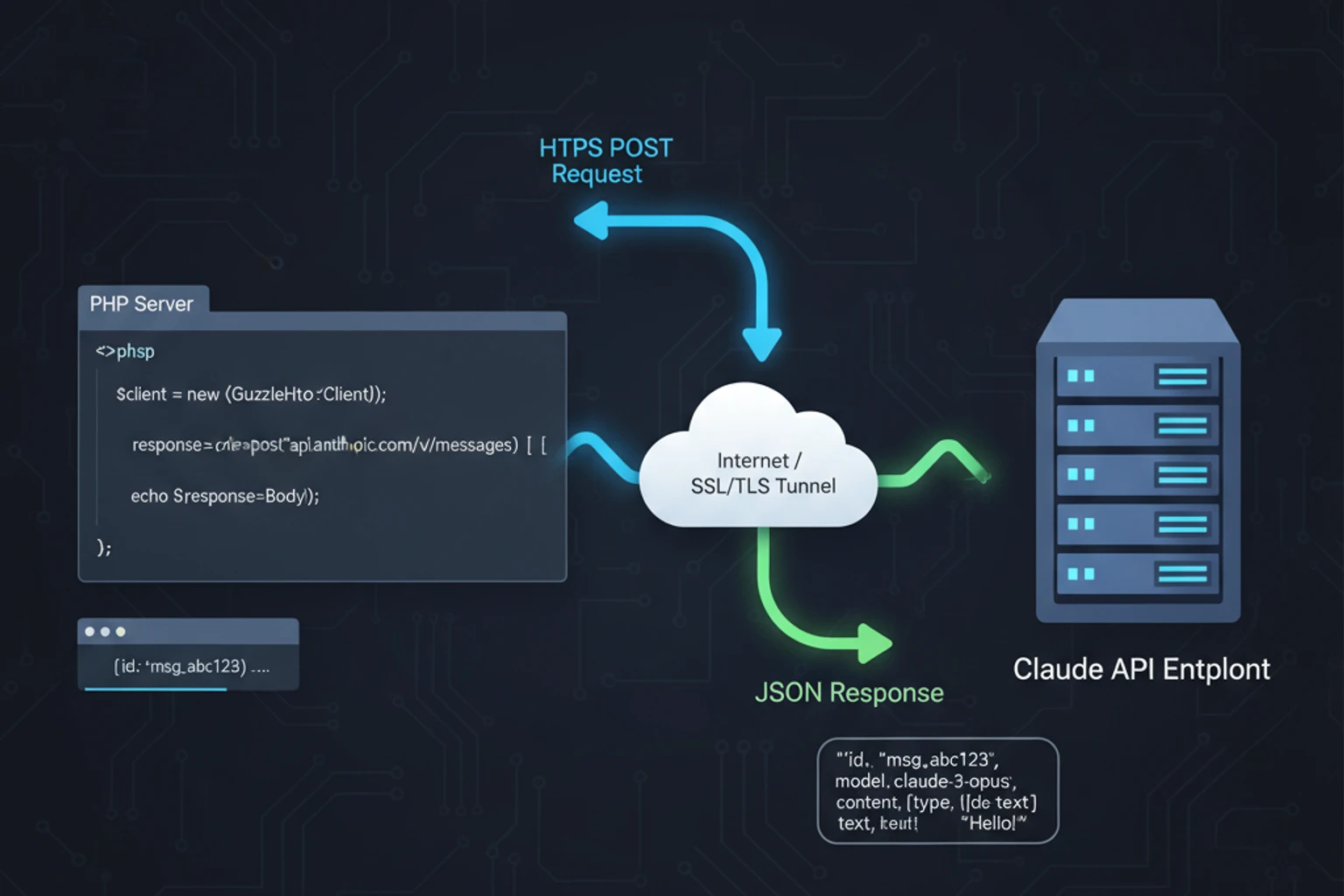
Chapter 03: Your First Claude Request in PHP
Section titled “Chapter 03: Your First Claude Request in PHP”Overview
Section titled “Overview”Making your first successful API request is a milestone in any integration project. This chapter provides a comprehensive guide to making Claude API calls using Claude-PHP-SDK, a powerful community wrapper providing an elegant interface to the Anthropic API.
You’ll learn the complete anatomy of API requests and responses, how to properly structure your calls, parse responses effectively, handle errors gracefully, and follow best practices for production environments. By the end, you’ll be confident making reliable, efficient Claude API calls with clean, type-safe PHP code.
What You’ll Learn:
- Making API calls with Claude-PHP-SDK
- Request structure and named arguments
- Response parsing and data extraction
- Comprehensive error handling
- Building reusable service wrappers
- Request/response debugging
- Performance optimization and caching
Estimated Time: 35-45 minutes
Prerequisites
Section titled “Prerequisites”Before starting, ensure you have:
- ✓ Completed Chapters 01-02
- ✓ PHP 8.4+ installed and working
- ✓ Composer for dependency management
- ✓ Anthropic API key configured in environment
- ✓ Basic HTTP/REST API knowledge
What You’ll Build
Section titled “What You’ll Build”By the end of this chapter, you will have created:
- A working PHP application that makes Claude API requests using Claude-PHP-SDK
- A reusable
ClaudeRequestBuilderclass for fluent request construction - A type-safe
ClaudeResponsemodel wrapper with cost estimation - A
JsonExtractorservice for parsing structured data from responses - A
RetryableClaudeClientwrapper with exponential backoff retry logic - A
DebuggableClaudeClientwith request/response logging and monitoring - Advanced HTTP client configuration examples
- Production-ready error handling for all API exception types
You’ll have a complete understanding of request structure, response parsing, error handling, and best practices for making reliable Claude API calls in PHP.
Objectives
Section titled “Objectives”By completing this chapter, you will:
- Understand the complete structure of Claude API requests and responses
- Create working examples using both the official SDK and direct HTTP calls
- Implement robust error handling with specific exception types
- Build reusable service classes for common API patterns
- Master response parsing including JSON extraction from markdown
- Apply retry logic and exponential backoff for transient failures
- Optimize API calls with proper timeout configuration and connection pooling
Step 1: Installation and Project Setup (~10 min)
Section titled “Step 1: Installation and Project Setup (~10 min)”Set up a PHP project with Claude-PHP-SDK and configure your environment for making API requests.
Actions
Section titled “Actions”- Install Claude-PHP-SDK:
# Install the community Claude-PHP-SDK packagecomposer require claude-php/claude-php-sdk vlucas/phpdotenv- Create project structure:
# Set up directories for code organizationmkdir -p src/{Services,Models} examples- Create environment configuration:
# Create .env file for API key (never commit this!)echo "ANTHROPIC_API_KEY=sk-ant-your-key-here" > .envecho "ANTHROPIC_MODEL=claude-sonnet-4-5-20250929" >> .envecho "ANTHROPIC_MAX_TOKENS=2048" >> .env- Add to .gitignore:
# Security: Never commit API keysecho ".env" >> .gitignoreExpected Result
Section titled “Expected Result”$ composer require claude-php/claude-php-sdk vlucas/phpdotenvUsing version ^1.0 for claude-php/claude-php-sdkUsing version ^5.5 for vlucas/phpdotenv./composer.json has been updatedLoading composer repositories with package information...Package operations: 2 installs, 0 updates, 0 removals- Installing vlucas/phpdotenv (v5.6.0)- Installing claude-php/claude-php-sdk (1.0.0)Writing lock fileGenerating autoload filesWhy It Works
Section titled “Why It Works”Claude-PHP-SDK provides a modern, PHP-native interface to the Anthropic Claude API with named parameters and type safety. The community package offers faster releases and better PHP integration than the official SDK. Environment variables keep sensitive API keys secure and outside version control.
Troubleshooting
Section titled “Troubleshooting”- Package not found: Ensure you have internet access and run
composer updatefirst - Permission errors: Use
sudoif needed, or check directory permissions - PHP version issues: Verify PHP 8.2+ with
php --version
Step 2: Your First Claude API Request (~15 min)
Section titled “Step 2: Your First Claude API Request (~15 min)”Make your first successful API call to Claude and understand the basic request structure.
Actions
Section titled “Actions”- Create a basic request script:
<?phpdeclare(strict_types=1);
require __DIR__ . '/../vendor/autoload.php';
use ClaudePhp\ClaudePhp;
// Initialize client with API key$client = new ClaudePhp(    apiKey: $_ENV['ANTHROPIC_API_KEY'] ?: 'sk-ant-your-key-here');
// Make request$response = $client->messages()->create([    'model' => 'claude-sonnet-4-5-20250929',    'max_tokens' => 1024,    'messages' => [        [            'role' => 'user',            'content' => 'Hello, Claude! Tell me about PHP 8.4 features.'        ]    ]]);
// Output responseecho $response->content[0]->text . "\n";- Set your API key and run:
# Export your API key (or use .env file)export ANTHROPIC_API_KEY="sk-ant-your-key-here"
# Execute the scriptphp examples/01-basic-request.php
The complete implementation is available in examples/01-basic-request.php.
Expected Result
Section titled “Expected Result”PHP 8.4 introduces several exciting features including property hooks, asymmetric visibility,new array functions, and improved type system capabilities. Property hooks allow you tointercept property access and modification...Why It Works
Section titled “Why It Works”The Claude API follows a simple message-based pattern where you send user messages and receive assistant responses. The messages->create() method uses named parameters for clarity, and responses contain structured content with text and metadata. Claude-PHP-SDK handles HTTP communication, authentication, and response parsing automatically.
Troubleshooting
Section titled “Troubleshooting”- Authentication error: Verify your API key starts with
sk-ant-and is active - Network timeout: Check internet connection and try again
- PHP version error: Ensure PHP 8.2+ is installed and in PATH
Step 3: Understanding Request Parameters (~10 min)
Section titled “Step 3: Understanding Request Parameters (~10 min)”Learn all available Claude API parameters and how they control response generation.
Actions
Section titled “Actions”- Create a complete request with all parameters:
<?phpdeclare(strict_types=1);
require __DIR__ . '/../vendor/autoload.php';
use ClaudePhp\ClaudePhp;
$client = new ClaudePhp(    apiKey: $_ENV['ANTHROPIC_API_KEY'] ?: 'sk-ant-your-key-here');
$response = $client->messages()->create([    // === Required Parameters ===    'model' => 'claude-sonnet-4-5-20250929',    'max_tokens' => 2048,    'messages' => [        [            'role' => 'user',            'content' => 'Explain Laravel service providers in detail.'        ]    ],
    // === Optional Parameters ===
    // System prompt - sets behavior and context    'system' => 'You are an expert Laravel developer. Provide detailed, practical explanations with code examples.',
    // Temperature: 0.0 (deterministic) to 1.0 (creative)    // Lower = more focused, higher = more varied    'temperature' => 0.7,
    // Top-p (nucleus sampling): 0.0 to 1.0    // Lower = more focused, higher = more diverse    'top_p' => 0.9,
    // Top-k sampling: limits token selection    'top_k' => 40,
    // Stop sequences - halt generation when encountered    'stop_sequences' => ['</answer>', 'STOP', '---END---']];
echo "Response:\n";echo $response->content[0]->text . "\n\n";
echo "Model used: {$response->model}\n";echo "Stop reason: {$response->stopReason}\n";echo "Input tokens: {$response->usage->inputTokens}\n";echo "Output tokens: {$response->usage->outputTokens}\n";- Run the example:
php examples/02-complete-request.phpExpected Result
Section titled “Expected Result”Response:Laravel service providers are the central place of all Laravel application bootstrapping...
Model used: claude-sonnet-4-5-20250929Stop reason: end_turnInput tokens: 45Output tokens: 523Why It Works
Section titled “Why It Works”Claude API parameters control different aspects of response generation. Required parameters define the basic request, while optional parameters fine-tune behavior. The system parameter sets Claude’s role and context, temperature controls creativity vs consistency, and sampling parameters affect response diversity. Token usage statistics help monitor costs and API limits.
Troubleshooting
Section titled “Troubleshooting”- Invalid parameter error: Check parameter names use snake_case (
max_tokens, notmaxTokens) - Temperature out of range: Ensure temperature is between 0.0 and 1.0
- Stop sequence issues: Avoid empty strings in stop_sequences array
Step 4: Building Requests with the Builder Pattern (~15 min)
Section titled “Step 4: Building Requests with the Builder Pattern (~15 min)”Create a reusable request builder that provides type safety and fluent API for constructing Claude requests.
Actions
Section titled “Actions”- Create the request builder class:
<?phpdeclare(strict_types=1);
namespace App\Services;

class ClaudeRequestBuilder{    private string $model = 'claude-sonnet-4-5-20250929';    private int $maxTokens = 2048;    private array $messages = [];    private ?string $system = null;    private float $temperature = 1.0;    private ?array $stopSequences = null;
    public function model(string $model): self    {        $this->model = $model;        return $this;    }
    public function maxTokens(int $tokens): self    {        $this->maxTokens = $tokens;        return $this;    }
    public function userMessage(string $content): self    {        $this->messages[] = [            'role' => 'user',            'content' => $content        ];        return $this;    }
    public function assistantMessage(string $content): self    {        $this->messages[] = [            'role' => 'assistant',            'content' => $content        ];        return $this;    }
    public function system(string $prompt): self    {        $this->system = $prompt;        return $this;    }
    public function temperature(float $temp): self    {        if ($temp < 0 || $temp > 1) {            throw new \InvalidArgumentException('Temperature must be between 0.0 and 1.0');        }        $this->temperature = $temp;        return $this;    }
    public function stopSequences(array $sequences): self    {        $this->stopSequences = $sequences;        return $this;    }
    /**     * Build parameters for API request     * Returns array for client->messages()->create()     */    public function build(): array    {        if (empty($this->messages)) {            throw new \RuntimeException('At least one message is required');        }
        $params = [            'model' => $this->model,            'max_tokens' => $this->maxTokens,            'messages' => $this->messages,            'temperature' => $this->temperature,        ];
        if ($this->system !== null) {            $params['system'] = $this->system;        }
        if ($this->stopSequences !== null) {            $params['stop_sequences'] = $this->stopSequences;        }
        return $params;    }}
Usage:
<?phpdeclare(strict_types=1);
require __DIR__ . '/../vendor/autoload.php';
use App\Services\ClaudeRequestBuilder;use ClaudePhp\ClaudePhp;
$client = new ClaudePhp(    apiKey: $_ENV['ANTHROPIC_API_KEY'] ?: 'sk-ant-your-key-here');
// Build request fluently$builder = new ClaudeRequestBuilder();$builder    ->model('claude-sonnet-4-5-20250929')    ->maxTokens(1500)    ->system('You are a PHP expert specializing in Laravel.')    ->temperature(0.7)    ->userMessage('How do I implement custom validation rules in Laravel?')    ->stopSequences(['</answer>']);
// Get parameters and make request$params = $builder->build();$response = $client->messages()->create($params);
echo $response->content[0]->text . "\n";- Run the builder example:
php examples/03-request-builder.phpExpected Result
Section titled “Expected Result”Laravel service providers are fundamental building blocks that handle application bootstrapping,dependency injection binding, and service registration. They act as the central place whereyou configure how different parts of your Laravel application work together...Why It Works
Section titled “Why It Works”The builder pattern provides type safety through method chaining, where each method returns $this allowing fluent configuration. The build() method validates the request structure and returns properly formatted API parameters. This approach prevents invalid requests, improves code readability, and enables request reuse across different parts of your application.
Troubleshooting
Section titled “Troubleshooting”- Class not found: Ensure autoloading is set up with
composer dump-autoload - Build validation error: Check that at least one message is added before calling
build() - Parameter conflicts: Builder methods use snake_case internally for API compatibility
Step 5: Understanding Message Structure (~10 min)
Section titled “Step 5: Understanding Message Structure (~10 min)”Learn the rules for constructing valid message arrays and conversation flows.
Actions
Section titled “Actions”- Study valid message patterns:
<?php# Valid: Single user message$messages = [    ['role' => 'user', 'content' => 'Hello!']];
# Valid: Conversation with alternating roles$messages = [    ['role' => 'user', 'content' => 'What is dependency injection?'],    ['role' => 'assistant', 'content' => 'Dependency injection is a design pattern...'],    ['role' => 'user', 'content' => 'Can you show an example?'],];
# Invalid: Consecutive user messages$messages = [    ['role' => 'user', 'content' => 'Hello!'],    ['role' => 'user', 'content' => 'Are you there?'],  // ERROR];
# Invalid: Starting with assistant$messages = [    ['role' => 'assistant', 'content' => 'Hello!'],  // ERROR];
# Invalid: Empty messages array$messages = [];  // ERROR
Key Rules:
- Must start with user message: The first message in the array must have
role => 'user' - Alternating roles: Messages must alternate between
userandassistantroles - No consecutive same roles: Two user messages or two assistant messages cannot be adjacent
- Non-empty array: At least one message is required
- Content required: Each message must have a non-empty
contentstring
::: tip Message Validation
Always validate your messages array before sending. The SDK will throw a ValidationException if these rules are violated, but validating early prevents unnecessary API calls.
:::
Expected Result
Section titled “Expected Result”Understanding of proper message structure for valid API requests.
Why It Works
Section titled “Why It Works”Claude conversations follow a strict message format where user and assistant messages must alternate, starting with a user message. This structure ensures coherent conversation flow and prevents API validation errors. Each message requires a role (user or assistant) and content.
Troubleshooting
Section titled “Troubleshooting”- Validation error: Check that messages start with user role and alternate properly
- Empty content: Ensure all messages have non-empty content strings
- Consecutive roles: Remove duplicate roles in message sequence
System Prompts
Section titled “System Prompts”System prompts set the context for Claude’s behavior and are particularly powerful for:
- Defining roles: Tell Claude to act as a specific type of expert
- Setting constraints: Establish boundaries and guidelines
- Providing context: Share background information that applies to all messages
- Controlling tone: Specify the style and format of responses
::: info System Prompt Best Practices
- Keep system prompts concise but specific
- Use clear, direct language
- Include examples when helpful
- System prompts apply to the entire conversation, so set them once at the start :::
<?phpdeclare(strict_types=1);
require __DIR__ . '/../vendor/autoload.php';
use ClaudePhp\ClaudePhp;
$client = new ClaudePhp(    apiKey: $_ENV['ANTHROPIC_API_KEY'] ?: 'sk-ant-your-key-here');
// Example 1: Code reviewer$codeToReview = <<<'PHP'function processUser($data) {    return mysql_query("SELECT * FROM users WHERE id = " . $data['id'];}PHP;
$codeReviewResponse = $client->messages()->create([    'model' => 'claude-sonnet-4-5-20250929',    'max_tokens' => 2000,    'system' => 'You are a senior PHP code reviewer. Focus on security, performance, and best practices. Be concise but thorough.',    'messages' => [        [            'role' => 'user',            'content' => "Review this code:\n\n" . $codeToReview        ]    ]];
// Example 2: Documentation writer$classCode = <<<'PHP'class UserService {    public function createUser(string $name, string $email): int {        // Implementation here    }}PHP;
$docsResponse = $client->messages()->create([    'model' => 'claude-sonnet-4-5-20250929',    'max_tokens' => 3000,    'system' => 'You are a technical documentation writer. Write clear, comprehensive docs with examples. Follow PSR-5 PHPDoc standards.',    'messages' => [        [            'role' => 'user',            'content' => "Generate PHPDoc comments for:\n\n" . $classCode        ]    ]];
// Example 3: Data analyzer$salesData = [    ['month' => 'January', 'revenue' => 50000],    ['month' => 'February', 'revenue' => 55000],    ['month' => 'March', 'revenue' => 60000],];
$analysisResponse = $client->messages()->create([    'model' => 'claude-sonnet-4-5-20250929',    'max_tokens' => 1500,    'system' => 'You are a data analyst. Provide statistical insights and actionable recommendations based on data. Always include confidence levels.',    'messages' => [        [            'role' => 'user',            'content' => "Analyze this sales data:\n\n" . json_encode($salesData, JSON_PRETTY_PRINT)        )    ]);
Temperature and Sampling Parameters
Section titled “Temperature and Sampling Parameters”Control randomness and creativity:
<?phpdeclare(strict_types=1);
require __DIR__ . '/../vendor/autoload.php';
use ClaudePhp\ClaudePhp;
$client = new ClaudePhp(    apiKey: $_ENV['ANTHROPIC_API_KEY'] ?: 'sk-ant-your-key-here');
$prompt = 'Write a short story about a PHP developer.';
// Temperature 0.0 - Most deterministic// Same input = same output (mostly)// Best for: factual responses, code generation, data extraction$response1 = $client->messages()->create([    'model' => 'claude-sonnet-4-5-20250929',    'max_tokens' => 500,    'temperature' => 0.0,    'messages' => [['role' => 'user', 'content' => $prompt)]);
echo "Temperature 0.0 (Deterministic):\n";echo $response1->content[0]->text . "\n\n";
// Temperature 0.5 - Balanced// Some variation, still focused// Best for: general conversation, explanations$response2 = $client->messages()->create([    'model' => 'claude-sonnet-4-5-20250929',    'max_tokens' => 500,    'temperature' => 0.5,    'messages' => [['role' => 'user', 'content' => $prompt)]);
echo "Temperature 0.5 (Balanced):\n";echo $response2->content[0]->text . "\n\n";
// Temperature 1.0 - Most creative (default)// High variation and creativity// Best for: creative writing, brainstorming, diverse outputs$response3 = $client->messages()->create([    'model' => 'claude-sonnet-4-5-20250929',    'max_tokens' => 500,    'temperature' => 1.0,    'messages' => [['role' => 'user', 'content' => $prompt)]);
echo "Temperature 1.0 (Creative):\n";echo $response3->content[0]->text . "\n\n";
Parameter Recommendations:
| Use Case | Temperature | Top-p | Top-k | Why |
|---|---|---|---|---|
| Code Generation | 0.0 - 0.3 | 0.1 | 10 | Low randomness ensures consistent, correct code |
| Data Extraction | 0.0 - 0.2 | 0.1 | 5 | Deterministic output for accurate data parsing |
| Technical Documentation | 0.3 - 0.5 | 0.5 | 20 | Balanced for clarity with some variation |
| General Conversation | 0.7 - 0.9 | 0.9 | 40 | Natural variation for engaging dialogue |
| Creative Writing | 0.9 - 1.0 | 0.95 | 50 | High creativity for diverse outputs |
| Brainstorming | 1.0 | 1.0 | 100 | Maximum diversity for idea generation |
::: tip Temperature Guidelines
- Start with defaults (temperature 1.0) and adjust based on your needs
- Lower temperature for tasks requiring consistency (code, data extraction)
- Higher temperature for creative tasks (writing, brainstorming)
- Test different values to find what works best for your specific use case :::
Parsing Responses
Section titled “Parsing Responses”Basic Response Structure
Section titled “Basic Response Structure”Every Claude API response contains structured data that you can access programmatically. Understanding the response structure is crucial for building robust applications.
<?phpdeclare(strict_types=1);
require __DIR__ . '/../vendor/autoload.php';
use ClaudePhp\ClaudePhp;
$client = new ClaudePhp(    apiKey: $_ENV['ANTHROPIC_API_KEY'] ?: 'sk-ant-your-key-here');
$response = $client->messages()->create([    'model' => 'claude-sonnet-4-5-20250929',    'max_tokens' => 1024,    'messages' => [        ['role' => 'user', 'content' => 'Explain PHP namespaces.')    ]);
// Response object propertiesecho "=== Response Structure ===\n";echo "ID: {$response->id}\n";                          // msg_01ABC...echo "Type: {$response->type}\n";                      // "message"echo "Model: {$response->model}\n";                    // "claude-sonnet-4..."echo "Stop Reason: {$response->stopReason}\n";         // "end_turn"
// Content array (usually has one text content block)echo "\n=== Content ===\n";if (empty($response->content)) {    echo "Warning: Response has no content blocks\n";} else {    foreach ($response->content as $index => $block) {        echo "Block {$index}:\n";        echo "  Type: {$block->type}\n";                   // "text"
        // Handle different content types        if ($block->type === 'text') {            echo "  Text: {$block->text}\n";               // The actual response        } else {            echo "  Content: " . json_encode($block) . "\n"; // Other content types        }    }}
// Usage statisticsecho "\n=== Usage ===\n";echo "Input Tokens: {$response->usage->inputTokens}\n";echo "Output Tokens: {$response->usage->outputTokens}\n";echo "Total Tokens: " . ($response->usage->inputTokens + $response->usage->outputTokens) . "\n";
Understanding Response Properties:
id: Unique identifier for this message (useful for logging and tracking)type: Always"message"for message responsesrole: Always"assistant"for Claude’s responsesmodel: The model that generated this responsestop_reason: Why generation stopped ("end_turn","max_tokens","stop_sequence")stop_sequence: The stop sequence that triggered termination (if applicable)content: Array of content blocks (usually one text block, but can have multiple)usage: Token usage statistics for cost tracking
Using Response ID for Correlation:
The response id field (format: msg_01ABC...) is useful for:
- Logging: Include in logs to correlate requests and responses
- Debugging: Reference specific API calls when troubleshooting
- Support: Share with Anthropic support for issue investigation
- Auditing: Track API usage and costs per request
// Example: Logging with request ID$response = $client->messages()->create([...];error_log("Claude API Response [{$response->id}]: {$response->usage->inputTokens} input, {$response->usage->outputTokens} output tokens");Content Array Safety:
Always check if the content array is empty before accessing elements:
// Safe content accessif (empty($response->content)) {    throw new \RuntimeException('Response has no content');}
$text = $response->content[0]->text ?? '';
// Or handle multiple content blocksforeach ($response->content as $block) {    if ($block->type === 'text') {        echo $block->text;    }}
::: tip Response Validation
Always check stopReason to ensure the response completed successfully. If stopReason is "max_tokens", the response was truncated and you may need to increase maxTokens or request a continuation.
:::
Response Model Class
Section titled “Response Model Class”Wrapping the SDK response in a custom model class provides several advantages:
- Type safety: Explicit types prevent runtime errors
- Encapsulation: Hide SDK implementation details
- Additional methods: Add helper methods like cost estimation
- Easier testing: Mock responses without SDK dependencies
- Future-proofing: Adapt to SDK changes without changing application code
Create a type-safe response wrapper:
<?phpdeclare(strict_types=1);
namespace App\Models;
class ClaudeResponse{    public function __construct(        private readonly string $id,        private readonly string $text,        private readonly string $model,        private readonly string $stopReason,        private readonly int $inputTokens,        private readonly int $outputTokens,        private readonly ?array $rawResponse = null    ) {}
    public static function fromSdkResponse($response): self    {        return new self(            id: $response->id,            text: $response->content[0]->text,            'model' => $response->model,            stopReason: $response->stopReason,            inputTokens: $response->usage->inputTokens,            outputTokens: $response->usage->outputTokens,            rawResponse: (array) $response        );    }
    public function getId(): string    {        return $this->id;    }
    public function getText(): string    {        return $this->text;    }
    public function getModel(): string    {        return $this->model;    }
    public function getStopReason(): string    {        return $this->stopReason;    }
    public function getInputTokens(): int    {        return $this->inputTokens;    }
    public function getOutputTokens(): int    {        return $this->outputTokens;    }
    public function getTotalTokens(): int    {        return $this->inputTokens + $this->outputTokens;    }
    public function estimateCost(): float    {        $pricing = match($this->model) {            'claude-opus-4-1' => ['input' => 15.00, 'output' => 75.00],            'claude-sonnet-4-5-20250929' => ['input' => 3.00, 'output' => 15.00],            'claude-haiku-4-5-20251001' => ['input' => 0.25, 'output' => 1.25],            default => ['input' => 0, 'output' => 0],        };
        $inputCost = ($this->inputTokens / 1_000_000) * $pricing['input'];        $outputCost = ($this->outputTokens / 1_000_000) * $pricing['output'];
        return $inputCost + $outputCost;    }
    public function toArray(): array    {        return [            'id' => $this->id,            'text' => $this->text,            'model' => $this->model,            'stop_reason' => $this->stopReason,            'tokens' => [                'input' => $this->inputTokens,                'output' => $this->outputTokens,                'total' => $this->getTotalTokens(),            ],            'cost' => $this->estimateCost(),        ];    }}
Usage:
<?phpdeclare(strict_types=1);
require __DIR__ . '/../vendor/autoload.php';
use App\Models\ClaudeResponse;use ClaudePhp\ClaudePhp;
$client = new ClaudePhp(    apiKey: $_ENV['ANTHROPIC_API_KEY'] ?: 'sk-ant-your-key-here');
$sdkResponse = $client->messages()->create([    'model' => 'claude-sonnet-4-5-20250929',    'max_tokens' => 1024,    'messages' => [        ['role' => 'user', 'content' => 'Explain PHP traits.')    ]);
// Wrap in type-safe model$response = ClaudeResponse::fromSdkResponse($sdkResponse);
// Use clean APIecho "Response:\n{$response->getText()}\n\n";echo "Tokens used: {$response->getTotalTokens()}\n";echo "Estimated cost: $" . number_format($response->estimateCost(), 6) . "\n";
// Export as array$data = $response->toArray();file_put_contents('response.json', json_encode($data, JSON_PRETTY_PRINT));
Extracting JSON from Responses
Section titled “Extracting JSON from Responses”Claude often returns JSON, but may wrap it in markdown code blocks. This is common when:
- Requesting structured data extraction
- Asking for formatted output
- Using system prompts that specify JSON format
The JsonExtractor class handles multiple formats automatically:
<?phpdeclare(strict_types=1);
namespace App\Services;
class JsonExtractor{    /**     * Extract and parse JSON from Claude's response     * Handles markdown code blocks and plain JSON     */    public static function extract(string $text): ?array    {        // Try to extract from markdown code block        if (preg_match('/```json\s*(\{.*?\}|\[.*?\]\s*```/s', $text, $matches)) {            return json_decode($matches[1], true);        }
        // Try to extract from code block without language        if (preg_match('/```\s*(\{.*?\}|\[.*?\]\s*```/s', $text, $matches)) {            return json_decode($matches[1], true);        }
        // Try to find raw JSON        if (preg_match('/(\{.*?\}|\[.*?\]/s', $text, $matches)) {            $decoded = json_decode($matches[1], true);            if ($decoded !== null) {                return $decoded;            }        }
        return null;    }
    /**     * Extract and validate JSON with schema     */    public static function extractWithValidation(string $text, array $requiredKeys): ?array    {        $data = self::extract($text);
        if ($data === null) {            return null;        }
        // Validate required keys        foreach ($requiredKeys as $key) {            if (!isset($data[$key]) {                throw new \RuntimeException("Missing required key: {$key}");            }        }
        return $data;    }}
Usage:
<?phpdeclare(strict_types=1);
require __DIR__ . '/../vendor/autoload.php';
use App\Services\JsonExtractor;use ClaudePhp\ClaudePhp;
$client = new ClaudePhp(    apiKey: $_ENV['ANTHROPIC_API_KEY'] ?: 'sk-ant-your-key-here');
$response = $client->messages()->create([    'model' => 'claude-sonnet-4-5-20250929',    'max_tokens' => 512,    'messages' => [        [            'role' => 'user',            'content' => 'Return user data as JSON: name="John Doe", age=30, city="New York". Include only valid JSON, no explanation.'        )    ]);
$text = $response->content[0]->text;echo "Raw response:\n{$text}\n\n";
// Extract JSON$data = JsonExtractor::extract($text);
if ($data) {    echo "Extracted data:\n";    print_r($data);} else {    echo "Failed to extract JSON\n";}
// Extract with validationtry {    $validated = JsonExtractor::extractWithValidation($text, ['name', 'age', 'city'];    echo "Validated data:\n";    print_r($validated);} catch (\RuntimeException $e) {    echo "Validation error: " . $e->getMessage() . "\n";}
Understanding Rate Limits
Section titled “Understanding Rate Limits”Before diving into error handling, it’s important to understand rate limits - a common source of API errors.
What Are Rate Limits?
Section titled “What Are Rate Limits?”Rate limits control how many API requests you can make within a specific time period. They exist to:
- Prevent abuse: Protect the API from being overwhelmed
- Ensure fairness: Distribute resources fairly among users
- Maintain stability: Keep the service responsive for all users
Typical Rate Limits
Section titled “Typical Rate Limits”Anthropic enforces rate limits based on your account tier:
- Free/Trial Tier: ~50 requests per minute
- Paid Tier: Varies by usage and account level (typically 50-100+ requests/minute)
- Enterprise Tier: Custom limits based on agreement
Rate limits apply to:
- Requests per minute: How many API calls you can make
- Tokens per minute: Total token throughput (input + output)
- Requests per day: Daily quota limits (for some tiers)
Rate Limit Headers
Section titled “Rate Limit Headers”When you hit a rate limit, the API returns HTTP 429 with helpful headers:
HTTP/1.1 429 Too Many RequestsRetry-After: 60X-RateLimit-Limit: 50X-RateLimit-Remaining: 0X-RateLimit-Reset: 1640995200Retry-After: Seconds to wait before retryingX-RateLimit-Limit: Your rate limit thresholdX-RateLimit-Remaining: Requests remaining in current windowX-RateLimit-Reset: Unix timestamp when limit resets
::: tip Rate Limit Best Practices
- Monitor your usage: Track requests per minute to stay under limits
- Implement backoff: Use exponential backoff when hitting limits
- Batch requests: Combine multiple operations when possible
- Cache responses: Avoid duplicate requests for same content
- Upgrade tier: Consider higher tier for production workloads :::
Error Handling
Section titled “Error Handling”Robust error handling is essential for production applications. The Anthropic SDK provides specific exception types for different error scenarios, allowing you to handle each appropriately.
Exception Types
Section titled “Exception Types”The SDK throws several exception types, each representing a different error condition:
<?phpdeclare(strict_types=1);
require __DIR__ . '/../vendor/autoload.php';
use ClaudePhp\ClaudePhp;
$client = new ClaudePhp(    apiKey: $_ENV['ANTHROPIC_API_KEY'] ?: 'sk-ant-your-key-here');
try {    $response = $client->messages()->create([        'model' => 'claude-sonnet-4-5-20250929',        'max_tokens' => 1024,        'messages' => [            ['role' => 'user', 'content' => 'Hello!')        ]    );
    echo $response->content[0]->text;
} catch (\Exception $e) {    // Handle API errors (authentication, rate limits, validation, etc.)    error_log("API error: " . $e->getMessage());    echo "Error: API request failed - " . $e->getMessage() . "\n";
} catch (\Exception $e) {    // Unexpected errors    error_log("Unexpected error: " . $e->getMessage());    echo "Error: An unexpected error occurred\n";}
Exception Handling Best Practices:
- Catch specific exceptions first: Handle
RateLimitExceptionandAuthenticationExceptionbefore genericException - Log errors appropriately: Use appropriate log levels (error for failures, warning for retries)
- Provide user-friendly messages: Don’t expose internal error details to end users
- Implement retry logic: Automatically retry transient failures (rate limits, server errors)
- Fail fast on permanent errors: Don’t retry authentication or validation errors
::: warning Error Handling in Production Never expose API keys, internal error messages, or stack traces to end users. Always sanitize error messages and log detailed information server-side for debugging. :::
Retry Logic with Exponential Backoff
Section titled “Retry Logic with Exponential Backoff”Transient failures (rate limits, server errors) should be retried automatically. Exponential backoff increases wait time between retries, preventing overwhelming the API and improving success rates.
Why Exponential Backoff?
- Rate limits: Gives the API time to reset rate limit counters
- Server errors: Temporary issues often resolve quickly
- Network issues: Brief connectivity problems may resolve
- Prevents cascading failures: Avoids hammering a struggling service
<?phpdeclare(strict_types=1);
namespace App\Services;
use ClaudePhp\ClaudePhp;
class RetryableClaudeClient{    private const MAX_RETRIES = 3;    private const INITIAL_DELAY = 1; // seconds
    public function __construct(        private readonly Client $client    ) {}
    public function createMessage(array $params): mixed    {        $attempt = 0;        $delay = self::INITIAL_DELAY;
        while ($attempt < self::MAX_RETRIES) {            try {                return $this->client->messages()->create([...$params);
            } catch (RateLimitException $e) {                $attempt++;
                if ($attempt >= self::MAX_RETRIES) {                    throw $e;                }
                // Exponential backoff: 1s, 2s, 4s, 8s...                error_log("Rate limited. Retrying in {$delay}s (attempt {$attempt}/" . self::MAX_RETRIES . ")");                sleep($delay);                $delay *= 2;
            } catch (ErrorException $e) {                // Check if error is transient (5xx status codes)                if ($this->isTransientError($e)) {                    $attempt++;
                    if ($attempt >= self::MAX_RETRIES) {                        throw $e;                    }
                    error_log("Transient error. Retrying in {$delay}s");                    sleep($delay);                    $delay *= 2;                } else {                    // Non-transient error, don't retry                    throw $e;                }            }        }
        throw new \RuntimeException('Max retries exceeded');    }
    private function isTransientError(ErrorException $e): bool    {        $message = $e->getMessage();
        // Check for 5xx errors (server errors)        return str_contains($message, '500')            || str_contains($message, '502')            || str_contains($message, '503')            || str_contains($message, '504');    }}
Usage:
<?phpdeclare(strict_types=1);
require __DIR__ . '/../vendor/autoload.php';
use App\Services\RetryableClaudeClient;use ClaudePhp\ClaudePhp;
$client = new ClaudePhp(    apiKey: $_ENV['ANTHROPIC_API_KEY'] ?: 'sk-ant-your-key-here');
$retryableClient = new RetryableClaudeClient($client);
try {    $response = $retryableClient->createMessage([        'model' => 'claude-sonnet-4-5-20250929',        'max_tokens' => 1024,        'messages' => [            ['role' => 'user', 'content' => 'Hello!')        ]    ];
    echo $response->content[0]->text;
} catch (\Exception $e) {    echo "Request failed after retries: " . $e->getMessage() . "\n";}
Understanding Claude-PHP-SDK and the Claude API
Section titled “Understanding Claude-PHP-SDK and the Claude API”Before diving deeper, it’s important to understand how Claude-PHP-SDK works and the underlying API structure.
How Claude-PHP-SDK Works
Section titled “How Claude-PHP-SDK Works”Claude-PHP-SDK is a community-maintained wrapper that provides:
- Named arguments: Clean, self-documenting code
- Type safety: Built-in validation and type hints
- Fluent interfaces: Chainable methods for easy API usage
- Error handling: Specific exception types for different error scenarios
- Message parameters: Convenient
MessageParamclass for creating messages
When you call $client->messages()->create([...), the SDK automatically:
- Validates parameters using type hints
- Sets required HTTP headers (
x-api-key,anthropic-version,Content-Type) - Makes the HTTP POST request to
https://api.anthropic.com/v1/messages - Parses the JSON response
- Returns a strongly-typed response object
::: info Under the Hood Claude-PHP-SDK uses the official Anthropic PHP SDK as its foundation. It adds a convenient wrapper layer with named arguments and additional utilities. Both libraries are maintained by Anthropic. :::
HTTP Status Codes
Section titled “HTTP Status Codes”The Claude API uses standard HTTP status codes to indicate request results:
| Status Code | Meaning | When It Occurs | Action |
|---|---|---|---|
200 | Success | Request completed successfully | Process response normally |
400 | Bad Request | Invalid request parameters | Fix request parameters, don’t retry |
401 | Unauthorized | Invalid or missing API key | Check API key, don’t retry |
403 | Forbidden | API key lacks permissions | Check account permissions, don’t retry |
404 | Not Found | Invalid endpoint or model | Check endpoint/model name, don’t retry |
422 | Unprocessable Entity | Request valid but cannot be processed | Review request format, don’t retry |
429 | Too Many Requests | Rate limit exceeded | Implement retry with backoff |
500 | Internal Server Error | Anthropic server error | Retry with exponential backoff |
502 | Bad Gateway | Network/gateway error | Retry with exponential backoff |
503 | Service Unavailable | Service temporarily unavailable | Retry with exponential backoff |
Status Code Categories:
- 2xx (Success): Request succeeded
- 4xx (ClaudePhp Error): Your request was invalid - don’t retry without fixing
- 5xx (Server Error): Anthropic’s servers had an issue - safe to retry
::: tip Retry Strategy Only retry on 5xx errors and 429 (rate limit). Never retry 4xx errors (except 429) as they indicate problems with your request that won’t be fixed by retrying. :::
Advanced HTTP Configuration
Section titled “Advanced HTTP Configuration”Claude-PHP-SDK uses Guzzle under the hood, and you can customize the HTTP client for advanced use cases:
<?phpdeclare(strict_types=1);
require __DIR__ . '/../vendor/autoload.php';
use ClaudePhp\ClaudePhp;use GuzzleHttp\ClaudePhp as GuzzleClient;
// Create custom Guzzle client$httpClient = new GuzzleClient([    'timeout' => 60.0,           // Request timeout    'connect_timeout' => 10.0,   // Connection timeout    'http_errors' => false,      // Don't throw on HTTP errors];
$client = new ClaudePhp(    apiKey: $_ENV['ANTHROPIC_API_KEY'] ?: 'sk-ant-your-key-here',    httpClient: $httpClient);
try {    $response = $client->messages()->create([        'model' => 'claude-sonnet-4-5-20250929',        'max_tokens' => 1024,        'messages' => [            [                'role' => 'user',                'content' => 'Hello, Claude!'            )        ]    );
    echo "Response:\n";    echo $response->content[0]->text . "\n\n";
    echo "Usage:\n";    echo "Input tokens: {$response->usage->inputTokens}\n";    echo "Output tokens: {$response->usage->outputTokens}\n";
} catch (\Exception $e) {    echo "Error: " . $e->getMessage() . "\n";}
Advanced: Custom HTTP ClaudePhp Configuration
Section titled “Advanced: Custom HTTP ClaudePhp Configuration”For advanced use cases, you can configure the underlying HTTP client:
<?phpdeclare(strict_types=1);
require __DIR__ . '/../vendor/autoload.php';
use ClaudePhp\ClaudePhp;use GuzzleHttp\ClaudePhp as GuzzleClient;use GuzzleHttp\HandlerStack;use GuzzleHttp\Middleware;
// Create custom Guzzle client with retry middleware$handlerStack = HandlerStack::create();
$handlerStack->push(Middleware::retry(    function (        int $retries,        \Psr\Http\Message\RequestInterface $request,        ?\Psr\Http\Message\ResponseInterface $response = null,        ?\GuzzleHttp\Exception\RequestException $exception = null    ) {        // Don't retry after 3 attempts        if ($retries >= 3) {            return false;        }
        // Retry on server errors (5xx) or rate limits (429)        if ($response && in_array($response->getStatusCode(), [429, 500, 502, 503, 504]) {            return true;        }
        // Retry on connection errors        if ($exception instanceof \GuzzleHttp\Exception\RequestException) {            return true;        }
        return false;    },    function (int $retries) {        // Exponential backoff: 1s, 2s, 4s        return 1000 * (2 ** ($retries - 1));    }));
$guzzleClient = new GuzzleClient([    'handler' => $handlerStack,    'timeout' => 30.0,];
// Pass custom HTTP client to Anthropic Client$client = new ClaudePhp(    apiKey: $_ENV['ANTHROPIC_API_KEY'] ?: 'sk-ant-your-key-here',    httpClient: $guzzleClient);
try {    $response = $client->messages()->create([        'model' => 'claude-sonnet-4-5-20250929',        'max_tokens' => 1024,        'messages' => [            ['role' => 'user', 'content' => 'Hello!')        ]    );
    echo $response->content[0]->text . "\n";
} catch (\Exception $e) {    echo "Error: " . $e->getMessage() . "\n";}
Request Debugging
Section titled “Request Debugging”Logging Requests and Responses
Section titled “Logging Requests and Responses”<?phpdeclare(strict_types=1);
namespace App\Services;
use ClaudePhp\ClaudePhp;use Psr\Log\LoggerInterface;use Psr\Log\NullLogger;
class DebuggableClaudeClient{ public function __construct( private readonly Client $client, private readonly LoggerInterface $logger = new NullLogger(), private readonly bool $debugMode = false ) {}
public function createMessage(array $params): mixed { $requestId = uniqid('req_', true); $startTime = microtime(true);
if ($this->debugMode) { $this->logger->debug("Claude API Request", [ 'request_id' => $requestId, 'model' => $params['model'] ?? 'unknown', 'params' => $this->sanitizeParams($params), ]; }
try { $response = $this->client->messages()->create([...$params);
$duration = microtime(true) - $startTime;
if ($this->debugMode) { $this->logger->debug("Claude API Response", [ 'request_id' => $requestId, 'duration' => round($duration, 3), 'model' => $response->model, 'stop_reason' => $response->stopReason, 'input_tokens' => $response->usage->inputTokens, 'output_tokens' => $response->usage->outputTokens, 'response_preview' => substr($response->content[0]->text, 0, 100), ]; }
return $response;
} catch (\Exception $e) { $duration = microtime(true) - $startTime;
$this->logger->error("Claude API Error", [ 'request_id' => $requestId, 'duration' => round($duration, 3), 'error' => $e->getMessage(), 'exception' => get_class($e), ];
throw $e; } }
private function sanitizeParams(array $params): array { // Don't log full message content in production $sanitized = $params;
if (isset($sanitized['messages']) { $sanitized['messages'] = array_map(function($msg) { $content = $msg->content ?? (string) $msg; return [ 'role' => $msg->role ?? 'unknown', 'content_length' => strlen($content), 'content_preview' => substr($content, 0, 50) . '...', ]; }, $sanitized['messages']; }
return $sanitized; }}Performance Optimization
Section titled “Performance Optimization”Request Timeout Configuration
Section titled “Request Timeout Configuration”<?phpdeclare(strict_types=1);
require __DIR__ . '/../vendor/autoload.php';
use ClaudePhp\ClaudePhp;use GuzzleHttp\ClaudePhp as GuzzleClient;
// Configure HTTP client with custom timeout$httpClient = new GuzzleClient([ 'timeout' => 60.0, // Total request timeout 'connect_timeout' => 10.0, // Connection timeout];
$client = new ClaudePhp( apiKey: $_ENV['ANTHROPIC_API_KEY'] ?: 'sk-ant-your-key-here', httpClient: $httpClient);
$response = $client->messages()->create([ 'model' => 'claude-sonnet-4-5-20250929', 'max_tokens' => 4096, // Large response 'messages' => [ [ 'role' => 'user', 'content' => 'Write a comprehensive guide to PHP design patterns.' ) ]);
echo $response->content[0]->text;Singleton ClaudePhp Pattern
Section titled “Singleton ClaudePhp Pattern”<?phpdeclare(strict_types=1);
namespace App\Services;
use ClaudePhp\ClaudePhp;use GuzzleHttp\ClaudePhp as GuzzleClient;use GuzzleHttp\HandlerStack;use GuzzleHttp\Handler\CurlMultiHandler;
class PooledClaudeClient{ private static ?Client $instance = null;
public static function getInstance(): ClaudePhp { if (self::$instance === null) { // Create handler with connection pooling $handler = new CurlMultiHandler([ 'max_handles' => 100, // Maximum concurrent connections ];
$stack = HandlerStack::create($handler);
$httpClient = new GuzzleClient([ 'handler' => $stack, 'timeout' => 30.0, ];
self::$instance = new ClaudePhp( apiKey: $_ENV['ANTHROPIC_API_KEY'] ?: 'sk-ant-your-key-here', httpClient: $httpClient ); }
return self::$instance; }}Exercises
Section titled “Exercises”Exercise 1: Request Validator
Section titled “Exercise 1: Request Validator”Build a request validator that checks parameters before sending:
<?phpclass RequestValidator{ public function validate(array $params): void { // TODO: Validate required fields (model, max_tokens, messages) // TODO: Validate model is valid Claude model // TODO: Validate max_tokens range (1-16384) // TODO: Validate messages array structure // TODO: Validate temperature range (0.0-1.0) // TODO: Throw exception if invalid }}Exercise 2: Response Cache
Section titled “Exercise 2: Response Cache”Implement a caching layer to avoid duplicate requests:
<?phpclass CachedClaudeClient{ public function createMessage(array $params): mixed { // TODO: Generate cache key from params // TODO: Check if cached response exists // TODO: Return cached response if found // TODO: Make API request if not cached // TODO: Store response in cache // TODO: Return response }}Exercise 3: Cost Tracker
Section titled “Exercise 3: Cost Tracker”Create a system to track and limit API costs:
<?phpclass CostTracker{    private float $dailyLimit = 10.00; // $10 per day
    public function trackAndLimit(array $params): void    {        // TODO: Estimate request cost        // TODO: Get today's spending        // TODO: Check if request would exceed limit        // TODO: Throw exception if over limit        // TODO: Record request for tracking    }}
Solution Hints
Exercise 1: Use match expression for valid models, check isset() for required fields, validate ranges with conditional checks.
Exercise 2: Use md5(json_encode($params)) for cache key, store in Redis or file system with TTL, implement cache warming for common queries.
Exercise 3: Store daily costs in database with date grouping, calculate estimated cost before request, implement budget warnings at 80% threshold.
Troubleshooting
Section titled “Troubleshooting”Request timeout errors?
- Increase timeout configuration
- Reduce max_tokens for faster responses
- Check network connectivity
- Try different model (Haiku is faster)
Invalid request parameters?
- Validate messages array structure
- Ensure messages alternate user/assistant
- Check max_tokens is in valid range
- Verify model name spelling
Authentication errors?
- Check API key format (starts with sk-ant-)
- Verify environment variable is set
- Ensure API key is active in console
- Check payment method is valid
Rate limit errors?
- Implement exponential backoff
- Check current tier limits
- Reduce request frequency
- Consider request queuing
Further Reading
Section titled “Further Reading”- Claude-PHP-SDK on GitHub — Official repository with documentation and examples
- Claude-PHP-SDK on Packagist — Composer package details
- Anthropic API Documentation — Complete API reference and guides
- Anthropic SDK PHP on GitHub — Official Anthropic SDK (underlying library)
Wrap-up
Section titled “Wrap-up”Congratulations! You’ve completed a comprehensive guide to making Claude API requests in PHP. Here’s what you’ve accomplished:
- ✓ Made your first API call using the official Anthropic PHP SDK
- ✓ Built reusable components including request builders, response models, and service wrappers
- ✓ Implemented robust error handling with specific exception types and retry logic
- ✓ Mastered response parsing including JSON extraction from markdown-formatted responses
- ✓ Created production-ready patterns for debugging, logging, and performance optimization
- ✓ Learned both SDK and HTTP approaches giving you flexibility for different use cases
Key Concepts Learned
Section titled “Key Concepts Learned”- SDK vs HTTP: The official SDK provides type safety and convenience, while direct HTTP gives you more control
- Request Structure: Messages must alternate between user and assistant roles, with optional system prompts
- Error Handling: Different exception types require different handling strategies (retry vs fail-fast)
- Response Parsing: Claude responses are structured objects with metadata, usage stats, and content blocks
- Production Patterns: Retry logic, logging, timeout configuration, and connection pooling are essential
Next Steps
Section titled “Next Steps”You now have the foundation to build sophisticated Claude integrations. In the next chapter, you’ll learn how to manage multi-turn conversations, maintain context across requests, and implement conversation state management.
Key Takeaways
Section titled “Key Takeaways”- ✓ SDK is recommended for most use cases over direct HTTP
- ✓ Always handle errors with specific exception types
- ✓ Implement retry logic for transient failures
- ✓ Validate parameters before making requests
- ✓ Parse responses carefully - handle JSON extraction
- ✓ Log requests in debug mode for troubleshooting
- ✓ Set timeouts appropriately for your use case
- ✓ Monitor costs by tracking token usage
- ✓ Use type-safe wrappers for better code maintainability
- ✓ Test error scenarios to ensure robust error handling
Further Reading
Section titled “Further Reading”- Anthropic Messages API Documentation — Official API reference with all parameters and response formats
- Anthropic PHP SDK GitHub Repository — Source code, examples, and issue tracking
- Guzzle HTTP ClaudePhp Documentation — Complete guide to Guzzle for direct HTTP requests
- PSR-18 HTTP ClaudePhp Standard — PHP standard for HTTP client interfaces
- Chapter 04: Understanding Messages and Conversations — Learn multi-turn conversation management
- Chapter 05: Prompt Engineering Basics — Master effective prompt design
Continue to Chapter 04: Understanding Messages and Conversations to learn multi-turn conversation management.
💻 Code Samples
Section titled “💻 Code Samples”All code examples from this chapter are available in the GitHub repository:
Clone and run locally:
git clone https://github.com/dalehurley/codewithphp.gitcd codewithphp/code/claude-php/chapter-03composer installcp .env.example .env# Add your API key to .envphp examples/01-basic-request.php