12: Building Custom Tools in PHP
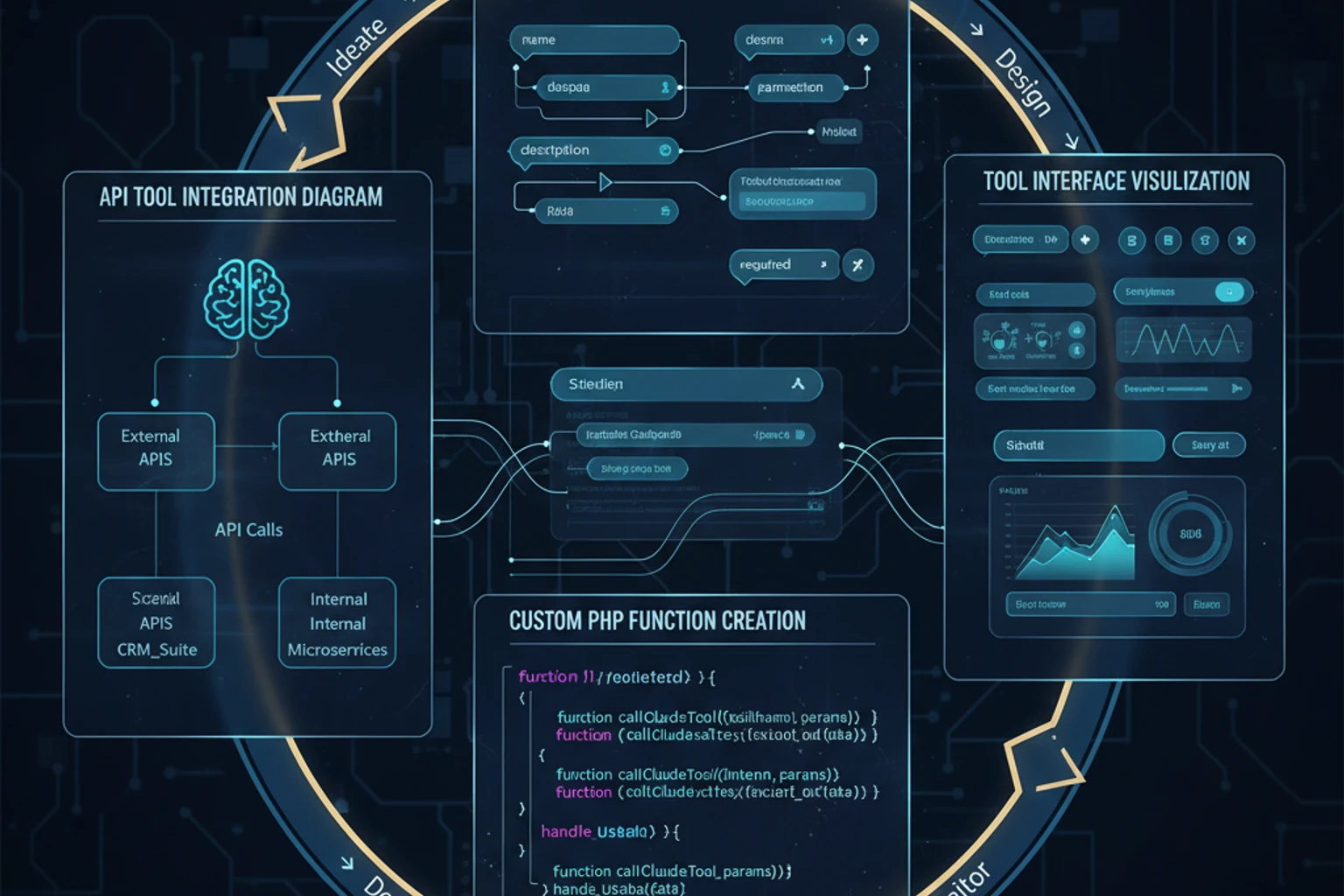
Chapter 12: Building Custom Tools in PHP
Section titled “Chapter 12: Building Custom Tools in PHP”Overview
Section titled “Overview”Now that you understand tool use fundamentals, it’s time to build production-ready tools for real-world applications. In this chapter, you’ll create a comprehensive tool library that integrates with databases, external APIs, file systems, and more.
You’ll learn architectural patterns for organizing tools, security best practices, performance optimization, and how to build tools that are maintainable, testable, and reusable across projects.
What You’ll Build
Section titled “What You’ll Build”By the end of this chapter, you will have created:
- A complete Tool Registry system for managing and organizing custom tools
- Database tools for querying customers and checking inventory
- Payment processing tool integrated with Stripe API
- External API tool for shipping rate calculations
- File operation tools for reading files and analyzing logs
- Security wrapper for tool execution with logging and validation
- Unit tests for validating tool functionality
- A complete integration example showing all tools working together
This tool library will be production-ready, secure, testable, and reusable across multiple projects.
Prerequisites
Section titled “Prerequisites”Before starting, ensure you have:
- ✓ Completed Chapter 11: Tool Use Fundamentals — Understanding tool definitions and execution
- ✓ PDO/Database experience — Prepared statements and query execution
- ✓ REST API knowledge — HTTP requests, JSON handling, error responses
- ✓ PHP 8.4+ with type declarations — Interfaces, classes, and strict typing
- ✓ Claude-PHP-SDK installed —
composer require claude-php/claude-php-sdk
Estimated Time: 60-75 minutes
Objectives
Section titled “Objectives”By completing this chapter, you will:
- Understand the Tool Registry pattern for organizing custom tools
- Build database integration tools that enable Claude to query your data
- Create API integration tools for external service communication
- Implement secure file operation tools with proper access controls
- Learn security best practices for tool execution and validation
- Write comprehensive unit tests for custom tools
- Build a complete tool system ready for production use
Step 1: Building the Tool Registry Architecture (~10 min)
Section titled “Step 1: Building the Tool Registry Architecture (~10 min)”Create a foundation for managing and executing custom tools with a clean, maintainable architecture.
Actions
Section titled “Actions”- Create the Tool interface that all tools must implement
- Build the ToolRegistry class for registering and executing tools
- Implement error handling for tool execution failures
Expected Result
Section titled “Expected Result”A working tool registry system that can register tools and execute them safely.
Why It Works
Section titled “Why It Works”The Tool interface ensures all tools follow the same contract (getDefinition(), execute(), getName()), making them interchangeable and easy to manage. The ToolRegistry centralizes tool management, provides a single point of execution, and handles errors consistently.
Architecture: Tool Registry Pattern
Section titled “Architecture: Tool Registry Pattern”First, let’s build a solid architecture for managing tools. The Tool interface ensures consistency, while the ToolRegistry provides centralized management:
<?phpdeclare(strict_types=1);
namespace App\Tools;
interface Tool{    /**     * Get the tool definition for Claude API     */    public function getDefinition(): array;
    /**     * Execute the tool with given input     */    public function execute(array $input): array;
    /**     * Get the tool name     */    public function getName(): string;}
class ToolRegistry{    /** @var array<string, Tool> */    private array $tools = [];
    public function register(Tool $tool): self    {        $this->tools[$tool->getName()] = $tool;        return $this;    }
    public function execute(string $toolName, array $input): array    {        if (!isset($this->tools[$toolName])) {            throw new \InvalidArgumentException("Tool not found: {$toolName}");        }
        try {            return $this->tools[$toolName]->execute($input);        } catch (\Exception $e) {            return [                'error' => true,                'message' => $e->getMessage(),                'tool' => $toolName            ];        }    }
    public function getDefinitions(): array    {        return array_map(            fn(Tool $tool) => $tool->getDefinition(),            array_values($this->tools)        );    }
    /**     * Get count of registered tools     */    public function count(): int    {        return count($this->tools);    }
    public function has(string $toolName): bool    {        return isset($this->tools[$toolName]);    }
    public function all(): array    {        return $this->tools;    }}
Step 2: Building Database Tools (~15 min)
Section titled “Step 2: Building Database Tools (~15 min)”Create tools that enable Claude to query your database and retrieve customer and inventory information.
Actions
Section titled “Actions”- Build CustomerDatabaseTool for searching customers by email, name, or ID
- Create InventoryTool for checking product stock levels across warehouses
- Implement proper SQL security using prepared statements
Expected Result
Section titled “Expected Result”Two database tools that Claude can use to answer questions about customers and inventory.
Why It Works
Section titled “Why It Works”Database tools bridge Claude’s natural language understanding with your structured data. By using prepared statements and validating input, we prevent SQL injection while giving Claude powerful query capabilities.
::: tip Tool Naming Best Practices
Use descriptive, action-oriented names like query_customers or check_inventory. Avoid generic names like get_data or search. This helps Claude understand when to use each tool.
:::
Troubleshooting
Section titled “Troubleshooting”- Error: “PDO connection failed” — Verify your database connection string and credentials
- No results returned — Check that your search parameters match the database schema (case sensitivity, data types)
- SQL syntax errors — Ensure your query uses proper PDO placeholders (
:value) and parameter binding
Customer Database Tool
Section titled “Customer Database Tool”<?phpdeclare(strict_types=1);
namespace App\Tools\Database;
use App\Tools\Tool;use PDO;
class CustomerDatabaseTool implements Tool{ public function __construct( private PDO $db ) {}
public function getName(): string { return 'query_customers'; }
public function getDefinition(): array { return [ 'name' => $this->getName(), 'description' => 'Searches the customer database by email, name, or customer ID. Returns customer details including order history, tier status, and contact information.', 'input_schema' => [ 'type' => 'object', 'properties' => [ 'search_type' => [ 'type' => 'string', 'enum' => ['email', 'name', 'customer_id'], 'description' => 'Type of search to perform' ], 'search_value' => [ 'type' => 'string', 'description' => 'The value to search for' ], 'include_orders' => [ 'type' => 'boolean', 'description' => 'Whether to include order history', 'default' => false ] ], 'required' => ['search_type', 'search_value'] ] ]; }
public function execute(array $input): array { $searchType = $input['search_type']; $searchValue = $input['search_value']; $includeOrders = $input['include_orders'] ?? false;
// Build query based on search type $query = "SELECT * FROM customers WHERE "; $params = [];
switch ($searchType) { case 'email': $query .= "email = :value"; break; case 'name': $query .= "CONCAT(first_name, ' ', last_name) LIKE :value"; $searchValue = "%{$searchValue}%"; break; case 'customer_id': $query .= "id = :value"; // Ensure customer_id is numeric if (!is_numeric($searchValue)) { throw new \InvalidArgumentException("Customer ID must be numeric"); } break; default: throw new \InvalidArgumentException("Invalid search type"); }
$params[':value'] = $searchValue;
$stmt = $this->db->prepare($query); $stmt->execute($params); $customers = $stmt->fetchAll(PDO::FETCH_ASSOC);
if (empty($customers)) { return [ 'found' => false, 'message' => 'No customers found matching criteria' ]; }
// Include order history if requested if ($includeOrders) { foreach ($customers as &$customer) { $customer['orders'] = $this->getCustomerOrders($customer['id']); } }
return [ 'found' => true, 'count' => count($customers), 'customers' => $customers ]; }
private function getCustomerOrders(int $customerId): array { $stmt = $this->db->prepare( "SELECT id, total, status, created_at FROM orders WHERE customer_id = :customer_id ORDER BY created_at DESC LIMIT 10" ); $stmt->execute([':customer_id' => $customerId]); return $stmt->fetchAll(PDO::FETCH_ASSOC); }}Product Inventory Tool
Section titled “Product Inventory Tool”<?phpdeclare(strict_types=1);
namespace App\Tools\Database;
use App\Tools\Tool;use PDO;
class InventoryTool implements Tool{ public function __construct( private PDO $db ) {}
public function getName(): string { return 'check_inventory'; }
public function getDefinition(): array { return [ 'name' => $this->getName(), 'description' => 'Checks product inventory levels, stock availability, and warehouse locations. Use this to answer questions about product availability.', 'input_schema' => [ 'type' => 'object', 'properties' => [ 'product_id' => [ 'type' => 'string', 'description' => 'Product SKU or ID' ], 'warehouse' => [ 'type' => 'string', 'description' => 'Specific warehouse code (optional)', ] ], 'required' => ['product_id'] ] ]; }
public function execute(array $input): array { $productId = $input['product_id']; $warehouse = $input['warehouse'] ?? null;
// Build query that handles both SKU (string) and ID (numeric) $query = " SELECT p.id, p.sku, p.name, p.price, i.warehouse_code, i.quantity, i.reserved, (i.quantity - i.reserved) as available, i.restock_date FROM products p JOIN inventory i ON p.id = i.product_id WHERE p.sku = :product_id ";
$params = [':product_id' => $productId];
// If product_id is numeric, also search by ID if (is_numeric($productId)) { $query .= " OR p.id = :product_id_numeric"; $params[':product_id_numeric'] = (int)$productId; }
if ($warehouse) { $query .= " AND i.warehouse_code = :warehouse"; $params[':warehouse'] = $warehouse; }
$stmt = $this->db->prepare($query); $stmt->execute($params); $inventory = $stmt->fetchAll(PDO::FETCH_ASSOC);
if (empty($inventory)) { return [ 'found' => false, 'message' => 'Product not found' ]; }
$totalAvailable = array_sum(array_column($inventory, 'available'));
return [ 'found' => true, 'product' => [ 'id' => $inventory[0]['id'], 'sku' => $inventory[0]['sku'], 'name' => $inventory[0]['name'], 'price' => $inventory[0]['price'] ], 'total_available' => $totalAvailable, 'in_stock' => $totalAvailable > 0, 'warehouses' => array_map(function($item) { return [ 'warehouse' => $item['warehouse_code'], 'quantity' => $item['quantity'], 'reserved' => $item['reserved'], 'available' => $item['available'], 'restock_date' => $item['restock_date'] ]; }, $inventory) ]; }}Step 3: Creating API Integration Tools (~15 min)
Section titled “Step 3: Creating API Integration Tools (~15 min)”Build tools that integrate with external APIs, enabling Claude to process payments and retrieve shipping rates.
Actions
Section titled “Actions”- Create StripePaymentTool for processing payments securely
- Build ShippingRatesTool for calculating shipping costs
- Implement proper error handling for API failures
Expected Result
Section titled “Expected Result”Two API integration tools that Claude can use to process transactions and get shipping information.
Why It Works
Section titled “Why It Works”API integration tools extend Claude’s capabilities beyond your local system. By wrapping external APIs in tools, Claude can orchestrate complex workflows involving multiple services. Proper error handling ensures Claude receives clear feedback when APIs fail.
::: warning Payment Processing Security The payment tool includes a warning in its description (“ONLY use this after explicit customer confirmation”). Always add such warnings to tools that perform irreversible actions. Consider implementing additional confirmation steps in your application logic. :::
Troubleshooting
Section titled “Troubleshooting”- Error: “API key invalid” — Verify your API keys are set correctly in environment variables
- Payment processing fails — Check that payment method IDs and customer IDs are valid Stripe objects
- Shipping rates unavailable — Ensure ZIP codes are valid 5-digit US codes and package dimensions are realistic
Payment Processing Tool
Section titled “Payment Processing Tool”<?phpdeclare(strict_types=1);
namespace App\Tools\Payment;
use App\Tools\Tool;
class StripePaymentTool implements Tool{ public function __construct( private string $stripeApiKey ) {}
public function getName(): string { return 'process_payment'; }
public function getDefinition(): array { return [ 'name' => $this->getName(), 'description' => 'Processes a payment through Stripe. ONLY use this after explicit customer confirmation. Returns payment status and transaction ID.', 'input_schema' => [ 'type' => 'object', 'properties' => [ 'amount' => [ 'type' => 'number', 'description' => 'Amount in USD (e.g., 99.99)', 'minimum' => 0.50 ], 'customer_id' => [ 'type' => 'string', 'description' => 'Stripe customer ID' ], 'description' => [ 'type' => 'string', 'description' => 'Payment description' ], 'payment_method' => [ 'type' => 'string', 'description' => 'Payment method ID from Stripe' ] ], 'required' => ['amount', 'customer_id', 'description', 'payment_method'] ] ]; }
public function execute(array $input): array { // In production, use Stripe SDK $amountCents = (int)($input['amount'] * 100);
try { // Simulated Stripe API call // \Stripe\Stripe::setApiKey($this->stripeApiKey); // $charge = \Stripe\PaymentIntent::create([...]);
$paymentIntent = $this->simulateStripePayment( $amountCents, $input['customer_id'], $input['description'], $input['payment_method'] );
return [ 'success' => true, 'payment_intent_id' => $paymentIntent['id'], 'amount' => $input['amount'], 'status' => $paymentIntent['status'], 'created_at' => date('Y-m-d H:i:s') ];
} catch (\Exception $e) { return [ 'success' => false, 'error' => $e->getMessage(), 'amount' => $input['amount'] ]; } }
private function simulateStripePayment( int $amount, string $customerId, string $description, string $paymentMethod ): array { // Simulate successful payment return [ 'id' => 'pi_' . bin2hex(random_bytes(12)), 'amount' => $amount, 'currency' => 'usd', 'customer' => $customerId, 'description' => $description, 'payment_method' => $paymentMethod, 'status' => 'succeeded' ]; }}External API Tool
Section titled “External API Tool”<?phpdeclare(strict_types=1);
namespace App\Tools\External;
use App\Tools\Tool;
class ShippingRatesTool implements Tool{ public function __construct( private string $apiKey, private string $apiUrl = 'https://api.shippo.com/v1' ) {}
public function getName(): string { return 'get_shipping_rates'; }
public function getDefinition(): array { return [ 'name' => $this->getName(), 'description' => 'Gets shipping rates for a package from origin to destination. Returns available carriers, delivery times, and costs.', 'input_schema' => [ 'type' => 'object', 'properties' => [ 'from_zip' => [ 'type' => 'string', 'description' => 'Origin ZIP code', 'pattern' => '^\d{5}$' ], 'to_zip' => [ 'type' => 'string', 'description' => 'Destination ZIP code', 'pattern' => '^\d{5}$' ], 'weight' => [ 'type' => 'number', 'description' => 'Package weight in pounds', 'minimum' => 0.1 ], 'length' => ['type' => 'number', 'description' => 'Length in inches'], 'width' => ['type' => 'number', 'description' => 'Width in inches'], 'height' => ['type' => 'number', 'description' => 'Height in inches'] ], 'required' => ['from_zip', 'to_zip', 'weight', 'length', 'width', 'height'] ] ]; }
public function execute(array $input): array { $ch = curl_init($this->apiUrl . '/shipments');
$payload = [ 'address_from' => ['zip' => $input['from_zip']], 'address_to' => ['zip' => $input['to_zip']], 'parcels' => [[ 'length' => $input['length'], 'width' => $input['width'], 'height' => $input['height'], 'distance_unit' => 'in', 'weight' => $input['weight'], 'mass_unit' => 'lb' ]] ];
curl_setopt_array($ch, [ CURLOPT_RETURNTRANSFER => true, CURLOPT_POST => true, CURLOPT_POSTFIELDS => json_encode($payload), CURLOPT_HTTPHEADER => [ 'Authorization: ShippoToken ' . $this->apiKey, 'Content-Type: application/json' ] ]);
$response = curl_exec($ch); $httpCode = curl_getinfo($ch, CURLINFO_HTTP_CODE); $curlError = curl_error($ch); curl_close($ch);
if ($response === false || !empty($curlError)) { return [ 'error' => true, 'message' => 'Failed to get shipping rates: ' . ($curlError ?: 'Unknown error') ]; }
if ($httpCode !== 200) { return [ 'error' => true, 'message' => "Failed to get shipping rates (HTTP {$httpCode})", 'http_code' => $httpCode ]; }
$data = json_decode($response, true);
// Format rates for Claude $rates = array_map(function($rate) { return [ 'carrier' => $rate['provider'], 'service' => $rate['servicelevel']['name'], 'cost' => $rate['amount'], 'currency' => $rate['currency'], 'delivery_days' => $rate['estimated_days'] ]; }, $data['rates'] ?? []);
return [ 'success' => true, 'rates' => $rates, 'count' => count($rates) ]; }}Step 4: Implementing File Operation Tools (~10 min)
Section titled “Step 4: Implementing File Operation Tools (~10 min)”Create secure file operation tools that allow Claude to read files and analyze logs while maintaining strict security boundaries.
Actions
Section titled “Actions”- Build FileReaderTool with path validation and size limits
- Create LogAnalyzerTool for parsing and analyzing log files
- Implement security checks to prevent directory traversal attacks
Expected Result
Section titled “Expected Result”Two file operation tools that Claude can use safely to read files and analyze logs.
Why It Works
Section titled “Why It Works”File operation tools must be extremely secure since they access the filesystem. By validating paths against an allowed directory and checking file sizes, we prevent unauthorized access and resource exhaustion. The LogAnalyzerTool demonstrates how tools can process and summarize data for Claude.
::: warning File Access Security
Always use realpath() to resolve symbolic links and prevent directory traversal attacks. Never trust user-provided paths directly. The basename() function in LogAnalyzerTool prevents accessing files outside the log directory.
:::
Troubleshooting
Section titled “Troubleshooting”- Error: “Access denied” — Verify the file path is within the
$allowedPathdirectory - Error: “File too large” — Increase
$maxFileSizeor process files in chunks - Log parsing fails — Check that your log format matches the expected pattern in the regex
File Reader Tool
Section titled “File Reader Tool”<?phpdeclare(strict_types=1);
namespace App\Tools\File;
use App\Tools\Tool;
class FileReaderTool implements Tool{ public function __construct( private string $allowedPath, private int $maxFileSize = 1048576 // 1MB ) {}
public function getName(): string { return 'read_file'; }
public function getDefinition(): array { return [ 'name' => $this->getName(), 'description' => 'Reads the contents of a file. Supports text files, CSV, JSON, and log files. Returns file contents and metadata.', 'input_schema' => [ 'type' => 'object', 'properties' => [ 'file_path' => [ 'type' => 'string', 'description' => 'Path to the file to read' ], 'format' => [ 'type' => 'string', 'enum' => ['text', 'json', 'csv'], 'description' => 'Expected file format', 'default' => 'text' ] ], 'required' => ['file_path'] ] ]; }
public function execute(array $input): array { $filePath = $input['file_path']; $format = $input['format'] ?? 'text';
// Security: Ensure file is within allowed path $realPath = realpath($filePath); $allowedRealPath = realpath($this->allowedPath);
if (!$allowedRealPath) { return [ 'error' => true, 'message' => 'Invalid allowed path configuration' ]; }
if (!$realPath || !str_starts_with($realPath, $allowedRealPath)) { return [ 'error' => true, 'message' => 'Access denied: File outside allowed directory' ]; }
if (!file_exists($realPath)) { return [ 'error' => true, 'message' => 'File not found' ]; }
$fileSize = filesize($realPath); if ($fileSize > $this->maxFileSize) { return [ 'error' => true, 'message' => "File too large (max {$this->maxFileSize} bytes)" ]; }
$contents = file_get_contents($realPath);
$result = [ 'success' => true, 'file_path' => $filePath, 'size' => $fileSize, 'modified' => date('Y-m-d H:i:s', filemtime($realPath)) ];
switch ($format) { case 'json': $decoded = json_decode($contents, true); if (json_last_error() !== JSON_ERROR_NONE) { return [ 'error' => true, 'message' => 'Invalid JSON: ' . json_last_error_msg() ]; } $result['data'] = $decoded; break;
case 'csv': $result['data'] = array_map('str_getcsv', explode("\n", $contents)); break;
default: $result['contents'] = $contents; $result['line_count'] = substr_count($contents, "\n") + 1; }
return $result; }}Log Analyzer Tool
Section titled “Log Analyzer Tool”<?phpdeclare(strict_types=1);
namespace App\Tools\File;
use App\Tools\Tool;
class LogAnalyzerTool implements Tool{ public function __construct( private string $logDirectory ) {}
public function getName(): string { return 'analyze_logs'; }
public function getDefinition(): array { return [ 'name' => $this->getName(), 'description' => 'Analyzes application log files for errors, warnings, and patterns. Returns summary statistics and recent critical entries.', 'input_schema' => [ 'type' => 'object', 'properties' => [ 'log_file' => [ 'type' => 'string', 'description' => 'Log file name (e.g., "app.log", "error.log")' ], 'level' => [ 'type' => 'string', 'enum' => ['ERROR', 'WARNING', 'INFO', 'DEBUG'], 'description' => 'Minimum log level to analyze' ], 'last_n_lines' => [ 'type' => 'integer', 'description' => 'Analyze only the last N lines', 'default' => 1000 ] ], 'required' => ['log_file'] ] ]; }
public function execute(array $input): array { $logFile = $this->logDirectory . '/' . basename($input['log_file']); $level = $input['level'] ?? 'ERROR'; $lastNLines = $input['last_n_lines'] ?? 1000;
if (!file_exists($logFile)) { return [ 'error' => true, 'message' => 'Log file not found' ]; }
// Read last N lines $lines = $this->readLastLines($logFile, $lastNLines);
// Parse log entries $entries = array_map(function($line) { if (preg_match('/\[(\d{4}-\d{2}-\d{2} \d{2}:\d{2}:\d{2})\] \w+\.(\w+): (.+)/', $line, $matches)) { return [ 'timestamp' => $matches[1], 'level' => $matches[2], 'message' => $matches[3] ]; } return null; }, $lines);
$entries = array_filter($entries);
// Filter by level $levelPriority = ['DEBUG' => 0, 'INFO' => 1, 'WARNING' => 2, 'ERROR' => 3]; $minPriority = $levelPriority[$level] ?? 0;
$filtered = array_filter($entries, function($entry) use ($levelPriority, $minPriority) { return ($levelPriority[$entry['level']] ?? 0) >= $minPriority; });
// Calculate statistics $stats = [ 'total_entries' => count($entries), 'filtered_entries' => count($filtered), 'by_level' => [] ];
foreach ($entries as $entry) { $level = $entry['level']; $stats['by_level'][$level] = ($stats['by_level'][$level] ?? 0) + 1; }
return [ 'success' => true, 'log_file' => basename($logFile), 'statistics' => $stats, 'recent_entries' => array_slice($filtered, -10) ]; }
private function readLastLines(string $file, int $lines): array { $handle = fopen($file, 'r'); $linecounter = $lines; $pos = -2; $beginning = false; $text = [];
while ($linecounter > 0) { $t = " "; while ($t != "\n") { if (fseek($handle, $pos, SEEK_END) == -1) { $beginning = true; break; } $t = fgetc($handle); $pos--; } $linecounter--; if ($beginning) { rewind($handle); } $text[$lines - $linecounter - 1] = fgets($handle); if ($beginning) break; }
fclose($handle); return array_reverse($text); }}Step 5: Integrating All Tools Together (~10 min)
Section titled “Step 5: Integrating All Tools Together (~10 min)”Combine all tools into a complete system that Claude can use to handle complex, multi-step workflows.
Actions
Section titled “Actions”- Register all tools with the ToolRegistry
- Create an agent function that handles tool use loops
- Test the complete system with a real-world query
Expected Result
Section titled “Expected Result”A working e-commerce support agent that can query customers, check inventory, and get shipping rates in a single conversation.
Why It Works
Section titled “Why It Works”The integration example demonstrates how Claude orchestrates multiple tools automatically. When Claude needs information from multiple sources, it calls tools sequentially, using results from one tool to inform the next. The loop continues until Claude has enough information to provide a complete answer.
::: tip Tool Orchestration
Claude can call multiple tools in parallel when they’re independent. The API automatically handles this - you just need to process all tool_use blocks in the response. Tools that depend on each other’s results will be called sequentially.
:::
Troubleshooting
Section titled “Troubleshooting”- Tool loop never ends — Ensure you have a maximum iteration limit (15 in the example)
- Tools not being called — Verify tool definitions are properly formatted and included in the API request
- Results not used correctly — Check that tool results are properly formatted as JSON strings in the
tool_resultcontent blocks
Complete Integration Example
Section titled “Complete Integration Example”Putting it all together:
<?phpdeclare(strict_types=1);
require __DIR__ . '/../vendor/autoload.php';
use ClaudePhp\ClaudePhp;use App\Tools\ToolRegistry;use App\Tools\Database\CustomerDatabaseTool;use App\Tools\Database\InventoryTool;use App\Tools\Payment\StripePaymentTool;use App\Tools\External\ShippingRatesTool;use App\Tools\File\FileReaderTool;use App\Tools\File\LogAnalyzerTool;
// Initialize database$db = new PDO('sqlite:' . __DIR__ . '/ecommerce.db');
// Create tool registry$registry = new ToolRegistry();
// Register all tools$registry    ->register(new CustomerDatabaseTool($db))    ->register(new InventoryTool($db))    ->register(new StripePaymentTool(getenv('STRIPE_SECRET_KEY')))    ->register(new ShippingRatesTool(getenv('SHIPPO_API_KEY')))    ->register(new FileReaderTool(__DIR__ . '/data'))    ->register(new LogAnalyzerTool(__DIR__ . '/logs'));
// Initialize Claude using Claude-PHP-SDK$client = new ClaudePhp(    apiKey: $_ENV['ANTHROPIC_API_KEY']);
// Agent functionfunction runAgent(string $userMessage, ToolRegistry $registry): string{    global $client;
    $messages = [[        'role' => 'user',        'content' => $userMessage    ]];
    $systemPrompt = <<<SYSTEMYou are an AI assistant for an e-commerce platform with access to various tools.
Available capabilities:- Query customer database- Check product inventory- Process payments (requires confirmation)- Get shipping rates- Read files- Analyze logs
Always be helpful, accurate, and secure. Never process payments without explicit confirmation.SYSTEM;
    $response = $client->messages()->create(        'model' => 'claude-sonnet-4-5',        'max_tokens' => 4096,        'system' => $systemPrompt,        tools: $registry->getDefinitions(),        'messages' => $messages    );
    $iterations = 0;    while ($response->stopReason === 'tool_use' && $iterations < 15) {        $iterations++;
        $messages[] = [            'role' => 'assistant',            'content' => $response->content        ];
        $toolResults = [];        foreach ($response->content as $block) {            if ($block->type === 'tool_use') {                echo "[{$iterations}] Using tool: {$block->name}\n";
                $result = $registry->execute($block->name, (array)$block->input);
                $toolResults[] = [                    'type' => 'tool_result',                    'tool_use_id' => $block->id,                    'content' => json_encode($result)                ];            }        }
        $messages[] = [            'role' => 'user',            'content' => $toolResults        ];
        $response = $client->messages()->create(            'model' => 'claude-sonnet-4-5',            'max_tokens' => 4096,            'system' => $systemPrompt,            tools: $registry->getDefinitions(),            'messages' => $messages        );    }
    $finalText = '';    if (is_array($response->content)) {        foreach ($response->content as $block) {            if (isset($block['type']) && $block['type'] === 'text') {                $finalText .= $block['text'] ?? '';            } elseif (isset($block->type) && $block->type === 'text') {                $finalText .= $block->text ?? '';            }        }    }
    return $finalText;}
// Example usageecho "=== Customer Support Query ===\n";echo runAgent(    "Look up customer john@example.com and check if we have product SKU-123 in stock. " .    "If yes, get shipping rates from 94103 to 10001 for a 2lb package (12x8x6 inches).",    $registry);
Step 6: Writing Tests for Your Tools (~5 min)
Section titled “Step 6: Writing Tests for Your Tools (~5 min)”Create unit tests to ensure your tools work correctly and handle edge cases properly.
Actions
Section titled “Actions”- Write tests for tool definitions to verify schemas are valid
- Test tool execution with valid and invalid inputs
- Verify error handling works correctly
Expected Result
Section titled “Expected Result”Comprehensive test coverage that validates tool functionality and catches regressions.
Why It Works
Section titled “Why It Works”Testing tools ensures they work correctly before Claude uses them. By testing both success and failure cases, we catch bugs early and document expected behavior. Unit tests also serve as examples of how to use each tool.
Troubleshooting
Section titled “Troubleshooting”- Tests fail with database errors — Use in-memory SQLite (
sqlite::memory:) for testing - Mock data not matching — Ensure test data structure matches your production schema
- Tool execution tests fail — Verify you’re calling
execute()with the correct input format
Testing Tools
Section titled “Testing Tools”<?phpdeclare(strict_types=1);
namespace Tests\Tools;
use PHPUnit\Framework\TestCase;use App\Tools\Database\InventoryTool;use PDO;
class InventoryToolTest extends TestCase{ private PDO $db; private InventoryTool $tool;
protected function setUp(): void { $this->db = new PDO('sqlite::memory:'); $this->createTestDatabase(); $this->tool = new InventoryTool($this->db); }
public function testGetDefinitionReturnsValidSchema(): void { $definition = $this->tool->getDefinition();
$this->assertArrayHasKey('name', $definition); $this->assertArrayHasKey('description', $definition); $this->assertArrayHasKey('input_schema', $definition); $this->assertEquals('check_inventory', $definition['name']); }
public function testExecuteReturnsProductInventory(): void { $result = $this->tool->execute(['product_id' => 'SKU-123']);
$this->assertTrue($result['found']); $this->assertArrayHasKey('total_available', $result); $this->assertArrayHasKey('warehouses', $result); }
public function testExecuteWithInvalidProductReturnsNotFound(): void { $result = $this->tool->execute(['product_id' => 'INVALID']);
$this->assertFalse($result['found']); }
private function createTestDatabase(): void { $this->db->exec(" CREATE TABLE products ( id INTEGER PRIMARY KEY, sku TEXT, name TEXT, price REAL ) ");
$this->db->exec(" CREATE TABLE inventory ( id INTEGER PRIMARY KEY, product_id INTEGER, warehouse_code TEXT, quantity INTEGER, reserved INTEGER, restock_date TEXT ) ");
// Insert test data $this->db->exec(" INSERT INTO products VALUES (1, 'SKU-123', 'Test Product', 99.99) ");
$this->db->exec(" INSERT INTO inventory VALUES (1, 1, 'WH-01', 100, 10, NULL) "); }}Step 7: Adding Security and Logging (~5 min)
Section titled “Step 7: Adding Security and Logging (~5 min)”Implement security wrappers and logging to protect your tools and track their usage.
Actions
Section titled “Actions”- Create SecureToolWrapper for input validation and logging
- Implement timeout protection to prevent hung operations
- Add usage logging for security auditing
Expected Result
Section titled “Expected Result”A security wrapper that validates inputs, logs tool usage, and prevents execution timeouts.
Why It Works
Section titled “Why It Works”Security wrappers add an extra layer of protection around tools. By validating inputs against schemas, logging all executions, and implementing timeouts, we prevent abuse and make debugging easier. This pattern can be applied to any tool without modifying the tool itself.
The enhanced validateInput() method now checks:
- Required fields are present
- Enum values match allowed options
- Numeric values are within min/max ranges
- String patterns match regex constraints
This provides detailed error messages that help Claude understand what went wrong and how to fix it.
Troubleshooting
Section titled “Troubleshooting”- Validation always fails — Check that input keys match the schema
requiredfields exactly - Logs not appearing — Verify your logger is properly configured and has write permissions
- Timeouts too aggressive — Adjust timeout values based on your tool’s expected execution time
Security Best Practices
Section titled “Security Best Practices”<?phpdeclare(strict_types=1);
namespace App\Tools\Security;
use App\Tools\Tool;use Psr\Log\LoggerInterface;
class SecureToolWrapper implements Tool{ public function __construct( private Tool $tool, private LoggerInterface $logger, private array $allowedRoles = [] ) {}
public function getName(): string { return $this->tool->getName(); }
public function getDefinition(): array { return $this->tool->getDefinition(); }
public function execute(array $input): array { // Log tool usage $this->logger->info("Tool executed: {$this->getName()}", [ 'input' => $input, 'timestamp' => time() ]);
// Validate input $validationError = $this->validateInput($input); if ($validationError !== null) { $this->logger->warning("Tool validation failed: {$this->getName()}", [ 'error' => $validationError, 'input' => $input ]); return [ 'error' => true, 'message' => 'Invalid input parameters: ' . $validationError ]; }
// Execute with timeout $result = $this->executeWithTimeout( fn() => $this->tool->execute($input), 30 // 30 second timeout );
// Log result $this->logger->info("Tool completed: {$this->getName()}", [ 'success' => !isset($result['error']) ]);
return $result; }
private function validateInput(array $input): ?string { $definition = $this->tool->getDefinition(); $schema = $definition['input_schema'];
// Check required fields foreach ($schema['required'] ?? [] as $field) { if (!isset($input[$field])) { return "Missing required field: {$field}"; } }
// Validate enum values foreach ($schema['properties'] ?? [] as $field => $property) { if (!isset($input[$field])) { continue; // Optional field }
// Check enum constraints if (isset($property['enum']) && !in_array($input[$field], $property['enum'], true)) { return "Invalid value for {$field}. Must be one of: " . implode(', ', $property['enum']); }
// Check numeric ranges if (isset($property['type']) && $property['type'] === 'number') { $value = $input[$field]; if (isset($property['minimum']) && $value < $property['minimum']) { return "Value for {$field} must be at least {$property['minimum']}"; } if (isset($property['maximum']) && $value > $property['maximum']) { return "Value for {$field} must be at most {$property['maximum']}"; } }
// Check string patterns if (isset($property['type']) && $property['type'] === 'string' && isset($property['pattern'])) { if (!preg_match('/' . $property['pattern'] . '/', $input[$field])) { return "Value for {$field} does not match required pattern"; } } }
return null; // Validation passed }
private function executeWithTimeout(callable $callback, int $timeout): array { // In production, implement proper timeout handling using: // - pcntl_alarm() for Unix systems // - set_time_limit() for PHP-FPM // - Process isolation for critical operations // This is a simplified example try { return $callback(); } catch (\Exception $e) { $this->logger->error("Tool error: {$this->getName()}", [ 'error' => $e->getMessage(), 'trace' => $e->getTraceAsString() ]);
return [ 'error' => true, 'message' => 'Tool execution failed: ' . $e->getMessage() ]; } }}Step 8: Advanced Tool Patterns (~10 min)
Section titled “Step 8: Advanced Tool Patterns (~10 min)”Implement production-ready patterns for tool result caching, retry logic, and metrics collection.
Actions
Section titled “Actions”- Add tool result caching to avoid redundant executions
- Implement tool retry logic for transient failures
- Collect tool-specific metrics for monitoring
Expected Result
Section titled “Expected Result”Enhanced tool system with caching, retries, and metrics that improve performance and reliability.
Why It Works
Section titled “Why It Works”Tool result caching reduces database load and API calls for repeated queries. Retry logic handles transient failures automatically. Metrics help identify slow or failing tools for optimization.
Tool Result Caching
Section titled “Tool Result Caching”Cache tool results to avoid redundant executions:
<?phpdeclare(strict_types=1);
namespace App\Tools\Cache;
use App\Tools\Tool;use Psr\SimpleCache\CacheInterface;
class CachedToolWrapper implements Tool{    public function __construct(        private Tool $tool,        private CacheInterface $cache,        private int $ttl = 300 // 5 minutes default    ) {}
    public function getName(): string    {        return $this->tool->getName();    }
    public function getDefinition(): array    {        return $this->tool->getDefinition();    }
    public function execute(array $input): array    {        // Generate cache key from tool name and input        $cacheKey = $this->generateCacheKey($input);
        // Try to get from cache        $cached = $this->cache->get($cacheKey);        if ($cached !== null) {            return $cached;        }
        // Execute tool        $result = $this->tool->execute($input);
        // Cache successful results only        if (!isset($result['error']) || !$result['error']) {            $this->cache->set($cacheKey, $result, $this->ttl);        }
        return $result;    }
    private function generateCacheKey(array $input): string    {        // Sort input to ensure consistent keys        ksort($input);        $serialized = json_encode($input, JSON_SORT_KEYS);        return 'tool:' . $this->getName() . ':' . md5($serialized);    }}
Tool Retry Logic
Section titled “Tool Retry Logic”Retry failed tool executions for transient errors:
<?phpdeclare(strict_types=1);
namespace App\Tools\Retry;
use App\Tools\Tool;use Psr\Log\LoggerInterface;
class RetryableToolWrapper implements Tool{    public function __construct(        private Tool $tool,        private LoggerInterface $logger,        private int $maxRetries = 3,        private int $initialDelay = 1000 // milliseconds    ) {}
    public function getName(): string    {        return $this->tool->getName();    }
    public function getDefinition(): array    {        return $this->tool->getDefinition();    }
    public function execute(array $input): array    {        $attempt = 0;        $lastError = null;
        while ($attempt <= $this->maxRetries) {            try {                $result = $this->tool->execute($input);
                // Check if result indicates a retryable error                if ($this->isRetryableError($result)) {                    $attempt++;                    if ($attempt > $this->maxRetries) {                        return $result; // Return last error after max retries                    }
                    $delay = $this->initialDelay * pow(2, $attempt - 1);                    $this->logger->warning("Tool failed, retrying", [                        'tool' => $this->getName(),                        'attempt' => $attempt,                        'delay_ms' => $delay,                        'error' => $result['message'] ?? 'Unknown error'                    ]);
                    usleep($delay * 1000); // Convert to microseconds                    continue;                }
                // Success or non-retryable error                return $result;
            } catch (\Exception $e) {                $attempt++;                $lastError = $e;
                if ($attempt > $this->maxRetries) {                    $this->logger->error("Tool failed after retries", [                        'tool' => $this->getName(),                        'attempts' => $attempt,                        'error' => $e->getMessage()                    ]);                    return [                        'error' => true,                        'message' => 'Tool execution failed after ' . $this->maxRetries . ' retries: ' . $e->getMessage()                    ];                }
                $delay = $this->initialDelay * pow(2, $attempt - 1);                usleep($delay * 1000);            }        }
        return [            'error' => true,            'message' => 'Tool execution failed'        ];    }
    private function isRetryableError(array $result): bool    {        // Retry on network errors, timeouts, or specific error codes        if (!isset($result['error']) || !$result['error']) {            return false;        }
        $message = strtolower($result['message'] ?? '');        $retryablePatterns = [            'timeout',            'connection',            'network',            'temporary',            'rate limit',            'server error'        ];
        foreach ($retryablePatterns as $pattern) {            if (str_contains($message, $pattern)) {                return true;            }        }
        return false;    }}
Tool Metrics Collection
Section titled “Tool Metrics Collection”Track tool performance and usage:
<?phpdeclare(strict_types=1);
namespace App\Tools\Metrics;
use App\Tools\Tool;use Psr\SimpleCache\CacheInterface;
class ToolMetricsCollector implements Tool{    public function __construct(        private Tool $tool,        private CacheInterface $metricsStore    ) {}
    public function getName(): string    {        return $this->tool->getName();    }
    public function getDefinition(): array    {        return $this->tool->getDefinition();    }
    public function execute(array $input): array    {        $startTime = microtime(true);        $startMemory = memory_get_usage();
        try {            $result = $this->tool->execute($input);            $success = !isset($result['error']) || $result['error'] === false;
            $this->recordMetrics($success, $startTime, $startMemory);
            return $result;        } catch (\Exception $e) {            $this->recordMetrics(false, $startTime, $startMemory);            throw $e;        }    }
    private function recordMetrics(bool $success, float $startTime, int $startMemory): void    {        $duration = (microtime(true) - $startTime) * 1000; // Convert to milliseconds        $memoryUsed = memory_get_usage() - $startMemory;
        $toolName = $this->getName();        $timestamp = time();        $minute = (int)($timestamp / 60);
        // Store metrics per minute        $metricsKey = "tool_metrics:{$toolName}:{$minute}";        $metrics = $this->metricsStore->get($metricsKey, [            'count' => 0,            'success_count' => 0,            'failure_count' => 0,            'total_duration_ms' => 0,            'max_duration_ms' => 0,            'min_duration_ms' => PHP_FLOAT_MAX,            'total_memory_bytes' => 0        ]);
        $metrics['count']++;        if ($success) {            $metrics['success_count']++;        } else {            $metrics['failure_count']++;        }
        $metrics['total_duration_ms'] += $duration;        $metrics['max_duration_ms'] = max($metrics['max_duration_ms'], $duration);        $metrics['min_duration_ms'] = min($metrics['min_duration_ms'], $duration);        $metrics['total_memory_bytes'] += $memoryUsed;
        // Store for 24 hours        $this->metricsStore->set($metricsKey, $metrics, 86400);    }
    /**     * Get metrics for a tool     */    public function getMetrics(string $toolName, int $minutes = 60): array    {        $currentMinute = (int)(time() / 60);        $metrics = [];
        for ($i = 0; $i < $minutes; $i++) {            $minute = $currentMinute - $i;            $key = "tool_metrics:{$toolName}:{$minute}";            $minuteMetrics = $this->metricsStore->get($key);
            if ($minuteMetrics) {                $metrics[] = array_merge($minuteMetrics, ['minute' => $minute]);            }        }
        return $metrics;    }}
Combining All Patterns
Section titled “Combining All Patterns”Wrap tools with multiple decorators:
<?phpdeclare(strict_types=1);
use App\Tools\ToolRegistry;use App\Tools\Database\CustomerDatabaseTool;use App\Tools\Cache\CachedToolWrapper;use App\Tools\Retry\RetryableToolWrapper;use App\Tools\Metrics\ToolMetricsCollector;use App\Tools\Security\SecureToolWrapper;
$registry = new ToolRegistry();
// Wrap tool with multiple decorators$customerTool = new CustomerDatabaseTool($db);$customerTool = new CachedToolWrapper($customerTool, $cache, ttl: 600); // Cache for 10 minutes$customerTool = new RetryableToolWrapper($customerTool, $logger, maxRetries: 3);$customerTool = new ToolMetricsCollector($customerTool, $metricsStore);$customerTool = new SecureToolWrapper($customerTool, $logger);
$registry->register($customerTool);
::: tip Decorator Pattern The decorator pattern allows you to compose multiple behaviors (caching, retry, metrics, security) without modifying the original tool. Each wrapper adds a specific capability while maintaining the Tool interface. :::
Troubleshooting
Section titled “Troubleshooting”- Cache not working — Verify cache implementation supports the TTL you’re using
- Retries happening too often — Adjust
isRetryableError()to be more selective - Metrics not recording — Check that metrics store is properly configured and accessible
Exercises
Section titled “Exercises”Exercise 1: Build an Order Status Tool
Section titled “Exercise 1: Build an Order Status Tool”Goal: Create a tool that queries order information from your database.
Create a new OrderStatusTool that:
- Accepts an
order_idparameter - Queries the orders table for order details
- Returns order status, total, items, and shipping information
- Includes error handling for invalid order IDs
Validation: Test your tool with a valid and invalid order ID:
$tool = new OrderStatusTool($db);$result = $tool->execute(['order_id' => '12345']);// Should return order details or error messageExercise 2: Create a Weather API Tool
Section titled “Exercise 2: Create a Weather API Tool”Goal: Integrate with an external weather API.
Build a WeatherTool that:
- Accepts a
cityand optionalcountryparameter - Calls a weather API (like OpenWeatherMap)
- Returns current temperature, conditions, and forecast
- Handles API errors gracefully
Validation: Test with multiple cities and verify error handling for invalid locations.
Exercise 3: Add Input Validation
Section titled “Exercise 3: Add Input Validation”Goal: Enhance the SecureToolWrapper with more validation.
Extend the SecureToolWrapper to:
- Validate enum values match allowed options
- Check numeric ranges (min/max)
- Validate string patterns (regex)
- Return detailed validation error messages
Validation: Test with invalid inputs and verify helpful error messages are returned.
Further Reading
Section titled “Further Reading”- Claude-PHP-SDK Documentation — The official Claude PHP SDK on GitHub with comprehensive examples
- Claude-PHP-SDK on Packagist — Install via Composer:
composer require claude-php/claude-php-sdk - Anthropic API Documentation — Complete API reference and guides for Claude models
- Tool Use Guide — Official documentation for tool use patterns
Wrap-up
Section titled “Wrap-up”Congratulations! You’ve completed Chapter 12. Here’s what you’ve accomplished:
- ✓ Built a complete Tool Registry system for managing custom tools
- ✓ Created database tools for customer and inventory queries
- ✓ Integrated external APIs for payments and shipping
- ✓ Implemented secure file operations with proper access controls
- ✓ Added security wrappers with validation and logging
- ✓ Written comprehensive unit tests for tool validation
- ✓ Built a complete integration example showing all tools working together
- ✓ Implemented tool result caching to reduce redundant executions
- ✓ Added retry logic for handling transient failures
- ✓ Created tool metrics collection for performance monitoring
You now have a production-ready tool library that Claude can use to interact with your databases, APIs, and file systems. These patterns can be applied to any project where you need to extend Claude’s capabilities.
In the next chapter, you’ll learn how to work with images and visual content using Claude’s vision capabilities.
Further Reading
Section titled “Further Reading”- Claude Tool Use Guide — Official documentation for implementing tool use
- PDO Prepared Statements — Secure database query execution
- Stripe API Reference — Payment processing API documentation
- PSR-3 Logger Interface — Standard logging in PHP applications
- PHPUnit Testing Guide — Comprehensive unit testing framework
Key Takeaways
Section titled “Key Takeaways”- ✓ Use a tool registry pattern for organized, maintainable tool libraries
- ✓ Implement the Tool interface for consistent tool structure
- ✓ Database tools enable Claude to query and analyze data — always use prepared statements
- ✓ API integration tools extend Claude’s capabilities to external services — handle errors gracefully
- ✓ File operation tools must implement strict security measures — validate paths and limit sizes
- ✓ Always validate inputs and handle errors gracefully — provide detailed error messages
- ✓ Log tool usage for debugging and security auditing — track all executions
- ✓ Write unit tests for all custom tools — test both success and failure cases
- ✓ Implement timeouts to prevent hung operations — protect against infinite loops
- ✓ Use descriptive schemas to help Claude understand tool capabilities — clear descriptions matter
- ✓ Add warnings to tools that perform irreversible actions — payment, deletion, etc.
- ✓ Handle both string and numeric IDs in database queries — be flexible with input types
- ✓ Cache tool results to reduce redundant executions — improve performance and reduce load
- ✓ Implement retry logic for transient failures — handle network issues gracefully
- ✓ Collect tool-specific metrics — monitor performance and identify bottlenecks
- ✓ Use the decorator pattern to compose tool behaviors — caching, retry, metrics, security
Continue to Chapter 13: Vision - Working with Images to add visual understanding capabilities.
💻 Code Samples
Section titled “💻 Code Samples”All code examples from this chapter are available in the GitHub repository:
Clone and run locally:
git clone https://github.com/dalehurley/codewithphp.gitcd codewithphp/code/claude-php/chapter-12composer installexport ANTHROPIC_API_KEY="sk-ant-your-key-here"php examples/01-complete-tool-system.php