06: Streaming Responses in PHP
Chapter 06: Streaming Responses in PHP
Section titled “Chapter 06: Streaming Responses in PHP”Overview
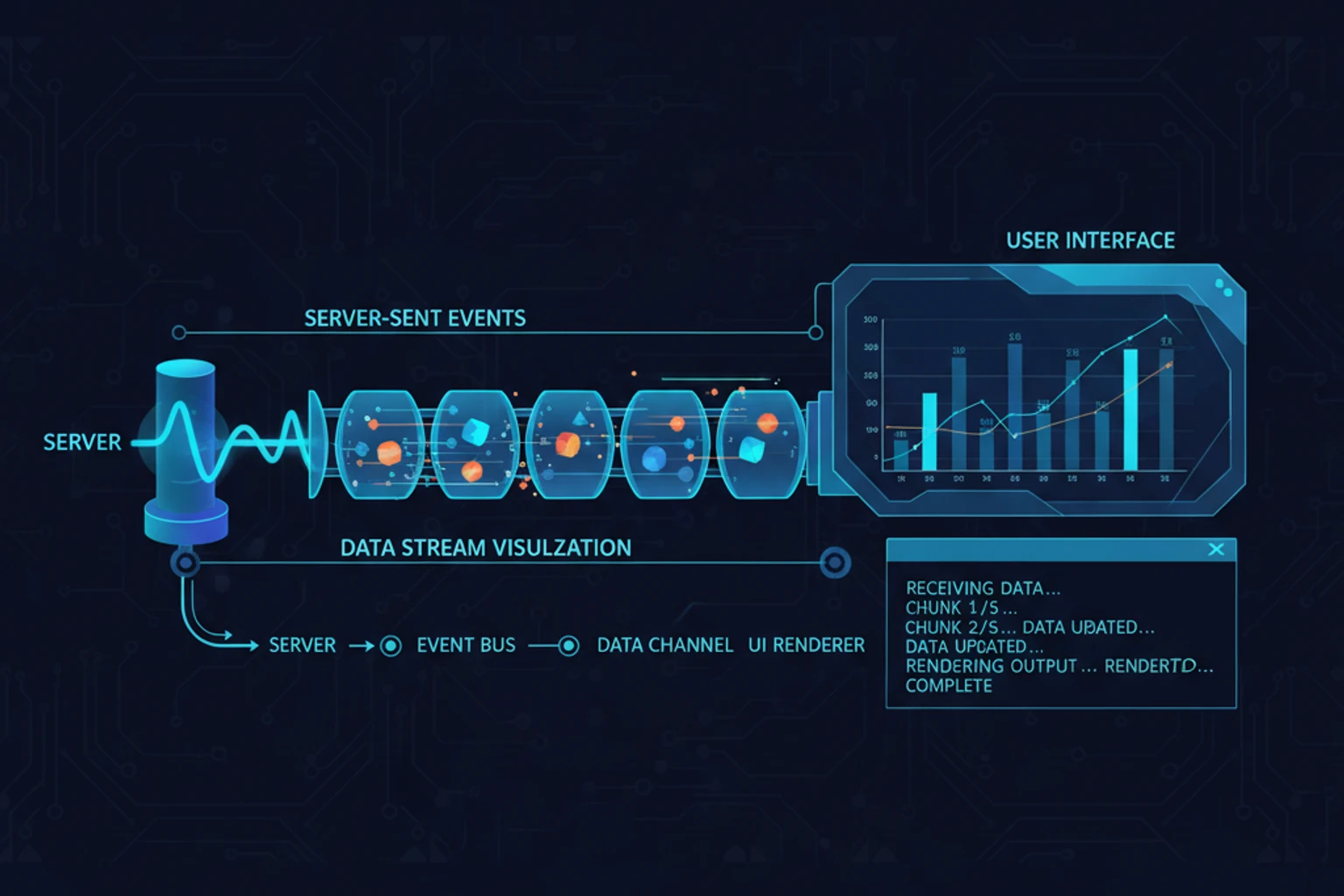
Section titled “Overview”Waiting 5-10 seconds for Claude to finish generating a response creates a poor user experience. Streaming responses solve this by sending tokens as they’re generated, creating fluid, ChatGPT-like interfaces where users see text appear word-by-word in real-time.
This chapter teaches you to implement streaming responses in PHP using Server-Sent Events (SSE), handle partial responses gracefully, build production-ready streaming chatbots, and manage the unique challenges of PHP’s request-response model in streaming contexts.
By the end, you’ll build a complete streaming chatbot interface with proper error handling, reconnection logic, and state management.
Prerequisites
Section titled “Prerequisites”Before starting, ensure you understand:
- ✓ Basic Claude API usage (Chapters 00-03)
- ✓ HTTP request/response lifecycle
- ✓ JavaScript fetch API and EventSource
- ✓ PHP output buffering concepts
Estimated Time: 45-60 minutes
What You’ll Build
Section titled “What You’ll Build”By the end of this chapter, you will have created:
- A
StreamEventHandlerclass for processing streaming events with callbacks - A
StreamingServiceclass for managing SSE responses - A
ConversationalStreamingServicefor maintaining chat history during streams - A
BudgetedStreamingServicefor tracking API costs across streams - A
TimeoutAwareStreamingServicefor enforcing time limits - A
RecoverableStreamingServicefor recovering from partial responses - A production-ready chatbot interface with full streaming support
- A robust client-side streaming consumer with automatic reconnection
- Multiple streaming patterns from simple to advanced
Objectives
Section titled “Objectives”By the end of this chapter, you will be able to:
- Understand the difference between blocking and streaming API responses
- Implement Server-Sent Events (SSE) in PHP for real-time communication
- Disable PHP output buffering correctly for streaming contexts
- Build streaming endpoints that work across Apache, Nginx, and PHP development server
- Handle streaming events with callbacks for text, completion, and errors
- Implement client-side streaming consumers with EventSource or fetch API
- Build conversational streaming with full message history
- Track and manage API costs across streaming responses
- Implement reconnection logic for resilient streaming clients
- Handle edge cases including timeouts, disconnections, and partial responses
- Test streaming implementations effectively
Quick Start: 5-Minute Streaming Example (~5 min)
Section titled “Quick Start: 5-Minute Streaming Example (~5 min)”Get up and running with streaming immediately. This minimal example shows the core pattern:
Backend (stream.php):
<?phpdeclare(strict_types=1);
require 'vendor/autoload.php';
use ClaudePhp\ClaudePhp;
header('Content-Type: text/event-stream');header('Cache-Control: no-cache');header('Connection: keep-alive');
if (ob_get_level()) {    ob_end_clean();}
$client = new ClaudePhp(apiKey: $_ENV['ANTHROPIC_API_KEY']);
$stream = $client->messages()->create([    'model' => 'claude-sonnet-4-5-20250929',    'max_tokens' => 1024,    'stream' => true,    'messages' => [        [            'role' => 'user',            'content' => 'Explain quantum computing in 3 sentences.'        ]    ]]);
foreach ($stream as $event) {    echo "data: " . json_encode($event) . "\n\n";    flush();}
echo "data: {\"type\": \"done\"}\n\n";flush();
Frontend (index.html):
<!DOCTYPE html><html>  <head>    <title>Streaming Chat</title>  </head>  <body>    <div id="output"></div>
    <script>      const output = document.getElementById("output");      let text = "";
      fetch("stream.php").then((response) => {        const reader = response.body.getReader();        const decoder = new TextDecoder();
        const read = async () => {          const { done, value } = await reader.read();          if (done) return;
          const chunk = decoder.decode(value, { stream: true });          const lines = chunk.split("\n");
          lines.forEach((line) => {            if (line.startsWith("data: ")) {              const data = JSON.parse(line.substring(6));              if (data.type === "content_block_delta") {                text += data.delta.text;                output.textContent = text;              }            }          });
          await read();        };
read(); }); </script> </body></html>Result: Open index.html in your browser and see Claude’s response stream in real-time! That’s streaming in its simplest form.
Why Streaming Matters
Section titled “Why Streaming Matters”The User Experience Problem
Section titled “The User Experience Problem”<?phpdeclare(strict_types=1);
require __DIR__ . '/../vendor/autoload.php';
use ClaudePhp\ClaudePhp;
$client = new ClaudePhp(apiKey: $_ENV['ANTHROPIC_API_KEY']);
// Non-streaming: User waits 5-10 seconds with no feedback$startTime = microtime(true);
$response = $client->messages()->create([ 'model' => 'claude-sonnet-4-5-20250929', 'max_tokens' => 2048, 'messages' => [ [ 'role' => 'user', 'content' => 'Explain the SOLID principles with PHP examples for each principle.' ] ]]);
$duration = microtime(true) - $startTime;
echo "Response received after {$duration} seconds:\n\n";echo $response->content[0]->text;Output:
Response received after 8.3 seconds:
The SOLID principles are...
The user waited 8+ seconds staring at a loading spinner. With streaming, they’d see text appearing immediately.
Streaming Benefits
Section titled “Streaming Benefits”- Perceived Performance — Users see progress immediately
- Better UX — Interactive feel like ChatGPT
- Cancellable — Users can stop long responses
- Progressive Rendering — Display partial results while generating
Key Concepts: Streaming, Buffering, and Events
Section titled “Key Concepts: Streaming, Buffering, and Events”Before diving into code, understand these three core concepts:
1. Streaming — The Pattern
Section titled “1. Streaming — The Pattern”Streaming means sending data incrementally as it becomes available, instead of waiting for complete results. Instead of:
ClaudePhp: "Send me a 10,000 word essay" → Wait 10 seconds → Server: "Here's the complete essay"You get:
ClaudePhp: "Send me a 10,000 word essay"Server: "The essay is about..." → "...the benefits of..." → "...streaming responses" → "...done."(User sees text appear word-by-word!)Why it matters: Users feel instant feedback and can start reading before the response completes.
2. Output Buffering — PHP’s Hidden Feature
Section titled “2. Output Buffering — PHP’s Hidden Feature”PHP doesn’t send responses immediately. It buffers (collects) output and sends it all at once when the script ends. For streaming, we must disable buffering so each piece can be sent independently.
// With buffering (default):echo "Hello"; // Held in memoryecho " World"; // Still held// Script ends → Both sent together
// Without buffering:echo "Hello"; flush(); // Sent immediatelyecho " World"; flush(); // Sent immediately
3. Events — The Message Format
Section titled “3. Events — The Message Format”SSE defines how to send ‘messages’ => each message is JSON preceded by data: and followed by a blank line:
data: {"type": "text_delta", "delta": "Hello"}\n\ndata: {"type": "text_delta", "delta": " world"}\n\ndata: {"type": "message_stop"}\n\nThe client reads and parses these, handling each event as it arrives.
Understanding Server-Sent Events (SSE)
Section titled “Understanding Server-Sent Events (SSE)”SSE is a standard protocol for server-to-client streaming over HTTP.
SSE vs WebSockets
Section titled “SSE vs WebSockets”| Feature | SSE | WebSockets |
|---|---|---|
| Direction | Server → ClaudePhp only | Bidirectional |
| Protocol | HTTP | Separate protocol |
| Reconnection | Automatic | Manual |
| Complexity | Simple | Complex |
| Use Case | Real-time updates | Two-way communication |
For Claude streaming, SSE is perfect because we only need server-to-client data flow.
SSE Message Format
Section titled “SSE Message Format”data: {"type": "message_start"}\n\ndata: {"type": "content_block_delta", "delta": {"text": "Hello"}}\n\ndata: {"type": "content_block_delta", "delta": {"text": " world"}}\n\ndata: {"type": "message_stop"}\n\nEach message:
- Starts with
data: - Contains JSON payload
- Ends with double newline
\n\n
Basic Streaming Implementation
Section titled “Basic Streaming Implementation”Server-Side: Streaming Endpoint
Section titled “Server-Side: Streaming Endpoint”<?phpdeclare(strict_types=1);
require __DIR__ . '/../vendor/autoload.php';
use ClaudePhp\ClaudePhp;
// Set SSE headersheader('Content-Type: text/event-stream');header('Cache-Control: no-cache');header('Connection: keep-alive');header('X-Accel-Buffering: no'); // Disable nginx buffering
// Disable PHP output bufferingif (ob_get_level()) { ob_end_clean();}
// Get user message from POST$input = json_decode(file_get_contents('php://input'), true);$userMessage = $input['message'] ?? 'Hello, Claude!';
$client = new ClaudePhp(apiKey: $_ENV['ANTHROPIC_API_KEY']);
try { // Create streaming request $stream = $client->messages()->create([ 'stream' => true, 'model' => 'claude-sonnet-4-5-20250929', 'max_tokens' => 1024, 'messages' => [ [ 'role' => 'user', 'content' => $userMessage ] ] );
// Process each chunk as it arrives foreach ($stream as $event) { $data = json_encode($event);
// Send SSE message echo "data: {$data}\n\n";
// Flush output immediately if (ob_get_level()) { ob_flush(); } flush(); }
// Send completion signal echo "data: {\"type\": \"done\"}\n\n"; flush();
} catch (\Exception $e) { $error = json_encode([ 'type' => 'error', 'message' => $e->getMessage() ]); echo "data: {$error}\n\n"; flush();}ClaudePhp-Side: EventSource Consumer
Section titled “ClaudePhp-Side: EventSource Consumer”<!DOCTYPE html><html> <head> <title>Claude Streaming Chat</title> <style> body { font-family: system-ui; max-width: 800px; margin: 40px auto; padding: 20px; } #messages { height: 400px; overflow-y: auto; border: 1px solid #ccc; padding: 20px; margin-bottom: 20px; } #input { width: 80%; padding: 10px; font-size: 16px; } #send { padding: 10px 20px; font-size: 16px; } .message { margin-bottom: 20px; } .user { color: #0066cc; font-weight: bold; } .assistant { color: #16a34a; font-weight: bold; } .loading { color: #999; font-style: italic; } </style> </head> <body> <h1>Claude Streaming Chat</h1>
<div id="messages"></div>
<input type="text" id="input" placeholder="Ask Claude anything..." /> <button id="send">Send</button>
<script> const messagesDiv = document.getElementById("messages"); const input = document.getElementById("input"); const sendBtn = document.getElementById("send");
let currentAssistantMessage = null;
function addUserMessage(text) { const div = document.createElement("div"); div.className = "message"; div.innerHTML = `<span class="user">You:</span> ${text}`; messagesDiv.appendChild(div); messagesDiv.scrollTop = messagesDiv.scrollHeight; }
function addAssistantMessage() { currentAssistantMessage = document.createElement("div"); currentAssistantMessage.className = "message"; currentAssistantMessage.innerHTML = '<span class="assistant">Claude:</span> <span class="content"></span>'; messagesDiv.appendChild(currentAssistantMessage); return currentAssistantMessage.querySelector(".content"); }
function sendMessage() { const message = input.value.trim(); if (!message) return;
addUserMessage(message); input.value = ""; sendBtn.disabled = true;
const contentSpan = addAssistantMessage(); let fullText = "";
// Create EventSource for streaming fetch("02-streaming-endpoint.php", { method: "POST", headers: { "Content-Type": "application/json" }, body: JSON.stringify({ message }), }).then((response) => { const reader = response.body.getReader(); const decoder = new TextDecoder();
function read() { reader.read().then(({ done, value }) => { if (done) { sendBtn.disabled = false; return; }
const chunk = decoder.decode(value, { stream: true }); const lines = chunk.split("\n");
lines.forEach((line) => { if (line.startsWith("data: ")) { const data = JSON.parse(line.substring(6));
if (data.type === "content_block_delta") { fullText += data.delta.text; contentSpan.textContent = fullText; messagesDiv.scrollTop = messagesDiv.scrollHeight; }
if (data.type === "done") { sendBtn.disabled = false; }
if (data.type === "error") { contentSpan.textContent = "Error: " + data.message; contentSpan.style.color = "red"; sendBtn.disabled = false; } } });
read(); }); }
read(); }); }
sendBtn.addEventListener("click", sendMessage); input.addEventListener("keypress", (e) => { if (e.key === "Enter") sendMessage(); }); </script> </body></html>Production Streaming Implementation
Section titled “Production Streaming Implementation”Stream Event Handler Class
Section titled “Stream Event Handler Class”<?phpdeclare(strict_types=1);
namespace CodeWithPHP\Claude;
class StreamEventHandler{ private string $currentText = ''; private array $metadata = []; private bool $isComplete = false;
public function __construct( private ?\Closure $onText = null, private ?\Closure $onComplete = null, private ?\Closure $onError = null, ) {}
public function handleEvent(object $event): void { match ($event->type) { 'message_start' => $this->handleMessageStart($event), 'content_block_start' => $this->handleContentBlockStart($event), 'content_block_delta' => $this->handleContentDelta($event), 'content_block_stop' => $this->handleContentBlockStop($event), 'message_delta' => $this->handleMessageDelta($event), 'message_stop' => $this->handleMessageStop($event), 'error' => $this->handleError($event), default => null, }; }
private function handleMessageStart(object $event): void { $this->metadata = [ 'id' => $event->message->id, 'model' => $event->message->model, 'role' => $event->message->role, ]; }
private function handleContentBlockStart(object $event): void { // Content block starting, prepare to receive text }
private function handleContentDelta(object $event): void { $delta = $event->delta->text ?? ''; $this->currentText .= $delta;
if ($this->onText) { ($this->onText)($delta, $this->currentText); } }
private function handleContentBlockStop(object $event): void { // Content block complete }
private function handleMessageDelta(object $event): void { if (isset($event->usage)) { $this->metadata['usage'] = [ 'output_tokens' => $event->usage->outputTokens ?? 0, ]; }
if (isset($event->delta->stopReason)) { $this->metadata['stop_reason'] = $event->delta->stopReason; } }
private function handleMessageStop(object $event): void { $this->isComplete = true;
if ($this->onComplete) { ($this->onComplete)($this->currentText, $this->metadata); } }
private function handleError(object $event): void { if ($this->onError) { ($this->onError)($event->error ?? 'Unknown error'); } }
public function getText(): string { return $this->currentText; }
public function getMetadata(): array { return $this->metadata; }
public function isComplete(): bool { return $this->isComplete; }}Streaming Service Class
Section titled “Streaming Service Class”<?phpdeclare(strict_types=1);
namespace CodeWithPHP\Claude;
use ClaudePhp\ClaudePhp;
class StreamingService{ private ClaudePhp $client;
public function __construct(?string $apiKey = null) { $this->client = new ClaudePhp(apiKey: $apiKey ?? $_ENV['ANTHROPIC_API_KEY']); }
public function stream( string $message, ?string $systemPrompt = null, array $options = [] ): StreamEventHandler { $handler = new StreamEventHandler( $options['onText'] ?? null, $options['onComplete'] ?? null, $options['onError'] ?? null );
$messages = [ [ 'role' => 'user', 'content' => $message ] ];
$config = [ 'model' => $options['model'] ?? 'claude-sonnet-4-5', 'maxTokens' => $options['max_tokens'] ?? 2048, 'stream' => true, 'messages' => $messages, ];
if ($systemPrompt) { $config['system'] = $systemPrompt; }
if (isset($options['temperature'])) { $config['temperature'] = $options['temperature']; }
try { $stream = $this->client->messages()->create($config);
foreach ($stream as $event) { $handler->handleEvent($event); } } catch (\Exception $e) { if ($handler->onError ?? null) { ($handler->onError)($e->getMessage()); } throw $e; }
return $handler; }
public function streamToSSE( string $message, ?string $systemPrompt = null, array $options = [] ): void { // Set SSE headers $this->sendSSEHeaders();
$this->stream( message: $message, systemPrompt: $systemPrompt, options: array_merge($options, [ 'onText' => function (string $delta, string $fullText) { $this->sendSSEMessage([ 'type' => 'delta', 'text' => $delta, 'fullText' => $fullText, ]); }, 'onComplete' => function (string $text, array $metadata) { $this->sendSSEMessage([ 'type' => 'complete', 'text' => $text, 'metadata' => $metadata, ]); $this->sendSSEMessage(['type' => 'done']); }, 'onError' => function (string $error) { $this->sendSSEMessage([ 'type' => 'error', 'message' => $error, ]); }, ] ); }
private function sendSSEHeaders(): void { header('Content-Type: text/event-stream'); header('Cache-Control: no-cache'); header('Connection: keep-alive'); header('X-Accel-Buffering: no');
if (ob_get_level()) { ob_end_clean(); } }
private function sendSSEMessage(array $data): void { echo "data: " . json_encode($data) . "\n\n";
if (ob_get_level()) { ob_flush(); } flush(); }}Using the Streaming Service
Section titled “Using the Streaming Service”<?phpdeclare(strict_types=1);
require __DIR__ . '/../vendor/autoload.php';
use CodeWithPHP\Claude\StreamingService;
// Get input$input = json_decode(file_get_contents('php://input'), true);$message = $input['message'] ?? 'Hello!';$systemPrompt = $input['system'] ?? null;
// Stream to SSE$service = new StreamingService( apiKey: $_ENV['ANTHROPIC_API_KEY']);
$service->streamToSSE( message: $message, systemPrompt: $systemPrompt, options: [ 'model' => 'claude-sonnet-4-5-20250929', 'max_tokens' => 4096, 'temperature' => 1.0, ]]);Advanced Streaming Patterns
Section titled “Advanced Streaming Patterns”Pattern 1: Conversational History with Streaming
Section titled “Pattern 1: Conversational History with Streaming”<?phpdeclare(strict_types=1);
namespace CodeWithPHP\Claude;
class ConversationalStreamingService extends StreamingService{ private array $conversationHistory = [];
public function streamWithHistory( string $message, ?string $systemPrompt = null, array $options = [] ): StreamEventHandler { // Add user message to history $this->conversationHistory[] = [ 'role' => 'user', 'content' => $message ];
$handler = new StreamEventHandler( $options['onText'] ?? null, function (string $text, array $metadata) use ($options) { // Add assistant response to history $this->conversationHistory[] = [ 'role' => 'assistant', 'content' => $text ];
if ($options['onComplete'] ?? null) { ($options['onComplete'])($text, $metadata); } }, $options['onError'] ?? null, );
$config = [ 'model' => $options['model'] ?? 'claude-sonnet-4-5', 'maxTokens' => $options['max_tokens'] ?? 2048, 'messages' => $this->conversationHistory, ];
if ($systemPrompt) { $config['system'] = $systemPrompt; }
$stream = $this->client->messages()->create($config);
foreach ($stream as $event) { $handler->handleEvent($event); }
return $handler; }
public function getHistory(): array { return $this->conversationHistory; }
public function clearHistory(): void { $this->conversationHistory = []; }
public function loadHistory(array $history): void { $this->conversationHistory = $history; }}Pattern 2: Streaming with Token Budget
Section titled “Pattern 2: Streaming with Token Budget”<?phpdeclare(strict_types=1);
namespace CodeWithPHP\Claude;
class BudgetedStreamingService extends StreamingService{ private float $budgetUSD; private float $spentUSD = 0.0; private array $pricing = [ 'claude-sonnet-4-5' => [ 'input' => 3.00, // per 1M tokens 'output' => 15.00, // per 1M tokens ], 'claude-haiku-4-5' => [ 'input' => 0.80, 'output' => 4.00, ], ];
public function __construct(?string $apiKey = null, float $budgetUSD = 10.0) { parent::__construct($apiKey); $this->budgetUSD = $budgetUSD; }
public function stream( string $message, ?string $systemPrompt = null, array $options = [] ): StreamEventHandler { if ($this->spentUSD >= $this->budgetUSD) { throw new \RuntimeException("Budget exceeded: \${$this->budgetUSD} limit reached"); }
$model = $options['model'] ?? 'claude-sonnet-4-5';
$originalOnComplete = $options['onComplete'] ?? null; $options['onComplete'] = function (string $text, array $metadata) use ($originalOnComplete, $model) { // Calculate cost $usage = $metadata['usage'] ?? []; $inputTokens = $metadata['input_tokens'] ?? 0; $outputTokens = $usage['output_tokens'] ?? 0;
$pricing = $this->pricing[$model] ?? $this->pricing['claude-sonnet-4-5'];
$cost = ( ($inputTokens / 1_000_000) * $pricing['input'] + ($outputTokens / 1_000_000) * $pricing['output'] );
$this->spentUSD += $cost;
$metadata['cost'] = $cost; $metadata['budget_spent'] = $this->spentUSD; $metadata['budget_remaining'] = $this->budgetUSD - $this->spentUSD;
if ($originalOnComplete) { $originalOnComplete($text, $metadata); } };
return parent::stream($message, $systemPrompt, $options); }
public function getSpent(): float { return $this->spentUSD; }
public function getRemaining(): float { return max(0, $this->budgetUSD - $this->spentUSD); }
public function resetBudget(float $newBudgetUSD): void { $this->budgetUSD = $newBudgetUSD; $this->spentUSD = 0.0; }}Pattern 3: Streaming with Progress Callbacks
Section titled “Pattern 3: Streaming with Progress Callbacks”<?phpdeclare(strict_types=1);
require __DIR__ . '/../vendor/autoload.php';
use CodeWithPHP\Claude\StreamingService;
$service = new StreamingService();
$startTime = microtime(true);$wordCount = 0;$charCount = 0;
$service->streamToSSE( message: 'Write a comprehensive guide to PHP 8.4 features', options: [ 'max_tokens' => 4096, 'onText' => function (string $delta, string $fullText) use (&$wordCount, &$charCount, $startTime) { $charCount = strlen($fullText); $wordCount = str_word_count($fullText); $elapsed = microtime(true) - $startTime; $charsPerSecond = $elapsed > 0 ? $charCount / $elapsed : 0;
// Send progress update echo "data: " . json_encode([ 'type' => 'progress', 'wordCount' => $wordCount, 'charCount' => $charCount, 'elapsed' => round($elapsed, 2), 'speed' => round($charsPerSecond, 0), ] . "\n\n"; flush(); }, ]]);Handling Streaming Edge Cases
Section titled “Handling Streaming Edge Cases”Reconnection Logic
Section titled “Reconnection Logic”class RobustStreamingClient { constructor(endpoint) { this.endpoint = endpoint; this.maxRetries = 3; this.retryDelay = 1000; // Start with 1 second this.currentRetry = 0; }
async sendMessage(message, callbacks) { const { onText, onComplete, onError } = callbacks; let fullText = ""; let lastEventId = null;
const attemptStream = async () => { try { const response = await fetch(this.endpoint, { method: "POST", headers: { "Content-Type": "application/json", ...(lastEventId ? { "Last-Event-ID": lastEventId } : {}), }, body: JSON.stringify({ message }), });
if (!response.ok) { throw new Error(`HTTP ${response.status}: ${response.statusText}`); }
const reader = response.body.getReader(); const decoder = new TextDecoder();
const read = async () => { const { done, value } = await reader.read();
if (done) { this.currentRetry = 0; // Reset on success return; }
const chunk = decoder.decode(value, { stream: true }); const lines = chunk.split("\n");
for (const line of lines) { if (line.startsWith("data: ")) { const data = JSON.parse(line.substring(6));
if (data.id) { lastEventId = data.id; }
if (data.type === "delta") { fullText += data.text; onText?.(data.text, fullText); }
if (data.type === "complete") { onComplete?.(data.text, data.metadata); }
if (data.type === "error") { throw new Error(data.message); } } }
await read(); };
await read(); } catch (error) { if (this.currentRetry < this.maxRetries) { this.currentRetry++; const delay = this.retryDelay * Math.pow(2, this.currentRetry - 1);
console.warn( `Stream failed, retrying in ${delay}ms (attempt ${this.currentRetry}/${this.maxRetries})` );
await new Promise((resolve) => setTimeout(resolve, delay)); await attemptStream(); } else { onError?.(error.message); throw error; } } };
await attemptStream(); }}
// Usageconst client = new RobustStreamingClient("stream.php");
client.sendMessage("Explain async PHP", { onText: (delta, fullText) => { document.getElementById("output").textContent = fullText; }, onComplete: (text, metadata) => { console.log("Stream complete:", metadata); }, onError: (error) => { console.error("Stream failed:", error); document.getElementById("output").textContent = "Error: " + error; },});Timeout Handling
Section titled “Timeout Handling”<?phpdeclare(strict_types=1);
namespace CodeWithPHP\Claude;
class TimeoutAwareStreamingService extends StreamingService{ public function streamWithTimeout( string $message, int $timeoutSeconds = 30, ?string $systemPrompt = null, array $options = [] ): StreamEventHandler { $startTime = time();
$originalOnText = $options['onText'] ?? null; $options['onText'] = function (string $delta, string $fullText) use ($originalOnText, $startTime, $timeoutSeconds) { // Check timeout if (time() - $startTime > $timeoutSeconds) { throw new \RuntimeException("Stream timeout after {$timeoutSeconds} seconds"); }
if ($originalOnText) { $originalOnText($delta, $fullText); } };
return $this->stream($message, $systemPrompt, $options); }}Partial Response Recovery
Section titled “Partial Response Recovery”<?phpdeclare(strict_types=1);
namespace CodeWithPHP\Claude;
class RecoverableStreamingService extends StreamingService{ private string $cacheDir;
public function __construct(?string $apiKey = null, ?string $cacheDir = null) { parent::__construct($apiKey); $this->cacheDir = $cacheDir ?? sys_get_temp_dir() . '/claude-streams';
if (!is_dir($this->cacheDir)) { mkdir($this->cacheDir, 0777, true); } }
public function streamWithRecovery( string $requestId, string $message, ?string $systemPrompt = null, array $options = [] ): StreamEventHandler { $cachePath = $this->cacheDir . '/' . $requestId . '.txt'; $metadataPath = $this->cacheDir . '/' . $requestId . '.json';
// Check for partial response $recoveredText = ''; if (file_exists($cachePath)) { $recoveredText = file_get_contents($cachePath);
// If we have a complete response, return it if (file_exists($metadataPath)) { $metadata = json_decode(file_get_contents($metadataPath), true); if ($metadata['complete'] ?? false) { $handler = new StreamEventHandler(); // Simulate complete response if ($options['onComplete'] ?? null) { ($options['onComplete']($recoveredText, $metadata); } return $handler; } } }
// Wrap callbacks to save progress $originalOnText = $options['onText'] ?? null; $options['onText'] = function (string $delta, string $fullText) use ($originalOnText, $cachePath) { // Save progress file_put_contents($cachePath, $fullText);
if ($originalOnText) { $originalOnText($delta, $fullText); } };
$originalOnComplete = $options['onComplete'] ?? null; $options['onComplete'] = function (string $text, array $metadata) use ($originalOnComplete, $metadataPath) { // Mark as complete $metadata['complete'] = true; file_put_contents($metadataPath, json_encode($metadata));
if ($originalOnComplete) { $originalOnComplete($text, $metadata); } };
$originalOnError = $options['onError'] ?? null; $options['onError'] = function (string $error) use ($originalOnError, $cachePath, $metadataPath) { // Save error state if (file_exists($cachePath)) { $metadata = [ 'complete' => false, 'error' => $error, 'timestamp' => time(), ]; file_put_contents($metadataPath, json_encode($metadata)); }
if ($originalOnError) { $originalOnError($error); } };
return $this->stream($message, $systemPrompt, $options); }
public function clearCache(string $requestId): void { @unlink($this->cacheDir . '/' . $requestId . '.txt'); @unlink($this->cacheDir . '/' . $requestId . '.json'); }}Complete Streaming Chatbot
Section titled “Complete Streaming Chatbot”Backend: Complete Chat API
Section titled “Backend: Complete Chat API”<?phpdeclare(strict_types=1);
require __DIR__ . '/../vendor/autoload.php';
use CodeWithPHP\Claude\ConversationalStreamingService;
session_start();
// Initialize or restore conversationif (!isset($_SESSION['chat_service'])) { $_SESSION['chat_service'] = serialize(new ConversationalStreamingService());}
$service = unserialize($_SESSION['chat_service']);
// Get request data$input = json_decode(file_get_contents('php://input'), true);$action = $input['action'] ?? 'message';
switch ($action) { case 'message': $message = $input['message'] ?? ''; $systemPrompt = $input['system'] ?? 'You are a helpful PHP programming assistant.';
$service->streamToSSE( message: $message, systemPrompt: $systemPrompt, options: [ 'model' => 'claude-sonnet-4-5-20250929', 'max_tokens' => 4096, ] );
// Save updated service with conversation history $_SESSION['chat_service'] = serialize($service); break;
case 'history': header('Content-Type: application/json'); echo json_encode([ 'history' => $service->getHistory() ]); break;
case 'clear': $service->clearHistory(); $_SESSION['chat_service'] = serialize($service); header('Content-Type: application/json'); echo json_encode(['status' => 'cleared']); break;
default: http_response_code(400); echo json_encode(['error' => 'Invalid action']);}Frontend: Production Chat Interface
Section titled “Frontend: Production Chat Interface”<!DOCTYPE html><html lang="en"> <head> <meta charset="UTF-8" /> <meta name="viewport" content="width=device-width, initial-scale=1.0" /> <title>Claude PHP Chat</title> <style> * { margin: 0; padding: 0; box-sizing: border-box; }
body { font-family: -apple-system, BlinkMacSystemFont, "Segoe UI", Roboto, sans-serif; background: #f5f5f5; height: 100vh; display: flex; flex-direction: column; }
.header { background: #2563eb; color: white; padding: 1rem 2rem; display: flex; justify-content: space-between; align-items: center; }
.header h1 { font-size: 1.5rem; }
.header button { background: rgba(255, 255, 255, 0.2); border: none; color: white; padding: 0.5rem 1rem; border-radius: 4px; cursor: pointer; font-size: 0.9rem; }
.header button:hover { background: rgba(255, 255, 255, 0.3); }
.chat-container { flex: 1; overflow-y: auto; padding: 2rem; display: flex; flex-direction: column; gap: 1rem; }
.message { display: flex; gap: 1rem; max-width: 80%; animation: slideIn 0.3s ease-out; }
@keyframes slideIn { from { opacity: 0; transform: translateY(10px); } to { opacity: 1; transform: translateY(0); } }
.message.user { align-self: flex-end; flex-direction: row-reverse; }
.message.assistant { align-self: flex-start; }
.avatar { width: 40px; height: 40px; border-radius: 50%; display: flex; align-items: center; justify-content: center; font-weight: bold; color: white; flex-shrink: 0; }
.message.user .avatar { background: #2563eb; }
.message.assistant .avatar { background: #16a34a; }
.message-content { background: white; padding: 1rem; border-radius: 12px; box-shadow: 0 1px 2px rgba(0, 0, 0, 0.1); line-height: 1.6; }
.message.user .message-content { background: #2563eb; color: white; }
.typing-indicator { display: none; gap: 4px; padding: 1rem; }
.typing-indicator.active { display: flex; }
.typing-indicator span { width: 8px; height: 8px; border-radius: 50%; background: #94a3b8; animation: bounce 1.4s infinite ease-in-out; }
.typing-indicator span:nth-child(1) { animation-delay: -0.32s; } .typing-indicator span:nth-child(2) { animation-delay: -0.16s; }
@keyframes bounce { 0%, 80%, 100% { transform: scale(0); } 40% { transform: scale(1); } }
.input-container { background: white; padding: 1rem 2rem; border-top: 1px solid #e5e7eb; display: flex; gap: 1rem; }
.input-container textarea { flex: 1; border: 1px solid #e5e7eb; border-radius: 8px; padding: 0.75rem; font-size: 1rem; font-family: inherit; resize: none; max-height: 120px; }
.input-container textarea:focus { outline: none; border-color: #2563eb; }
.input-container button { background: #2563eb; color: white; border: none; padding: 0.75rem 2rem; border-radius: 8px; cursor: pointer; font-size: 1rem; font-weight: 500; }
.input-container button:hover:not(:disabled) { background: #1d4ed8; }
.input-container button:disabled { background: #94a3b8; cursor: not-allowed; }
.error-message { background: #fee2e2; color: #991b1b; padding: 1rem; border-radius: 8px; margin: 1rem 2rem; } </style> </head> <body> <div class="header"> <h1>Claude PHP Chat</h1> <button id="clearBtn">Clear Chat</button> </div>
<div class="chat-container" id="chatContainer"> <div class="message assistant"> <div class="avatar">C</div> <div class="message-content"> Hello! I'm Claude, your PHP programming assistant. How can I help you today? </div> </div> </div>
<div class="input-container"> <textarea id="messageInput" placeholder="Ask me anything about PHP..." rows="1" ></textarea> <button id="sendBtn">Send</button> </div>
<script> const chatContainer = document.getElementById("chatContainer"); const messageInput = document.getElementById("messageInput"); const sendBtn = document.getElementById("sendBtn"); const clearBtn = document.getElementById("clearBtn");
let isStreaming = false; let currentAssistantMessage = null;
// Auto-resize textarea messageInput.addEventListener("input", function () { this.style.height = "auto"; this.style.height = Math.min(this.scrollHeight, 120) + "px"; });
// Send on Enter, new line on Shift+Enter messageInput.addEventListener("keydown", function (e) { if (e.key === "Enter" && !e.shiftKey) { e.preventDefault(); sendMessage(); } });
sendBtn.addEventListener("click", sendMessage); clearBtn.addEventListener("click", clearChat);
function addUserMessage(text) { const messageDiv = document.createElement("div"); messageDiv.className = "message user"; messageDiv.innerHTML = ` <div class="avatar">U</div> <div class="message-content">${escapeHtml(text)}</div> `; chatContainer.appendChild(messageDiv); scrollToBottom(); }
function createAssistantMessage() { const messageDiv = document.createElement("div"); messageDiv.className = "message assistant"; messageDiv.innerHTML = ` <div class="avatar">C</div> <div class="message-content"></div> `; chatContainer.appendChild(messageDiv); currentAssistantMessage = messageDiv.querySelector(".message-content"); scrollToBottom(); return currentAssistantMessage; }
function addTypingIndicator() { const indicator = document.createElement("div"); indicator.className = "typing-indicator active"; indicator.id = "typingIndicator"; indicator.innerHTML = "<span></span><span></span><span></span>"; chatContainer.appendChild(indicator); scrollToBottom(); }
function removeTypingIndicator() { const indicator = document.getElementById("typingIndicator"); if (indicator) { indicator.remove(); } }
function showError(message) { const errorDiv = document.createElement("div"); errorDiv.className = "error-message"; errorDiv.textContent = "Error: " + message; chatContainer.insertBefore(errorDiv, chatContainer.firstChild); setTimeout(() => errorDiv.remove(), 5000); }
function scrollToBottom() { chatContainer.scrollTop = chatContainer.scrollHeight; }
function escapeHtml(text) { const div = document.createElement("div"); div.textContent = text; return div.innerHTML; }
async function sendMessage() { const message = messageInput.value.trim(); if (!message || isStreaming) return;
isStreaming = true; sendBtn.disabled = true; messageInput.value = ""; messageInput.style.height = "auto";
addUserMessage(message); addTypingIndicator();
try { const response = await fetch("10-complete-chatbot-api.php", { method: "POST", headers: { "Content-Type": "application/json" }, body: JSON.stringify({ action: "message", message: message, }), });
if (!response.ok) { throw new Error(`HTTP ${response.status}`); }
removeTypingIndicator(); const contentDiv = createAssistantMessage(); let fullText = "";
const reader = response.body.getReader(); const decoder = new TextDecoder();
while (true) { const { done, value } = await reader.read(); if (done) break;
const chunk = decoder.decode(value, { stream: true }); const lines = chunk.split("\n");
for (const line of lines) { if (line.startsWith("data: ")) { const data = JSON.parse(line.substring(6));
if (data.type === "delta") { fullText += data.text; contentDiv.textContent = fullText; scrollToBottom(); }
if (data.type === "complete") { console.log("Stream complete:", data.metadata); }
if (data.type === "error") { throw new Error(data.message); } } } } } catch (error) { console.error("Stream error:", error); removeTypingIndicator(); showError(error.message); } finally { isStreaming = false; sendBtn.disabled = false; messageInput.focus(); } }
async function clearChat() { if (!confirm("Clear entire conversation history?")) return;
try { await fetch("10-complete-chatbot-api.php", { method: "POST", headers: { "Content-Type": "application/json" }, body: JSON.stringify({ action: "clear" }), });
// Clear UI chatContainer.innerHTML = ` <div class="message assistant"> <div class="avatar">C</div> <div class="message-content"> Chat cleared! How can I help you? </div> </div> `; } catch (error) { showError("Failed to clear chat: " + error.message); } }
// Focus input on load messageInput.focus(); </script> </body></html>Performance Optimization
Section titled “Performance Optimization”Chunked Transfer Encoding
Section titled “Chunked Transfer Encoding”<?phpdeclare(strict_types=1);
// Enable chunked transfer encodingheader('Transfer-Encoding: chunked');header('Content-Type: text/event-stream');header('Cache-Control: no-cache');
// Disable all bufferingwhile (ob_get_level()) { ob_end_clean();}
function sendChunk(string $data): void{ $chunk = "data: {$data}\n\n"; $length = strlen($chunk);
// Send chunk size in hex, followed by chunk data echo dechex($length) . "\r\n"; echo $chunk . "\r\n"; flush();}
// Your streaming logic heresendChunk(json_encode(['type' => 'start']));// ...sendChunk(json_encode(['type' => 'end']));
// Send terminating chunkecho "0\r\n\r\n";Connection Keep-Alive
Section titled “Connection Keep-Alive”<?phpdeclare(strict_types=1);
header('Content-Type: text/event-stream');header('Cache-Control: no-cache');header('Connection: keep-alive');header('X-Accel-Buffering: no');
// Send keepalive comments every 15 seconds$lastKeepalive = time();
foreach ($stream as $event) { // Send event echo "data: " . json_encode($event) . "\n\n"; flush();
// Send keepalive if needed if (time() - $lastKeepalive > 15) { echo ": keepalive\n\n"; flush(); $lastKeepalive = time(); }}Best Practices for Production Streaming
Section titled “Best Practices for Production Streaming”1. Always Disable Output Buffering Completely
Section titled “1. Always Disable Output Buffering Completely”// Clear ALL output bufferswhile (ob_get_level()) { ob_end_clean();}
// Set headers before any outputheader('Content-Type: text/event-stream');header('Cache-Control: no-cache');header('Connection: keep-alive');2. Implement Graceful Degradation
Section titled “2. Implement Graceful Degradation”If streaming fails, fall back to polling or regular requests:
try { $stream = $client->messages()->create($config); // Stream events...} catch (Exception $e) { // Fallback: Send complete response echo "data: " . json_encode([ 'type' => 'fallback', 'message' => 'Streaming unavailable, showing complete response...', ] . "\n\n"; // Return full response instead}3. Monitor and Log Stream Interruptions
Section titled “3. Monitor and Log Stream Interruptions”$startTime = time();$eventsProcessed = 0;
foreach ($stream as $event) { $eventsProcessed++;
// Detect timeout if (time() - $startTime > 60) { error_log("Stream timeout after {$eventsProcessed} events"); break; }
echo "data: " . json_encode($event) . "\n\n"; flush();}4. Security: Validate Before Streaming
Section titled “4. Security: Validate Before Streaming”// Never trust client input$userMessage = filter_var($_POST['message'] ?? '', FILTER_SANITIZE_STRING);
if (strlen($userMessage) > 10000) { http_response_code(400); echo "data: " . json_encode(['type' => 'error', 'message' => 'Message too long'] . "\n\n"; exit;}5. Handle Web Server Specific Issues
Section titled “5. Handle Web Server Specific Issues”For Nginx:
// Prevent Nginx bufferingheader('X-Accel-Buffering: no');header('X-Accel-Charset: utf-8');For Apache with mod_deflate:
# Add to .htaccess<IfModule mod_deflate.c> SetEnvIfNoCase Request_URI ^/stream\.php$ no-gzip dont-vary</IfModule>Testing Streaming Implementations
Section titled “Testing Streaming Implementations”Unit Testing Streaming Service
Section titled “Unit Testing Streaming Service”<?phpdeclare(strict_types=1);
use PHPUnit\Framework\TestCase;use CodeWithPHP\Claude\StreamingService;
class StreamingServiceTest extends TestCase{ private StreamingService $service;
protected function setUp(): void { $this->service = new StreamingService($_ENV['ANTHROPIC_API_KEY']); }
public function testStreamInitializesWithoutError(): void { $callbackFired = false;
$this->service->stream( message: 'Hello', options: [ 'onText' => function () use (&$callbackFired) { $callbackFired = true; }, ] );
$this->assertTrue($callbackFired); }
public function testStreamGathersCompleteText(): void { $fullText = '';
$handler = $this->service->stream( message: 'Count to 3', options: [ 'onText' => function ($delta, $text) use (&$fullText) { $fullText = $text; }, ] );
$this->assertStringContainsString('1', $handler->getText()); }
public function testErrorCallbackTriggersOnException(): void { $errorMessage = '';
// This will fail gracefully try { $this->service->stream( message: 'test', options: [ 'onError' => function ($error) use (&$errorMessage) { $errorMessage = $error; }, ] ); } catch (Exception $e) { // Expected } }}Integration Testing with curl
Section titled “Integration Testing with curl”#!/bin/bash# Test 1: Basic streaming worksecho "Testing basic streaming..."curl -X POST http://localhost:8000/stream.php \ -H "Content-Type: application/json" \ -d '{"message": "Hello"}' \ | grep -q "data: " && echo "✓ Streaming works" || echo "✗ Streaming failed"
# Test 2: Response contains complete messageecho "Testing response completeness..."RESPONSE=$(curl -s -X POST http://localhost:8000/stream.php \ -H "Content-Type: application/json" \ -d '{"message": "Say DONE when complete"}')
echo "$RESPONSE" | grep -q "DONE" && echo "✓ Complete response" || echo "✗ Incomplete"
# Test 3: Streaming doesn't buffer all output at onceecho "Testing non-buffering..."START=$(date +%s%N)curl -s -X POST http://localhost:8000/stream.php \ -H "Content-Type: application/json" \ -d '{"message": "test"}' &PID=$!
# Check if data arrives incrementally (not all at once)sleep 0.5if ps -p $PID > /dev/null; then echo "✓ Streaming (not buffered)"else echo "✗ Buffered response"fiwait $PIDBrowser Developer Tools Testing
Section titled “Browser Developer Tools Testing”- Open DevTools → Network tab
- Send message in your chat interface
- Look for SSE request (usually named
stream.phpor similar) - Check Response tab:
- Should show incremental data with
data: {...}messages - Not a single large response
- Should show incremental data with
- Monitor timing:
- Data should arrive continuously
- Not everything at once after 5 seconds
Troubleshooting
Section titled “Troubleshooting”Issue: No Streaming Output
Section titled “Issue: No Streaming Output”Problem: Response arrives all at once, not streamed.
Solutions:
// 1. Disable all output bufferingwhile (ob_get_level()) {    ob_end_clean();}
// 2. Set correct headersheader('X-Accel-Buffering: no'); // Nginxheader('Content-Type: text/event-stream');
// 3. Flush after each writeecho "data: ...\n\n";flush();
// 4. Check Apache config// Add to .htaccess:// <IfModule mod_deflate.c>//   SetEnvIfNoCase Request_URI ^/stream\.php$ no-gzip dont-vary// </IfModule>
Issue: Premature Connection Close
Section titled “Issue: Premature Connection Close”Problem: Stream stops unexpectedly.
Solutions:
// 1. Increase PHP timeoutset_time_limit(300); // 5 minutes
// 2. Ignore client disconnectignore_user_abort(true);
// 3. Keep connection aliveregister_shutdown_function(function() {    // Cleanup on shutdown});
// 4. Send periodic keepalive
Issue: High Memory Usage
Section titled “Issue: High Memory Usage”Problem: Memory increases during long streams.
Solutions:
// 1. Process events immediately, don't accumulateforeach ($stream as $event) {    handleEvent($event);    unset($event); // Free memory}
// 2. Don't store full text in memory// Use file-backed storage for long responses
// 3. Set memory limitini_set('memory_limit', '128M');
Exercises
Section titled “Exercises”Exercise 1: Multi-User Chat Room
Section titled “Exercise 1: Multi-User Chat Room”Build a streaming chat room where multiple users can see messages in real-time:
Goal: Extend streaming beyond single users to support collaborative real-time chat
Create a file called multi-user-chat.php and implement:
- Multiple concurrent SSE connections from different users
- Broadcast mechanism to send updates to all connected clients
- User presence tracking (who’s online, typing indicators)
- Message history persistence
Hints:
- Use a temporary file or Redis as a message queue
- Implement a client registry to track open connections
- Send presence updates (user joined, user typing, user left)
- Implement session-based user identification
Validation: Test with multiple browser tabs/windows:
# Terminal 1: Start PHP serverphp -S localhost:8000
# Open browser tabs and open chat.html multiple times# Send message in one tab → should appear in all tabs in real-time
Exercise 2: Streaming Code Generator with Syntax Highlighting
Section titled “Exercise 2: Streaming Code Generator with Syntax Highlighting”Create a tool that streams generated code with incremental syntax highlighting:
Goal: Build an interactive code generation tool that highlights code as it streams
Create a file called code-generator.php and implement:
- Accept requests for code generation (e.g., “Generate a PDF merger class”)
- Stream code blocks with language markers
- Parse code fence markers from streaming response
- Send syntax-highlighted HTML incrementally
- Show progress: “Generating class methods… 45%”
Hints:
- Use regex to detect ````php markers in streaming text
- Apply a PHP syntax highlighter (like
highlight_string()or a library) - Send partial HTML snippets as code is generated
- Track estimated completion based on response length
Validation: Request a complex class:
// Check that code appears highlighted as it streams// Verify all language blocks are properly formatted// Confirm progress updates are shownExercise 3: Streaming Document Processor with Cancellation
Section titled “Exercise 3: Streaming Document Processor with Cancellation”Build a document analysis tool that streams results and can be cancelled mid-stream:
Goal: Process large documents with Claude while allowing user interruption
Create a file called doc-processor.php and implement:
- Accept file uploads (text, markdown, or plain text)
- Stream analysis results: summary → key points → entities → recommendations
- Show progress updates (“Processing section 3/8…”)
- Implement cancellation: user can stop processing and get partial results
- Save partial results even if cancelled
Hints:
- Use session ID to track cancellation state
- Split documents into sections/chunks
- Process each chunk and stream results incrementally
- Check a cancellation flag before processing each chunk
- Save progress to temporary file after each chunk
Validation: Upload a document and test:
# Start processingcurl -X POST -F "file=@document.txt" http://localhost:8000/doc-processor.php
# In another tab, trigger cancellationcurl http://localhost:8000/doc-processor.php?action=cancel&session=abc123
# Verify: Partial results returned, saved for resume
Solution Hints
Exercise 1: Store open connections in a file with their session IDs. When a message arrives, read all connections and send to each. Use flock() for concurrency safety.
Exercise 2: Use preg_match_all() to find code blocks as they arrive. Apply highlight_string() to each block and send HTML-wrapped output. Track character count to estimate progress.
Exercise 3: Store cancellation flag in Redis or temp file. Before processing each chunk, check flag. If cancelled, send current results and exit gracefully. Use transaction-like semantics to handle concurrent requests safely.
Wrap-Up
Section titled “Wrap-Up”In this chapter, you’ve built a complete streaming infrastructure for Claude API integration. Here’s what you accomplished:
✓ What You’ve Learned
Section titled “✓ What You’ve Learned”- Streaming fundamentals: Understood the difference between blocking and streaming responses
- SSE protocol: Implemented Server-Sent Events correctly in PHP
- Buffering management: Mastered PHP output buffering for streaming contexts
- Event handling: Built callback-based systems for processing streaming events
- ClaudePhp-side streaming: Created robust streaming consumers with fetch API
- Production patterns: Implemented conversational history, budget tracking, and timeouts
- Error handling: Built recovery mechanisms for failed or partial responses
- Real-world application: Created a complete chatbot with full streaming support
✓ You Can Now
Section titled “✓ You Can Now”- Explain when and why to use streaming responses
- Build streaming endpoints that work across different web servers
- Handle all streaming edge cases (timeouts, reconnections, errors)
- Optimize streaming for performance and cost
- Implement production-ready streaming chatbots
- Debug streaming issues effectively
- Test streaming implementations thoroughly
✓ Next Steps
Section titled “✓ Next Steps”You’re ready to explore:
- System Prompts and Roles (Chapter 07): Shape Claude’s behavior and personality
- Temperature and Sampling (Chapter 08): Control response creativity and randomness
- Tool Use (Chapter 11+): Give Claude the ability to call functions and APIs
- Multi-agent Systems (Chapter 33): Build complex streaming workflows with multiple agents
This streaming foundation unlocks real-time, interactive Claude applications that feel instant and responsive to users.
Advanced Topics: Streaming + Other Features
Section titled “Advanced Topics: Streaming + Other Features”Streaming with Tool Use (Chapter 11)
Section titled “Streaming with Tool Use (Chapter 11)”When using tool use with streaming, Claude sends tool calls as they’re generated:
<?phpdeclare(strict_types=1);
require __DIR__ . '/../vendor/autoload.php';
use ClaudePhp\ClaudePhp;
$client = new ClaudePhp(apiKey: $_ENV['ANTHROPIC_API_KEY']);
// Define a weather tool$tools = [[    'name' => 'get_weather',    'description' => 'Get weather for a location',    'input_schema' => [        'type' => 'object',        'properties' => [            'location' => ['type' => 'string', 'description' => 'City name'],            'unit' => ['type' => 'string', 'enum' => ['celsius', 'fahrenheit']]        ],        'required' => ['location']    ]]];
// Stream with toolsheader('Content-Type: text/event-stream');if (ob_get_level()) ob_end_clean();
$stream = $client->messages()->create([    'model' => 'claude-sonnet-4-5-20250929',    'max_tokens' => 1024,    'stream' => true,    'tools' => $tools,    'messages' => [        [            'role' => 'user',            'content' => 'What\'s the weather in Paris?'        ]    ]]);
$toolCalls = [];
foreach ($stream as $event) {    echo "data: " . json_encode($event) . "\n\n";
    // Collect tool calls as they arrive    if (isset($event->delta->type) &&        $event->delta->type === 'input_json_delta') {        $toolCalls[] = $event->delta->partial_json ?? '';    }
    flush();}
echo "data: {\"type\": \"done\", \"tool_calls\": " .     json_encode($toolCalls) . "}\n\n";flush();
Next Step: For full tool use workflows, see Chapter 11: Tool Use (Function Calling) Fundamentals.
Streaming + Token Counting (Chapter 9)
Section titled “Streaming + Token Counting (Chapter 9)”When streaming, tokens are consumed incrementally. Track them for cost management:
<?phpdeclare(strict_types=1);
require __DIR__ . '/../vendor/autoload.php';
use ClaudePhp\ClaudePhp;
$client = new ClaudePhp(apiKey: $_ENV['ANTHROPIC_API_KEY']);
header('Content-Type: text/event-stream');if (ob_get_level()) ob_end_clean();
$tokenCount = 0;$maxTokens = 1000;$outputTokens = 0;
$stream = $client->messages()->create([    'model' => 'claude-sonnet-4-5-20250929',    'max_tokens' => $maxTokens,    'stream' => true,    'messages' => [        [            'role' => 'user',            'content' => 'List 5 Python tips'        )    ]]);
foreach ($stream as $event) {    // Estimate tokens from response chunks    if (isset($event->delta->text)) {        $text = $event->delta->text;        // Rough estimate: 1 token ≈ 4 characters        $outputTokens += strlen($text) / 4;    }
    // Stop if approaching limit    if ($outputTokens > $maxTokens * 0.9) {        echo "data: " . json_encode([            'type' => 'warning',            'message' => 'Approaching token limit'        ] . "\n\n";        break;    }
    echo "data: " . json_encode($event) . "\n\n";    flush();}
echo "data: {\"type\": \"done\", \"estimated_tokens\": " .     round($outputTokens) . "}\n\n";flush();
Next Step: For comprehensive token management, see Chapter 9: Token Management and Counting.
Streaming Structured Outputs (Chapter 15)
Section titled “Streaming Structured Outputs (Chapter 15)”Stream JSON responses for real-time parsing:
<?phpdeclare(strict_types=1);
require __DIR__ . '/../vendor/autoload.php';
use ClaudePhp\ClaudePhp;
$client = new ClaudePhp(apiKey: $_ENV['ANTHROPIC_API_KEY']);
header('Content-Type: text/event-stream');if (ob_get_level()) ob_end_clean();
// Request structured JSON$stream = $client->messages()->create([    'model' => 'claude-sonnet-4-5-20250929',    'max_tokens' => 1024,    'stream' => true,    'messages' => [        [            'role' => 'user',            'content' => 'Return a JSON with { "name": "...", "age": 0, "skills": ["..."] }'        )    ]]);
$jsonBuffer = '';
foreach ($stream as $event) {    if (isset($event->delta->text)) {        $jsonBuffer .= $event->delta->text;
        // Try to parse complete JSON objects        try {            $decoded = json_decode($jsonBuffer, true, flags: JSON_THROW_ON_ERROR);
            // Valid JSON found!            echo "data: " . json_encode([                'type' => 'json_complete',                'data' => $decoded            ] . "\n\n";
            $jsonBuffer = ''; // Reset for next object        } catch (JsonException $e) {            // JSON not complete yet, keep buffering            // Send partial update            echo "data: " . json_encode([                'type' => 'json_partial',                'buffer' => substr($jsonBuffer, 0, 50)            ] . "\n\n";        }    }
    flush();}
echo "data: {\"type\": \"done\"}\n\n";flush();
Next Step: For schema validation and error handling, see Chapter 15: Structured Outputs with JSON.
Caching Streamed Responses
Section titled “Caching Streamed Responses”Cache the complete response after streaming completes:
<?phpdeclare(strict_types=1);
use Psr\SimpleCache\CacheInterface;
class StreamingCacheService{    public function __construct(        private CacheInterface $cache,        private ClaudePhp\ClaudePhp $client    ) {}
    public function streamWithCache(string $message): void    {        $cacheKey = 'stream_' . md5($message);
        // Check cache first        if ($this->cache->has($cacheKey)) {            $cached = $this->cache->get($cacheKey);
            // Replay cached response            echo "data: " . json_encode([                'type' => 'cached',                'text' => $cached            ] . "\n\n";
            flush();            return;        }
        // Stream and cache        $fullText = '';
        $stream = $this->client->messages()->create([            'model' => 'claude-sonnet-4-5-20250929',            'max_tokens' => 1024,            'stream' => true,            'messages' => [                [                    'role' => 'user',                    'content' => $message                ]            ]        ]);
        foreach ($stream as $event) {            echo "data: " . json_encode($event) . "\n\n";
            if (isset($event->delta->text)) {                $fullText .= $event->delta->text;            }
            flush();        }
        // Cache the complete response for 1 hour        $this->cache->set($cacheKey, $fullText, 3600);
        echo "data: {\"type\": \"done\", \"cached\": true}\n\n";        flush();    }}
Next Step: For comprehensive caching strategies, see Chapter 18: Caching Strategies for API Calls.
When NOT to Use Streaming
Section titled “When NOT to Use Streaming”Streaming isn’t always the right choice. Use regular (non-streaming) requests when:
| Scenario | Why | Alternative |
|---|---|---|
| Small responses (~100 words) | Overhead of SSE > benefit of streaming | Regular blocking request |
| Multiple parallel requests | Each needs its own connection | Batch API with 'model' => "batch" |
| Simple backend-to-backend | No UI to update in real-time | Standard async/queue processing |
| Unreliable networks | Streams break easily on poor connections | Message queue + async processing |
| Structured data extraction | JSON parsing harder with streaming | Chapter 15 (Structured Outputs) |
| Response caching critical | Streaming defeats many cache strategies | Redis caching + regular requests |
| Load testing/benchmarking | Streaming adds complexity to measurements | Use non-streaming for baseline |
Cost Consideration
Section titled “Cost Consideration”Streaming costs the same as regular requests—there’s no cost savings. The value is UX/perceived performance, not price.
Key Takeaways
Section titled “Key Takeaways”- ✓ Streaming improves perceived performance dramatically
- ✓ Server-Sent Events (SSE) is ideal for Claude API streaming
- ✓ Proper buffering configuration is critical for PHP streaming
- ✓ Always implement reconnection logic on the client side
- ✓ Track partial responses for recovery from failures
- ✓ Use chunked transfer encoding for better performance
- ✓ Test streaming behavior across different web servers (Apache, Nginx)
- ✓ Streaming integrates with tool use, token counting, and caching
- ✓ Choose streaming for UX benefits, not cost savings
- ✓ Not every use case benefits from streaming—evaluate carefully
Further Reading
Section titled “Further Reading”- Claude API Documentation — Complete API reference and guides
- Claude-PHP-SDK Repository — Community PHP SDK source code
- Server-Sent Events (MDN) — Standard SSE protocol reference
- PHP Output Buffering — PHP output buffering documentation
- HTTP/1.1 Chunked Transfer Encoding — Transfer encoding specification
- Fetch API Stream Reading — ClaudePhp-side streaming with fetch
Continue to Chapter 07: System Prompts and Role Definition to learn about shaping Claude’s personality and behavior.
💻 Code Samples
Section titled “💻 Code Samples”All code examples from this chapter are available in the GitHub repository:
Clone and run locally:
git clone https://github.com/dalehurley/codewithphp.gitcd codewithphp/code/claude-php/chapter-06composer installexport CLAUDE_API_KEY="sk-ant-your-key-here"php -S localhost:8000# Open http://localhost:8000/10-complete-chatbot.html