05: Database Migrations & Schema Design
Chapter 05: Database Migrations & Schema Design
Section titled “Chapter 05: Database Migrations & Schema Design”Overview
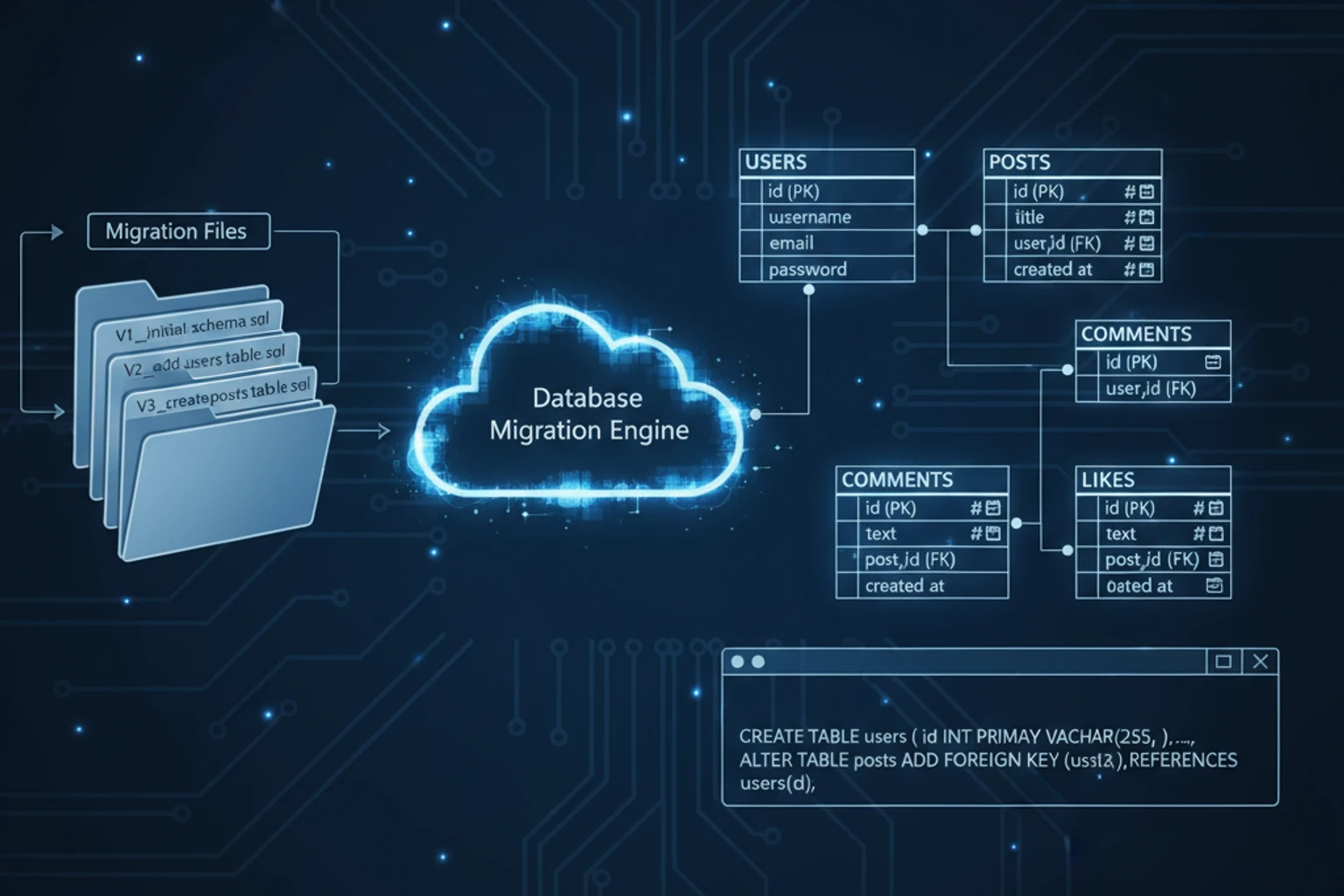
Section titled “Overview”With your database design planned, it’s time to implement it using Laravel migrations. Migrations are version-controlled database schema definitions that allow you to build and modify database structures programmatically. They make database changes reproducible across development, staging, and production environments.
In this chapter, you’ll create migration files for all CRM tables: users (if needed), teams, contacts, companies, deals, and tasks. You’ll implement foreign key relationships, add indexes for performance, and ensure data integrity with constraints. Laravel’s schema builder provides an expressive, database-agnostic way to define tables.
By the end of this chapter, your database will be fully structured and ready for Eloquent models. You’ll understand migration best practices, rollback strategies, and how to modify existing tables safely. Running sail artisan migrate will transform your ERD into a living database schema.
This chapter is hands-on: you’ll write migrations, run them, and verify the results in MySQL.
Prerequisites
Section titled “Prerequisites”Before starting this chapter, you should have:
- Completed Chapter 04 with ERD created
- Laravel Sail running with MySQL container
- Database connection configured in
.env - Understanding of SQL and database schema concepts
Estimated Time: ~60 minutes
What You’ll Build
Section titled “What You’ll Build”By the end of this chapter, you will have:
- Migration files for:
users,teams,team_user(pivot),contacts,companies,deals,tasks - Foreign key relationships properly defined
- Indexes on foreign keys and frequently queried columns
- Timestamp columns (
created_at,updated_at) on all tables - Soft deletes where appropriate
- Completed database schema matching your ERD
- Understanding of migration lifecycle (up/down methods)
- Working database verified via MySQL client or Artisan tinker
Objectives
Section titled “Objectives”- Generate migration files using Artisan commands
- Use Laravel’s schema builder to define tables
- Implement foreign key constraints with cascading behavior
- Add indexes for performance optimization
- Create pivot tables for many-to-many relationships
- Run migrations and verify schema in MySQL
- Understand migration rollback and modification strategies
- Follow Laravel migration best practices
Step 1: Generate Migration Files (~10 min)
Section titled “Step 1: Generate Migration Files (~10 min)”Create migration files for all CRM tables using Artisan’s convenient make:migration commands.
Actions
Section titled “Actions”- Navigate to your project directory:
# Enter your Laravel projectcd crm-app- Generate migration files for core tables:
# Generate migrations (Laravel creates them in database/migrations/)sail artisan make:migration create_teams_tablesail artisan make:migration create_team_user_tablesail artisan make:migration create_companies_tablesail artisan make:migration create_contacts_tablesail artisan make:migration create_deals_tablesail artisan make:migration create_tasks_table- Verify migrations were created:
# List migration files in the migrations directoryls database/migrations/
# You should see files like:# 2024_11_01_000001_create_teams_table.php# 2024_11_01_000002_create_team_user_table.php# etc. (exact timestamps vary)
Expected Result
Section titled “Expected Result”database/migrations/ now contains 6 new migration filesEach file has the standard structure with up() and down() methodsFiles are named with timestamps and descriptive namesWhy It Works
Section titled “Why It Works”Laravel’s make:migration command creates migration files with proper structure and timestamps. The timestamp prefix ensures migrations run in order. Each file has:
- up() method: Defines schema changes when migrating forward
- down() method: Defines how to undo the migration (for rollback)
- Schema builder access: Provides the
Schemafacade for building tables
Artisan-generated files follow Laravel conventions and include necessary imports automatically.
Troubleshooting
Section titled “Troubleshooting”- Error: “class not found” — Ensure you’re running
sail artisan(notphp artisan) if using Docker - Migrations not appearing — Check the
database/migrations/directory; they may have different timestamps than expected - File permissions error — Ensure Docker container has write permissions to the
database/directory
Step 2: Create Teams Table Migration (~8 min)
Section titled “Step 2: Create Teams Table Migration (~8 min)”Implement the teams table with columns for team name, slug, and plan tracking.
Actions
Section titled “Actions”- Open the first migration file (the one with
create_teams_table):
# The timestamp will differ; find your actual filecode database/migrations/2024_11_01_000001_create_teams_table.php- Replace the migration with this complete implementation:
<?php
declare(strict_types=1);
use Illuminate\Database\Migrations\Migration;use Illuminate\Database\Schema\Blueprint;use Illuminate\Support\Facades\Schema;
return new class extends Migration{    /**     * Run the migrations.     */    public function up(): void    {        Schema::create('teams', function (Blueprint $table) {            $table->id();            $table->foreignId('user_id')->constrained()->cascadeOnDelete();            $table->string('name');            $table->string('slug')->unique();            $table->enum('plan_type', ['free', 'pro', 'enterprise'])->default('free');            $table->timestamps();        });    }
/** * Reverse the migrations. */ public function down(): void { Schema::dropIfExists('teams'); }};- Save the file and move to the next migration.
Expected Result
Section titled “Expected Result”✓ Migration file contains proper PHP 8.4 syntax✓ up() method creates a teams table with 6 columns (including user_id)✓ down() method drops the table safely✓ Type hints and declare(strict_types=1) are present✓ Team ownership (user_id) is properly trackedWhy It Works
Section titled “Why It Works”This migration uses Laravel’s schema builder to:
- $table->id(): Creates an auto-incrementing primary key (id column)
- $table->foreignId(‘user_id’)->constrained()->cascadeOnDelete(): Links each team to the user who created/owns it. If the owner is deleted, the team is also deleted (cascade behavior)
- $table->string(‘name’): Creates a VARCHAR column for the team name
- $table->string(‘slug’)->unique(): Creates a unique slug for URL-friendly team identifiers
- $table->enum(): Creates an ENUM field with fixed plan types (free, pro, enterprise)
- $table->timestamps(): Creates created_at and updated_at columns automatically
- down(): Properly reverses the migration by dropping the table
The user_id field identifies the team’s owner (the user who created it). This is essential for:
- Team administration and permissions
- Handling cascading deletes when the owner is removed
- Distinguishing between team owner and team members (via the team_user pivot table)
The slug field enables URLs like /teams/acme-corp and prevents duplicate team names.
Troubleshooting
Section titled “Troubleshooting”- Syntax error in migration — Ensure
declare(strict_types=1);is at the top and all imports are present - Column name typo — Double-check column names match exactly (they’re case-sensitive in migrations)
- Missing enum values — The enum() method requires an array of valid values
Step 3: Create Team-User Pivot Migration (~5 min)
Section titled “Step 3: Create Team-User Pivot Migration (~5 min)”Create the pivot table that establishes the many-to-many relationship between teams and users.
Actions
Section titled “Actions”- Open the team_user migration file:
code database/migrations/2024_11_01_000002_create_team_user_table.php- Replace with this implementation:
<?php
declare(strict_types=1);
use Illuminate\Database\Migrations\Migration;use Illuminate\Database\Schema\Blueprint;use Illuminate\Support\Facades\Schema;
return new class extends Migration{    /**     * Run the migrations.     */    public function up(): void    {        Schema::create('team_user', function (Blueprint $table) {            $table->id();            $table->foreignId('team_id')->constrained()->cascadeOnDelete();            $table->foreignId('user_id')->constrained()->cascadeOnDelete();            $table->enum('role', ['owner', 'admin', 'member', 'viewer'])->default('member');            $table->timestamp('joined_at')->useCurrent();            $table->unique(['team_id', 'user_id']);        });    }
/** * Reverse the migrations. */ public function down(): void { Schema::dropIfExists('team_user'); }};- Save and continue.
Expected Result
Section titled “Expected Result”✓ team_user pivot table created with proper foreign keys✓ Composite unique constraint on (team_id, user_id)✓ Cascade delete ensures data integrity✓ Role field supports multiple permission levelsWhy It Works
Section titled “Why It Works”This migration creates a junction table for the many-to-many relationship:
- foreignId(): Automatically creates an unsigned big integer that references another table
- constrained(): Assumes the column name and references the correct table (user_id → users.id)
- cascadeOnDelete(): When a user or team is deleted, all their pivot records are also deleted automatically
- unique([‘team_id’, ‘user_id’]): Prevents a user from being added to the same team twice
- joined_at: Tracks when a user joined the team
The pivot table is the single source of truth for team membership.
Troubleshooting
Section titled “Troubleshooting”- Foreign key constraint error during migration — Ensure users and teams tables exist first (check migration order by timestamp)
- Composite unique constraint not working — Syntax must use an array:
$table->unique(['team_id', 'user_id'])
Step 4: Create Companies Table Migration (~8 min)
Section titled “Step 4: Create Companies Table Migration (~8 min)”Implement the companies table with team ownership and industry tracking.
Actions
Section titled “Actions”- Open the companies migration:
code database/migrations/2024_11_01_000003_create_companies_table.php- Replace with this implementation:
<?php
declare(strict_types=1);
use Illuminate\Database\Migrations\Migration;use Illuminate\Database\Schema\Blueprint;use Illuminate\Support\Facades\Schema;
return new class extends Migration{    /**     * Run the migrations.     */    public function up(): void    {        Schema::create('companies', function (Blueprint $table) {            $table->id();            $table->foreignId('team_id')->constrained()->cascadeOnDelete();            $table->string('name');            $table->string('website')->nullable();            $table->string('industry')->nullable();            $table->integer('employee_count')->nullable();            $table->text('notes')->nullable();            $table->timestamps();            $table->softDeletes();
            // Indexes for performance            $table->index('team_id');            $table->index('created_at');        });    }
/** * Reverse the migrations. */ public function down(): void { Schema::dropIfExists('companies'); }};- Save and continue.
Expected Result
Section titled “Expected Result”✓ companies table created with team_id foreign key✓ Nullable fields for optional data (website, industry, etc.)✓ Soft deletes enabled for safe data archival✓ Indexes added on frequently queried columnsWhy It Works
Section titled “Why It Works”This migration demonstrates important patterns:
- team_id foreign key: Every company belongs to exactly one team (multi-tenancy boundary)
- nullable() columns: Allows flexibility for optional data entry
- softDeletes(): Creates a deleted_at column; deleted records remain in the database but are excluded from queries by default
- Indexes:
index('team_id')andindex('created_at')speed up queries filtering by team or date - Multi-tenancy enforcement: Queries should always filter by
team_idto ensure data isolation
The indexes are crucial for performance as your data grows.
Troubleshooting
Section titled “Troubleshooting”- Soft deletes not working — Ensure your Eloquent model uses
SoftDeletestrait (covered in Chapter 06) - Foreign key errors — Verify teams table exists and migration order is correct
Step 5: Create Contacts Table Migration (~10 min)
Section titled “Step 5: Create Contacts Table Migration (~10 min)”Implement the contacts table with relationships to teams and companies.
Actions
Section titled “Actions”- Open the contacts migration:
code database/migrations/2024_11_01_000004_create_contacts_table.php- Replace with this implementation:
<?php
declare(strict_types=1);
use Illuminate\Database\Migrations\Migration;use Illuminate\Database\Schema\Blueprint;use Illuminate\Support\Facades\Schema;
return new class extends Migration{    /**     * Run the migrations.     */    public function up(): void    {        Schema::create('contacts', function (Blueprint $table) {            $table->id();            $table->foreignId('team_id')->constrained()->cascadeOnDelete();            $table->foreignId('company_id')->nullable()->constrained()->nullOnDelete();            $table->foreignId('user_id')->constrained()->restrictOnDelete();            $table->string('first_name');            $table->string('last_name');            $table->string('email')->unique();            $table->string('phone')->nullable();            $table->string('job_title')->nullable();            $table->text('notes')->nullable();            $table->timestamps();            $table->softDeletes();
            // Indexes for performance            $table->index('team_id');            $table->index('company_id');            $table->index('user_id');            $table->index('email');            $table->index('created_at');        });    }
/** * Reverse the migrations. */ public function down(): void { Schema::dropIfExists('contacts'); }};- Save and continue.
Expected Result
Section titled “Expected Result”✓ contacts table created with team, company, and user relationships✓ Each contact is assigned to a team member for CRM workflows✓ Email is globally unique (one email per contact across teams)✓ Soft deletes enabled for archival✓ Delete behaviors prevent orphaned data✓ Multiple indexes for query optimizationWhy It Works
Section titled “Why It Works”This migration shows the typical CRM contact management pattern:
- team_id: Multi-tenancy boundary; contacts belong to a team
- company_id: Nullable with
nullOnDelete()— If a company is deleted, its contacts remain but lose the company reference (preserves history) - user_id: Each contact is assigned to a team member;
restrictOnDelete()prevents deletion of users with assigned contacts (ensures data integrity) - email unique(): Prevents duplicate contacts in the system
- Soft deletes: Contacts can be “deleted” but remain for audit trails
- Indexes:
team_id,company_id,user_id, andemailare frequently used in WHERE clauses for filtering and lookups
The user_id assignment enables:
- Contact ownership and accountability
- Workload distribution among team members
- Filtering contacts by assigned representative
- CRM workflows like “my contacts” dashboards
Delete behaviors:
cascadeOnDelete()on team_id: Deleting a team removes all its contacts (expected)nullOnDelete()on company_id: Deleting a company keeps contacts but clears company reference (preserves records)restrictOnDelete()on user_id: Cannot delete a user with assigned contacts (prevents orphaned assignments)
Note: Email is globally unique, but in a true multi-tenant system you might make it unique per team only with unique(['team_id', 'email']). This is a design choice.
Troubleshooting
Section titled “Troubleshooting”- Foreign key constraint error on user_id — Ensure the users table was migrated first
- Cannot delete user — This is intentional (
restrictOnDelete()); reassign their contacts first - Unique email constraint failed — In a multi-tenant system, consider
unique(['team_id', 'email'])instead
Step 6: Create Deals Table Migration (~10 min)
Section titled “Step 6: Create Deals Table Migration (~10 min)”Implement the deals (sales opportunities) table with pipeline stage tracking.
Actions
Section titled “Actions”- Open the deals migration:
code database/migrations/2024_11_01_000005_create_deals_table.php- Replace with this implementation:
<?php
declare(strict_types=1);
use Illuminate\Database\Migrations\Migration;use Illuminate\Database\Schema\Blueprint;use Illuminate\Support\Facades\Schema;
return new class extends Migration{    /**     * Run the migrations.     */    public function up(): void    {        Schema::create('deals', function (Blueprint $table) {            $table->id();            $table->foreignId('team_id')->constrained()->cascadeOnDelete();            $table->foreignId('company_id')->constrained()->restrictOnDelete();            $table->foreignId('contact_id')->nullable()->constrained()->nullOnDelete();            $table->foreignId('user_id')->constrained()->restrictOnDelete();            $table->foreignId('created_by')->constrained('users')->restrictOnDelete();            $table->string('name');            $table->decimal('amount', 12, 2);            $table->enum('stage', [                'prospecting',                'qualified',                'proposal',                'negotiation',                'closed_won',                'closed_lost',            ])->default('prospecting');            $table->integer('probability')->default(0); // 0-100%            $table->date('expected_close_date')->nullable();            $table->text('notes')->nullable();            $table->timestamps();            $table->softDeletes();
            // Indexes for performance            $table->index('team_id');            $table->index('company_id');            $table->index('user_id');            $table->index('stage');            $table->index('created_at');        });    }
/** * Reverse the migrations. */ public function down(): void { Schema::dropIfExists('deals'); }};- Save and continue.
Expected Result
Section titled “Expected Result”✓ deals table tracks sales opportunities with pipeline stages✓ Deals are properly assigned to sales representatives✓ amount stored as DECIMAL(12,2) for proper currency handling✓ stage field uses enum with valid pipeline statuses✓ probability percentage tracked for forecasting✓ Foreign keys enforce proper relationships and data integrity✓ Delete behaviors prevent orphaned deals while preserving historyWhy It Works
Section titled “Why It Works”This migration implements the complete sales pipeline workflow:
- company_id: Required (cannot be null) and
restrictOnDelete()— Cannot delete a company with active deals - contact_id: Optional and
nullOnDelete()— If a contact is deleted, the deal remains but loses contact reference - user_id: The sales representative assigned to close this deal;
restrictOnDelete()prevents deletion of assigned users - created_by: The user who created the deal (audit trail);
restrictOnDelete()for history preservation - amount decimal(12, 2): Stores currency as 12 total digits with 2 decimal places (prevents floating-point errors)
- stage enum: Restricts deals to valid pipeline stages (prevents invalid data entry)
- probability: Integer 0-100 for win probability in forecasting and pipeline analysis
- Soft deletes: Preserve deal history for auditing and reporting
- Indexes: Strategic indexing on team, company, user, and stage for performance
The user_id field enables:
- Deal assignment to specific sales representatives
- “My deals” dashboards showing assigned opportunities
- Workload distribution and pipeline visibility
- Historical tracking of who owned each deal
Delete behaviors ensure data integrity:
- Cannot delete a company with open deals (must reassign first)
- Cannot delete a user with assigned deals (must reassign first)
- Deleting a contact doesn’t remove related deals (preserves pipeline)
- Deleting the creator doesn’t remove the deal (preserves history)
The stage field enables sophisticated pipeline analysis and reporting.
Troubleshooting
Section titled “Troubleshooting”- Foreign key constraint error — Cannot delete company/user with active deals; reassign first
- Decimal precision issues — Use DECIMAL(12,2) not FLOAT for currency to avoid rounding errors
- Stage queries slow — The index on stage speeds up pipeline reports
- Cannot delete creator — This is intentional for audit trail preservation
Step 7: Create Tasks Table Migration (~10 min)
Section titled “Step 7: Create Tasks Table Migration (~10 min)”Implement the tasks table for action items associated with deals or contacts.
Actions
Section titled “Actions”- Open the tasks migration:
code database/migrations/2024_11_01_000006_create_tasks_table.php- Replace with this implementation:
<?php
declare(strict_types=1);
use Illuminate\Database\Migrations\Migration;use Illuminate\Database\Schema\Blueprint;use Illuminate\Support\Facades\Schema;
return new class extends Migration{    /**     * Run the migrations.     */    public function up(): void    {        Schema::create('tasks', function (Blueprint $table) {            $table->id();            $table->foreignId('team_id')->constrained()->cascadeOnDelete();            $table->foreignId('deal_id')->nullable()->constrained()->nullOnDelete();            $table->foreignId('contact_id')->nullable()->constrained()->nullOnDelete();            $table->foreignId('assigned_to')->nullable()->constrained('users')->nullOnDelete();            $table->string('title');            $table->text('description')->nullable();            $table->enum('priority', ['low', 'medium', 'high', 'critical'])->default('medium');            $table->date('due_date')->nullable();            $table->boolean('completed')->default(false);            $table->timestamp('completed_at')->nullable();            $table->timestamps();            $table->softDeletes();
            // Indexes for performance            $table->index('team_id');            $table->index('deal_id');            $table->index('contact_id');            $table->index('assigned_to');            $table->index(['assigned_to', 'completed']);            $table->index('due_date');        });    }
/** * Reverse the migrations. */ public function down(): void { Schema::dropIfExists('tasks'); }};- Save and continue.
Expected Result
Section titled “Expected Result”✓ tasks table created with flexible relationships✓ A task can be associated with a deal OR contact (nullable)✓ Tasks preserve history even when related records are deleted✓ assigned_to references users with nullOnDelete for reassignment✓ Multiple indexes enable quick filtering and assignment queries✓ Soft deletes preserve task history for auditingWhy It Works
Section titled “Why It Works”This migration demonstrates advanced relationship patterns for task management:
- deal_id nullable with
nullOnDelete(): Task remains even if deal is deleted/closed (preserves activity history) - contact_id nullable with
nullOnDelete(): Task remains even if contact is removed (maintains action items) - assigned_to nullable with
nullOnDelete(): Tasks can be unassigned; when a user is deleted, tasks lose their assignment but remain (allows reassignment workflow) - Pseudo-polymorphic design: Both deal_id and contact_id are nullable, allowing tasks to be tied to deals, contacts, or neither (standalone reminders)
- priority enum: Restricts values to valid priority levels (low, medium, high, critical)
- completed flag: Simple boolean for task status;
completed_attimestamp records actual completion time (useful for reporting) - Composite index on
(assigned_to, completed): Optimizes queries like “show my incomplete tasks” - a common CRM operation - Multiple indexes: Tasks are queried by team, assignment, completion status, and due date frequently
This flexibility allows tasks to be used for:
- Follow-ups on specific deals
- Reminders for specific contacts
- Standalone action items or team reminders
- Activity tracking across the entire CRM
Delete behaviors ensure task history is preserved:
- Deleting a deal doesn’t remove related tasks (audit trail)
- Deleting a contact doesn’t remove related tasks (activity record)
- Deleting a user removes their assignment but keeps tasks (allows reassignment)
Troubleshooting
Section titled “Troubleshooting”- Multiple nullable foreign keys — This design is intentional; some tasks are deal-focused, others contact-focused, others standalone
- nullOnDelete on deal_id/contact_id — Different from cascadeOnDelete; maintains the task but clears the reference (preserves records)
- nullOnDelete on assigned_to — Tasks don’t cascade-delete when users are removed; instead, assignments are cleared for reassignment workflow
- Soft deletes with timestamps — Both
deleted_atandcompleted_atcan coexist; a completed task can be soft-deleted without losing completion timestamp
Step 8: Run Migrations & Verify Schema (~5 min)
Section titled “Step 8: Run Migrations & Verify Schema (~5 min)”Execute all migrations and verify the database schema is correctly implemented.
Actions
Section titled “Actions”- Run all migrations:
# Execute all pending migrationssail artisan migrate
# Expected output: Shows each migration running in order# [2024-11-01 10:30:45] Created teams# [2024-11-01 10:30:46] Created team_user# [2024-11-01 10:30:47] Created companies# etc.- Verify migrations completed successfully:
# List all executed migrationssail artisan migrate:status
# Expected: All migrations show "Ran"- Inspect the database schema in MySQL:
# Start MySQL CLI in the Sail containersail mysql
# List all tablesSHOW TABLES;
# Verify a table structure (example: contacts)DESCRIBE contacts;
# Check foreign keysSELECT CONSTRAINT_NAME, TABLE_NAME, COLUMN_NAMEFROM INFORMATION_SCHEMA.KEY_COLUMN_USAGEWHERE TABLE_NAME = 'contacts' AND REFERENCED_TABLE_NAME IS NOT NULL;
# Exit MySQLEXIT;- Optional: Verify via Artisan Tinker:
# Start interactive shellsail artisan tinker
# List all tablesIlluminate\Support\Facades\Schema::getTables()
# Get columns for a tableIlluminate\Support\Facades\Schema::getColumns('contacts')
# Exit Tinkerexit
Expected Result
Section titled “Expected Result”✓ All migrations execute without errors✓ Database contains 6 tables: teams, team_user, companies, contacts, deals, tasks✓ Foreign key constraints properly enforced✓ Soft deletes column (deleted_at) present on companies, contacts, deals, tasks✓ Indexes created on performance-critical columns✓ Timestamps (created_at, updated_at) on all tablesWhy It Works
Section titled “Why It Works”Running sail artisan migrate executes all pending migrations in order:
- Migrations run by timestamp (ensuring correct order)
- Each migration’s
up()method executes - Laravel tracks which migrations ran in the
migrationstable migrate:statusshows all executed and pending migrations- MySQL DESCRIBE shows the table structure
- Foreign key validation ensures referential integrity
This workflow ensures your database schema is version-controlled and reproducible.
Troubleshooting
Section titled “Troubleshooting”- Error: “SQLSTATE[HY000]” — Check that MySQL is running:
sail psorsail start - Foreign key constraint error — Verify all tables exist; ensure migration timestamps are in the correct order
- Migrations already run — If you’re re-running, use
sail artisan migrate:refresh --seedto reset (WARNING: drops all data) - MySQL access denied — Ensure you’re using
sail mysql(not direct MySQL) if using Docker
Exercises
Section titled “Exercises”Exercise 1: Inspect Database Schema
Section titled “Exercise 1: Inspect Database Schema”Goal: Verify migrations created correct table structure and relationships
Use the MySQL CLI to inspect your tables and ensure everything matches the design:
# Connect to MySQLsail mysql
# List all tablesSHOW TABLES;
# View contacts table structureDESCRIBE contacts;
# View a specific indexSHOW INDEX FROM contacts;
# Check foreign key constraintsSELECT CONSTRAINT_NAME, TABLE_NAME, COLUMN_NAME, REFERENCED_TABLE_NAME, REFERENCED_COLUMN_NAMEFROM INFORMATION_SCHEMA.KEY_COLUMN_USAGEWHERE TABLE_SCHEMA = DATABASE() AND REFERENCED_TABLE_NAME IS NOT NULL;
# Exit MySQLEXIT;Validation: Verify that:
- ✓ All 6 tables exist (teams, team_user, companies, contacts, deals, tasks)
- ✓ Foreign keys are configured with cascade delete behavior
- ✓ Indexes exist on team_id, created_at, and other frequently queried columns
- ✓ Soft deletes column (deleted_at) is present on appropriate tables
- ✓ Timestamps (created_at, updated_at) on all tables
- ✓ Enum columns enforce valid values (plan_type, stage, priority, role)
Exercise 2: Practice Rollback and Re-migration
Section titled “Exercise 2: Practice Rollback and Re-migration”Goal: Understand the migration lifecycle and rollback safety
Test rolling back migrations to understand how the process works:
# Roll back the last batch of migrationssail artisan migrate:rollback
# Verify tables are removedsail mysql
# List tablesSHOW TABLES;
# Exit MySQLEXIT;
# Now re-run the migrations to restore themsail artisan migrate
# Verify they're backsail artisan migrate:statusValidation: You can:
- ✓ Successfully rollback migrations (tables removed)
- ✓ Re-run migrations to restore schema
- ✓ Use
migrate:statusto check which migrations have run - ✓ Understand that rollbacks are safe and reversible
Key Learning: This is why migrations are powerful—your database schema is version-controlled and reproducible. You can rollback if you discover an issue, modify the migration, and run again.
Exercise 3: Create a Modification Migration
Section titled “Exercise 3: Create a Modification Migration”Goal: Add performance optimization by creating a new migration
Add a composite index on the contacts table for frequently used query combinations:
- Generate a new migration:
sail artisan make:migration add_index_team_email_to_contacts_table- Edit the migration file to add the composite index:
<?php
declare(strict_types=1);
use Illuminate\Database\Migrations\Migration;use Illuminate\Database\Schema\Blueprint;use Illuminate\Support\Facades\Schema;
return new class extends Migration{    /**     * Run the migrations.     */    public function up(): void    {        Schema::table('contacts', function (Blueprint $table) {            // Composite index for finding contacts within a team by email            $table->index(['team_id', 'email']);        });    }
/** * Reverse the migrations. */ public function down(): void { Schema::table('contacts', function (Blueprint $table) { $table->dropIndex(['team_id', 'email']); }); }};- Run the new migration:
sail artisan migrate- Verify the index was created:
sail mysql
SHOW INDEX FROM contacts;
# You should see the new index on (team_id, email)
EXIT;Validation: You can:
- ✓ Generate a new modification migration
- ✓ Use Schema::table() to modify existing tables
- ✓ Add indexes to optimize queries
- ✓ Properly implement down() method to reverse the migration
Why This Matters: In production, you’ll often discover optimization opportunities after initial deployment. This pattern allows you to safely add indexes without downtime.
Exercise 4: Query the Schema with Tinker (Optional)
Section titled “Exercise 4: Query the Schema with Tinker (Optional)”Goal: Use Artisan Tinker to interact with the schema programmatically
# Start Tinkersail artisan tinker
# List all tables>>> Schema::getTables()
# Get all columns for contacts table>>> Schema::getColumns('contacts')
# Check if a column exists>>> Schema::hasColumn('contacts', 'email')=> true
# Get column details>>> collect(Schema::getColumns('contacts'))->where('name', 'email')->first()
# Exit Tinker>>> exit
This is useful for debugging schema issues and exploring the database structure programmatically.
Exercise 5: Real-World Migration Patterns (Optional)
Section titled “Exercise 5: Real-World Migration Patterns (Optional)”Goal: Learn common migration scenarios you’ll encounter in real projects
While Chapter 05 focuses on creating new tables, in real development you’ll often need to modify existing tables. Here are the most common patterns:
Pattern 1: Add a Column to Existing Table
Section titled “Pattern 1: Add a Column to Existing Table”# Generate a new migration for modificationsail artisan make:migration add_middle_name_to_contacts_table<?php
declare(strict_types=1);
use Illuminate\Database\Migrations\Migration;use Illuminate\Database\Schema\Blueprint;use Illuminate\Support\Facades\Schema;
return new class extends Migration{ public function up(): void { Schema::table('contacts', function (Blueprint $table) { // Add column after first_name column $table->string('middle_name')->nullable()->after('first_name'); }); }
public function down(): void { Schema::table('contacts', function (Blueprint $table) { $table->dropColumn('middle_name'); }); }};Run: sail artisan migrate
Pattern 2: Rename a Column
Section titled “Pattern 2: Rename a Column”// In a new migration fileSchema::table('deals', function (Blueprint $table) { $table->renameColumn('title', 'opportunity_name');});
// Down method:$table->renameColumn('opportunity_name', 'title');Pattern 3: Change Column Type
Section titled “Pattern 3: Change Column Type”// First, install doctrine/dbal if not already installedsail composer require doctrine/dbal
// In migration:Schema::table('tasks', function (Blueprint $table) { $table->text('description')->change(); // Change from string to text});
// Down method:$table->string('description')->change(); // Change back to stringPattern 4: Drop a Column
Section titled “Pattern 4: Drop a Column”Schema::table('contacts', function (Blueprint $table) { $table->dropColumn('unused_field');});
// Down method:$table->string('unused_field')->nullable(); // Re-add itPattern 5: Add Index to Existing Column
Section titled “Pattern 5: Add Index to Existing Column”Schema::table('contacts', function (Blueprint $table) { // Single column index $table->index('email');
// Composite index $table->index(['team_id', 'email']);});
// Down method:$table->dropIndex(['email']);Pattern 6: Rename a Table
Section titled “Pattern 6: Rename a Table”Schema::rename('old_table_name', 'new_table_name');
// Down method:Schema::rename('new_table_name', 'old_table_name');Pattern 7: Add Foreign Key to Existing Table
Section titled “Pattern 7: Add Foreign Key to Existing Table”Schema::table('contacts', function (Blueprint $table) { // Add a new foreign key relationship $table->foreignId('category_id')->nullable()->constrained()->nullOnDelete();});
// Down method:$table->dropConstrainedForeignId('category_id');Why Migrations Pattern Matter:
- Every schema change is version-controlled and reversible
- Team members can replay the exact same changes
- Deployment is consistent across environments
- If something breaks, you can rollback
Key Rules:
- Always implement the
down()method for reversibility - Migrations run in order (timestamp based)
- Never manually edit the database - use migrations
- Test rollback/remigration in development first
- In production, migrations prevent “out of sync” issues
Validation: After running any modification migration:
sail artisan migrate:status # Verify it ransail mysql # Connect to databaseDESCRIBE contacts; # Verify changesEXIT;Wrap-up
Section titled “Wrap-up”Congratulations! You’ve successfully implemented the entire CRM database schema using Laravel migrations.
What You’ve Accomplished
Section titled “What You’ve Accomplished”✓ Generated 6 migration files using Artisan commands ✓ Implemented all core tables: teams, team_user (pivot), companies, contacts, deals, tasks ✓ Designed multi-tenancy through team_id foreign keys on all data tables ✓ Established team ownership (user_id on teams table) ✓ Implemented contact assignment to team members (user_id on contacts) ✓ Implemented deal assignment to sales representatives (user_id on deals) ✓ Created proper relationships with strategic delete behaviors:
cascadeOnDelete()for strong dependencies (team → data)restrictOnDelete()to prevent orphaning (users with assignments)nullOnDelete()to preserve history while clearing references ✓ Added indexes on frequently queried columns for performance optimization ✓ Implemented composite indexes for complex queries (“my tasks”, etc.) ✓ Implemented soft deletes for safe data archival (companies, contacts, deals, tasks) ✓ Used appropriate data types: DECIMAL for currency, ENUM for restricted values ✓ Ran migrations and verified schema in MySQL ✓ Understood the migration lifecycle: create, migrate, rollback, modify
Key Concepts Reinforced
Section titled “Key Concepts Reinforced”Laravel Migrations: Version-controlled database schema definitions that ensure reproducibility across development, staging, and production environments.
Foreign Key Relationships & Delete Behaviors:
cascadeOnDelete()- For strong dependencies where child records should be deleted with parent (e.g., team → all team data)restrictOnDelete()- Prevents parent deletion if child records exist, forcing reassignment first (e.g., cannot delete a user with assigned contacts)nullOnDelete()- Clears the foreign key reference but preserves the child record (e.g., deleting a contact doesn’t delete its tasks)
Choose delete behaviors carefully based on business logic:
- Team deletion → cascade (remove all team data)
- User deletion with assigned records → restrict (force reassignment)
- Company/Contact/Deal deletion → preserve related tasks (null)
Multi-Tenancy Architecture:
- Every data table has
team_idforeign key that scopes data to teams - Users can own teams and be members of teams (via pivot table)
- Ensures complete data isolation between teams
- Multiple permission levels (owner, admin, member, viewer) via pivot table
Assignment & Ownership:
- Teams have an
owner(user_id) who created them - Contacts are assigned to team members (user_id) for ownership
- Deals are assigned to sales representatives (user_id) for tracking
- Each entity also tracks who created it (created_by) for audit trails
Performance Optimization: Strategic placement of indexes on:
- Foreign keys (team_id, company_id, deal_id, contact_id, user_id)
- Frequently queried columns (created_at, stage, email, completed)
- Composite indexes for common queries: (assigned_to, completed) for “my tasks”
Schema Best Practices:
- Use
soft deletes()for entities that should be archivable but not permanently removed - Use
nullable()for optional fields (company_id, contact_id, assigned_to) - Use
enum()for restricted value sets to prevent invalid data (plan_type, stage, priority, role) - Use
timestamps()to automatically track creation and updates - Use
unique()constraints to prevent data duplication (slug, email) - Consider data integrity implications of delete behaviors before implementation
Quick Reference: Schema Builder Methods
Section titled “Quick Reference: Schema Builder Methods”When writing custom migrations in the future, you’ll use these common schema builder methods. Here’s a quick reference:
| Method | Example | Creates | Use When |
|---|---|---|---|
id() | $table->id() | BIGINT auto-increment PRIMARY KEY | Always use for primary key |
string() | $table->string('name') | VARCHAR(255) | Names, emails, URLs (fixed length) |
text() | $table->text('notes') | LONGTEXT | Long content, descriptions, rich text |
char() | $table->char('code', 3) | CHAR(3) | Fixed-length codes (rare) |
integer() | $table->integer('count') | INT | Whole numbers, counts |
bigInteger() | $table->bigInteger('large') | BIGINT | Very large numbers |
decimal() | $table->decimal('price', 12, 2) | DECIMAL(12,2) | Currency, precise decimals |
float() | $table->float('rating') | FLOAT | Approximate decimals (avoid for money) |
boolean() | $table->boolean('active') | TINYINT(1) | True/false flags |
date() | $table->date('due_date') | DATE | Date without time |
timestamp() | $table->timestamp('created_at') | TIMESTAMP | Date with time |
enum() | $table->enum('stage', [...]) | ENUM | Fixed set of values |
json() | $table->json('metadata') | JSON | Structured data |
foreignId() | $table->foreignId('user_id') | BIGINT + FK | Foreign key reference |
Modifiers (chain these onto any method):
.nullable()- Allow NULL values.default('value')- Set default value.unique()- Add unique constraint.index()- Add index.after('column')- Place after specific column.constrained()- Add foreign key constraint.cascadeOnDelete()- Delete when parent deleted.restrictOnDelete()- Prevent deletion if child exists.nullOnDelete()- Set to NULL when parent deleted
Connection to Next Steps: From Migrations to Eloquent Models
Section titled “Connection to Next Steps: From Migrations to Eloquent Models”In Chapter 06: Eloquent Models and Relationships, you’ll create Laravel models that wrap these tables and define relationships. The migrations you’ve just created provide the blueprint—the models will bring them to life with object-oriented interfaces.
How Migrations Enable Models:
This migration creates a foreign key constraint:
$table->foreignId('user_id')->constrained()->restrictOnDelete();In Chapter 06, this enables a relationship in your model:
// In Contact modelpublic function user(){ return $this->belongsTo(User::class);}The migration defines the database constraint. The model expresses it in PHP.
The Two-Part Foundation:
| Chapter 05 (Migrations) | Chapter 06 (Eloquent Models) |
|---|---|
| Defines table structure in PHP | Represents tables as PHP classes |
| Creates foreign keys in database | Defines relationships in code |
up() creates schema | Model methods express relationships |
down() reverses changes | Scopes query data safely |
Chain of Development:
Chapter 05: Create database schema (migrations) ↓Chapter 06: Create PHP representations (models) ↓Chapter 07: Query the database efficiently (queries/relationships) ↓Chapter 08: Test with realistic data (seeders) ↓Chapter 09+: Build features using modelsThe careful schema design in this chapter enables sophisticated features in future chapters:
- Chapter 06 will leverage foreign keys for strong relationships
- Chapter 07 will use these relationships for efficient data loading (eager loading)
- Chapter 08 will leverage indexes for fast queries (query optimization)
- Chapter 09+ will build features (dashboards, pipelines, reports) on top of this solid foundation
Testing Your Migrations
Section titled “Testing Your Migrations”To ensure everything is working:
- Verify migrations ran:
sail artisan migrate:statusshows all as “Ran” - Check schema exists:
sail mysqland runSHOW TABLES; - Test relationships: Chapter 06 will test foreign key behavior
- Create test data: Chapter 07 will populate the database
Testing Migrations with Automated Tests (Optional)
Section titled “Testing Migrations with Automated Tests (Optional)”As your application grows, you’ll want automated tests to verify migrations work correctly. Here’s how:
Create a migration test file:
sail artisan make:test MigrationTest --unitExample test for your CRM schema:
<?php
namespace Tests\Unit;
use Illuminate\Database\Schema\Blueprint;use Illuminate\Support\Facades\Schema;use Tests\TestCase;
class MigrationTest extends TestCase{    /**     * Test that all tables exist after migration     */    public function test_all_tables_exist(): void    {        // Run migrations fresh        $this->artisan('migrate:fresh');
        // Verify all CRM tables exist        $this->assertTrue(Schema::hasTable('teams'));        $this->assertTrue(Schema::hasTable('team_user'));        $this->assertTrue(Schema::hasTable('companies'));        $this->assertTrue(Schema::hasTable('contacts'));        $this->assertTrue(Schema::hasTable('deals'));        $this->assertTrue(Schema::hasTable('tasks'));    }
    /**     * Test that key columns exist with correct types     */    public function test_column_existence(): void    {        $this->artisan('migrate:fresh');
        // Contacts table columns        $this->assertTrue(Schema::hasColumn('contacts', 'team_id'));        $this->assertTrue(Schema::hasColumn('contacts', 'user_id'));        $this->assertTrue(Schema::hasColumn('contacts', 'company_id'));        $this->assertTrue(Schema::hasColumn('contacts', 'email'));
        // Deals table columns        $this->assertTrue(Schema::hasColumn('deals', 'amount'));        $this->assertTrue(Schema::hasColumn('deals', 'stage'));        $this->assertTrue(Schema::hasColumn('deals', 'probability'));    }
    /**     * Test that soft deletes are present on appropriate tables     */    public function test_soft_deletes_present(): void    {        $this->artisan('migrate:fresh');
        // These tables should have deleted_at        $this->assertTrue(Schema::hasColumn('companies', 'deleted_at'));        $this->assertTrue(Schema::hasColumn('contacts', 'deleted_at'));        $this->assertTrue(Schema::hasColumn('deals', 'deleted_at'));        $this->assertTrue(Schema::hasColumn('tasks', 'deleted_at'));
        // These should NOT have deleted_at        $this->assertFalse(Schema::hasColumn('teams', 'deleted_at'));        $this->assertFalse(Schema::hasColumn('team_user', 'deleted_at'));    }
    /**     * Test that migrations can be rolled back and re-run     */    public function test_migration_rollback(): void    {        // Run migrations        $this->artisan('migrate:fresh');        $this->assertTrue(Schema::hasTable('contacts'));
        // Rollback        $this->artisan('migrate:rollback');        $this->assertFalse(Schema::hasTable('contacts'));
        // Re-run        $this->artisan('migrate');        $this->assertTrue(Schema::hasTable('contacts'));    }}
Run your migration tests:
# Run all testssail artisan test
# Run just migration testssail artisan test tests/Unit/MigrationTest.php
# Expected output: All tests pass ✓
Why Test Migrations?
- Ensures migrations work consistently in all environments
- Catches schema errors early
- Verifies rollback functionality
- Documents expected schema structure
- Makes refactoring safer (you’ll know if you break it)
Common Next Steps
Section titled “Common Next Steps”- Rollback and start over:
sail artisan migrate:fresh(WARNING: deletes all data) - Seed the database: Chapter 07 will create seeders
- Create a model:
sail artisan make:model Company -m(Chapter 06) - Backup your schema: Export migrations to a repository
You now have a production-ready database schema that scales with your CRM application. The foundation is solid, and you’re ready to build application logic on top of it.
Understanding Indexes: Performance vs. Trade-Offs
Section titled “Understanding Indexes: Performance vs. Trade-Offs”You’ve created ~20 indexes across your CRM tables. Understanding why certain columns are indexed helps you make smart optimization decisions in the future.
What Indexes Do:
- Speed up SELECT queries - Indexes create a sorted copy of data, enabling fast lookups
- Slow down INSERT/UPDATE/DELETE - Every write must update all relevant indexes
- Use disk space - Each index uses ~10-15% additional storage
Index Selection Strategy:
Always Index:
- Foreign keys (used for JOINs)
- Frequently filtered columns (WHERE clauses)
- Sorting columns (ORDER BY)
- Unique constraints
Example: contacts table
-- Query 1: Filter contacts by team (frequent)SELECT * FROM contacts WHERE team_id = 1;→ INDEX on team_id speeds this up ✓
-- Query 2: Find contact by email (frequent)SELECT * FROM contacts WHERE email = 'jane@example.com';→ INDEX on email speeds this up ✓
-- Query 3: Find contact by team AND email (very common)SELECT * FROM contacts WHERE team_id = 1 AND email = 'jane@example.com';→ COMPOSITE INDEX on (team_id, email) speeds this up dramatically ✓
Never Index:
- Boolean columns (too selective - either mostly true or mostly false)
- Rarely-used columns (overhead not worth it)
- Very large text fields (huge indexes)
- High-cardinality columns with rare queries
Performance Impact Example:
Without indexes on tasks table:  "Show my incomplete tasks" query:  → Scans entire tasks table  → 10,000 rows = 5-10ms (slow)
With INDEX on (assigned_to, completed):  → Uses index to find rows in 0.1ms (50-100x faster!)
Design Principle:
Number of Indexes = Queries Optimized - Overhead Cost
Too few indexes:   App is slowToo many indexes:  Writes are slow, storage bloatedJust right:        Common queries fast, writes reasonable
Your CRM Indexes Are Optimized For:
| Index | Optimizes Query | Usage Frequency |
|---|---|---|
| team_id (all tables) | “Get all data for team” | Very High |
| created_at (most tables) | “Recent records” | High |
| (assigned_to, completed) on tasks | ”My incomplete tasks” | Very High |
| email (contacts, users) | “Find by email” | High |
| stage (deals) | “Pipeline filtering” | Very High |
| (team_id, email) on contacts | ”Find contact in team” | High |
Database Stats:
- Tables: 6
- Total Columns: ~60+
- Foreign Key Relationships: 12
- Indexes: 20+ (strategically placed)
- Composite Indexes: 3+ (for common queries)
- Multi-Tenancy: ✓ Fully implemented
- Index Strategy: Optimized for CRM workflows
Further Reading
Section titled “Further Reading”- Laravel Migrations - Complete migration reference
- Schema Builder - All available column types and modifiers
- Foreign Key Constraints - Defining relationships