04: Planning Application Architecture & Data Modeling
Chapter 04: Planning Application Architecture & Data Modeling
Section titled “Chapter 04: Planning Application Architecture & Data Modeling”Overview
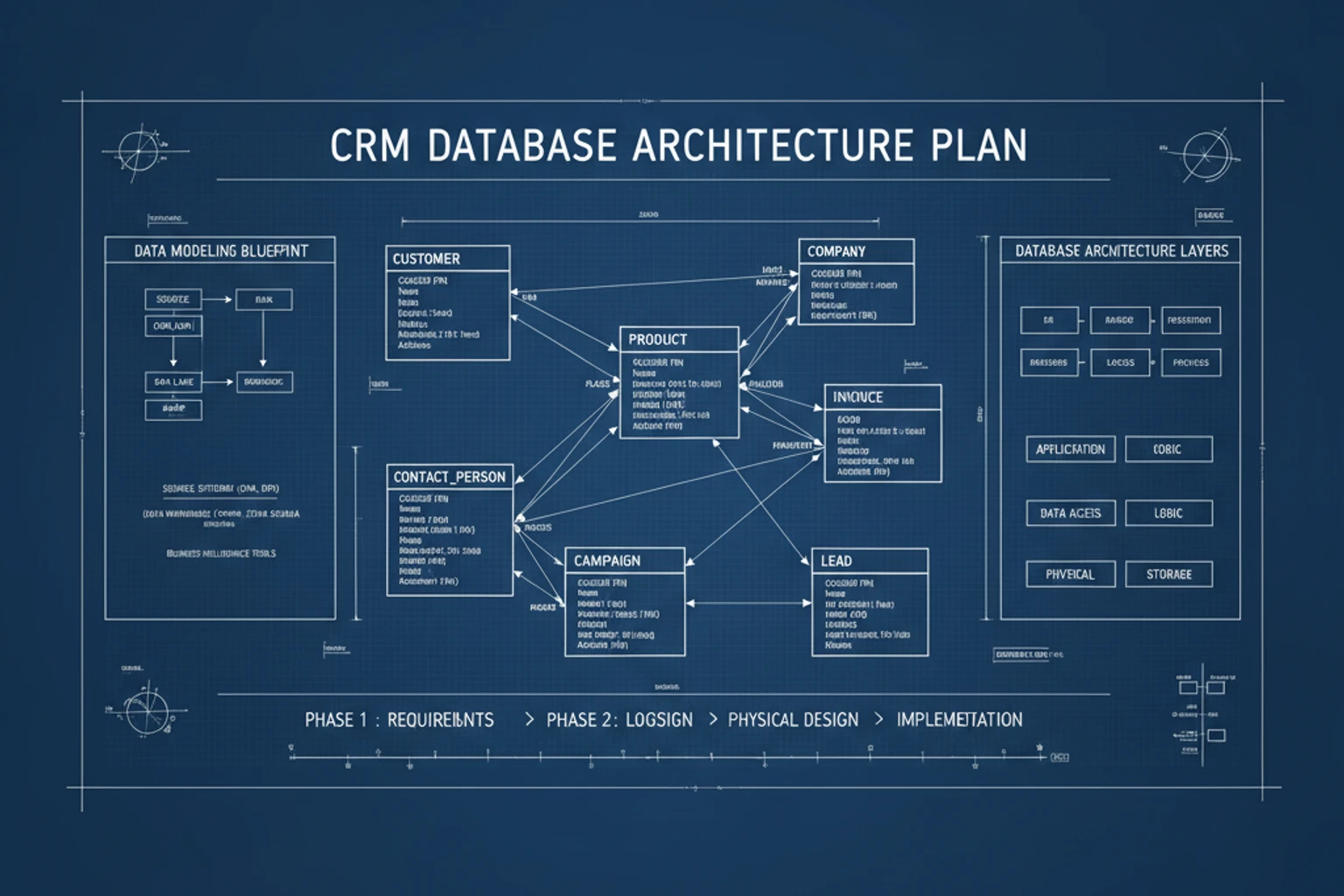
Section titled “Overview”Before writing code, successful applications require careful planning. This chapter focuses on designing the CRM’s database schema, defining entities (User, Team, Contact, Company, Deal, Task), and mapping their relationships. Good data modeling now prevents costly refactoring later.
We’ll document the entity-relationship structure that serves as a blueprint for the entire application. You’ll learn to think about data relationships (one-to-many, many-to-many), foreign keys, and indexes. We’ll also discuss multi-tenancy-ensuring each team’s data remains isolated from other teams.
By the end of this chapter, you’ll have a complete plan for the CRM’s database structure. This plan will guide the migrations you’ll write in Chapter 05 and the Eloquent models you’ll create in Chapter 06. Taking time to design properly ensures a solid foundation for all future features.
This chapter is primarily planning and documentation-no database implementation yet.
Prerequisites
Section titled “Prerequisites”Before starting this chapter, you should have:
- Completed Chapter 03
- Understanding of database concepts (tables, columns, primary keys, foreign keys)
- Familiarity with one-to-many and many-to-many relationships
- (Optional) A diagramming tool if you want to create visual diagrams (draw.io, Lucidchart, dbdiagram.io, or pen and paper)
Estimated Time: ~45 minutes
What You’ll Build
Section titled “What You’ll Build”By the end of this chapter, you will have:
- Identified all entities needed for the CRM (User, Team, Contact, Company, Deal, Task)
- Defined fields/columns for each entity
- Mapped relationships between entities (one-to-many, belongs-to, many-to-many)
- Documented the entity-relationship structure
- Planned for multi-tenancy (team-scoped data)
- Understanding of foreign key constraints and indexes
- A blueprint ready for migration implementation in Chapter 05
Objectives
Section titled “Objectives”- Identify core entities and their attributes
- Define relationships between entities clearly
- Design for multi-tenancy from the start
- Document entity relationships that guide implementation
- Understand cardinality (one-to-many, many-to-many)
- Plan foreign keys, indexes, and constraints
- Consider data integrity and cascading deletes
Quick Start: The CRM Data Model in 5 Minutes
Section titled “Quick Start: The CRM Data Model in 5 Minutes”Before diving deep, here’s the essence of what we’re building:
Users belong to Teams├─ Teams have multiple Users (Members)├─ Teams own Contacts, Companies, Deals, Tasks├─ Contacts belong to Companies├─ Deals have multiple Tasks└─ All data is scoped to the Team (multi-tenancy)That’s it. Everything else flows from these core relationships. Let’s design it properly.
Step 1: Identify Core Entities (~10 min)
Section titled “Step 1: Identify Core Entities (~10 min)”Understand which tables and entities the CRM needs to function.
The Seven Core Entities
Section titled “The Seven Core Entities”Every successful CRM needs to manage these core entities:
1. Users
Section titled “1. Users”The people who use your CRM. Each user can belong to multiple teams (as a team member) and has authentication credentials.
Key fields: id, name, email, password_hash, role, created_at, updated_at
2. Teams
Section titled “2. Teams”The organizational container for multi-tenancy. Each team has its own isolated data. A user belongs to one “primary” team but can be invited to other teams in future expansions.
Key fields: id, name, slug (unique URL identifier), plan_type, created_at, updated_at
3. Contacts
Section titled “3. Contacts”Individual people in your CRM. These are prospects, customers, or leads that belong to a company. A contact has name, email, phone, and company association.
Key fields: id, team_id (multi-tenancy), company_id (parent company), first_name, last_name, email, phone, created_at, updated_at
4. Companies
Section titled “4. Companies”Organizations in your CRM. A company can have multiple contacts. Companies are where deals happen.
Key fields: id, team_id (multi-tenancy), name, website, industry, employee_count, created_at, updated_at
5. Deals
Section titled “5. Deals”Sales opportunities tracked in your pipeline. A deal belongs to one company and progresses through stages (Prospecting, Qualified, Proposal, Negotiation, Closed Won/Lost).
Key fields: id, team_id (multi-tenancy), company_id, name, amount, stage, probability, expected_close_date, created_at, updated_at
6. Tasks
Section titled “6. Tasks”Action items associated with deals or contacts. Tasks have owners, due dates, and completion status.
Key fields: id, team_id (multi-tenancy), deal_id or contact_id, assigned_to (user_id), title, description, due_date, completed, created_at, updated_at
7. Team Members (Pivot/Junction Table)
Section titled “7. Team Members (Pivot/Junction Table)”Represents the many-to-many relationship between users and teams. A user can be a member of multiple teams with different roles. (Note: In Phase 1, we might simplify this to one user per team, but we’ll design for expansion.)
Key fields: id, user_id, team_id, role (admin, member, viewer), joined_at
8. Roles (Optional: Permissions & Authorization)
Section titled “8. Roles (Optional: Permissions & Authorization)”Defines permission levels within a team (Owner, Admin, Member, Viewer). This enables role-based access control (RBAC) for authorization. (Note: Phase 1 may use simple string roles; Phase 2 can implement full permission matrix.)
Key fields: id, name, permissions (JSON), created_at, updated_at
Why These Core Entities?
Section titled “Why These Core Entities?”These entities cover the complete CRM workflow:
- Authentication & Access — Users, Teams, Team Members (and Roles for authorization)
- Relationship Management — Contacts, Companies
- Sales Pipeline — Deals, Tasks
Everything else (Notes, Email Templates, Activity Logs, File Attachments) can be added later without restructuring the core.
Quick Mapping to CRM Features:
- Contact Management: Contacts table + Company relationships
- Sales Pipeline: Deals table with stages + Tasks for follow-ups
- Team Collaboration: Team Members table + Role-based access
- User Assignments: Tasks and Deals assigned to Users
Step 2: Define Entity Details & Relationships (~15 min)
Section titled “Step 2: Define Entity Details & Relationships (~15 min)”Map out the complete fields for each entity and understand how they relate.
Complete Entity Specifications
Section titled “Complete Entity Specifications”Users Table
Section titled “Users Table”users├─ id (PRIMARY KEY)├─ name (string) — display name├─ email (string, UNIQUE) — login identifier├─ password (string) — hashed password├─ email_verified_at (timestamp, nullable) — for email verification├─ current_team_id (unsignedBigInteger, FK) — user's primary team├─ remember_token (string, nullable) — for "remember me" login├─ created_at (timestamp)├─ updated_at (timestamp)└─ Indexes: ├─ UNIQUE on email └─ INDEX on current_team_idTeams Table
Section titled “Teams Table”teams├─ id (PRIMARY KEY)├─ name (string) — team/organization name├─ slug (string, UNIQUE) — URL-friendly identifier├─ owner_id (unsignedBigInteger, FK → users.id) — team creator├─ subscription_plan (string) — free, pro, enterprise├─ created_at (timestamp)├─ updated_at (timestamp)└─ Indexes: ├─ UNIQUE on slug └─ INDEX on owner_idContacts Table
Section titled “Contacts Table”contacts├─ id (PRIMARY KEY)├─ team_id (unsignedBigInteger, FK → teams.id) — MULTI-TENANCY├─ company_id (unsignedBigInteger, FK → companies.id, nullable) — parent company├─ user_id (unsignedBigInteger, FK → users.id, nullable) — assigned team member├─ first_name (string)├─ last_name (string)├─ email (string, nullable)├─ phone (string, nullable)├─ title (string, nullable) — job title├─ status (string) — active, inactive, archived├─ created_at (timestamp)├─ updated_at (timestamp)└─ Indexes: ├─ INDEX on team_id (crucial for queries) ├─ INDEX on company_id ├─ INDEX on user_id (for filtering by assigned user) ├─ UNIQUE on (team_id, email) — unique email per team └─ INDEX on statusCompanies Table
Section titled “Companies Table”companies├─ id (PRIMARY KEY)├─ team_id (unsignedBigInteger, FK → teams.id) — MULTI-TENANCY├─ name (string)├─ website (string, nullable)├─ industry (string, nullable)├─ employee_count (integer, nullable)├─ annual_revenue (decimal, nullable)├─ status (string) — prospect, customer, inactive├─ created_at (timestamp)├─ updated_at (timestamp)└─ Indexes: ├─ INDEX on team_id (crucial for queries) ├─ UNIQUE on (team_id, name) — unique company name per team └─ INDEX on statusDeals Table
Section titled “Deals Table”deals├─ id (PRIMARY KEY)├─ team_id (unsignedBigInteger, FK → teams.id) — MULTI-TENANCY├─ company_id (unsignedBigInteger, FK → companies.id) — associated company├─ contact_id (unsignedBigInteger, FK → contacts.id, nullable) — primary contact for deal├─ user_id (unsignedBigInteger, FK → users.id, nullable) — assigned sales rep├─ name (string) — deal name/title├─ amount (decimal) — deal value├─ currency (string) — USD, EUR, GBP, etc.├─ stage (string) — Prospecting, Qualified, Proposal, Negotiation, Closed Won, Closed Lost├─ probability (integer) — 0-100 percentage estimate├─ expected_close_date (date, nullable)├─ closed_date (date, nullable)├─ closed_reason (string, nullable) — why deal closed├─ created_at (timestamp)├─ updated_at (timestamp)└─ Indexes: ├─ INDEX on team_id (crucial for queries) ├─ INDEX on company_id ├─ INDEX on contact_id ├─ INDEX on user_id (for filtering by assigned rep) ├─ INDEX on stage (for dashboard filtering) └─ INDEX on expected_close_dateTasks Table
Section titled “Tasks Table”tasks├─ id (PRIMARY KEY)├─ team_id (unsignedBigInteger, FK → teams.id) — MULTI-TENANCY├─ taskable_id (unsignedBigInteger) — polymorphic: deal_id or contact_id├─ taskable_type (string) — "App\\Models\\Deal" or "App\\Models\\Contact"├─ assigned_to (unsignedBigInteger, FK → users.id) — task owner├─ title (string)├─ description (text, nullable)├─ due_date (date)├─ completed (boolean, default false)├─ completed_at (timestamp, nullable) — when task was marked done├─ priority (string) — low, medium, high, urgent├─ created_at (timestamp)├─ updated_at (timestamp)└─ Indexes: ├─ INDEX on team_id ├─ INDEX on assigned_to ├─ INDEX on due_date └─ INDEX on (taskable_id, taskable_type)Team Members (Pivot) Table
Section titled “Team Members (Pivot) Table”team_members├─ id (PRIMARY KEY)├─ user_id (unsignedBigInteger, FK → users.id)├─ team_id (unsignedBigInteger, FK → teams.id)├─ role (string) — owner, admin, member, viewer├─ joined_at (timestamp)└─ Indexes: ├─ UNIQUE on (user_id, team_id) — prevent duplicate memberships └─ INDEX on team_idRoles Table (for RBAC in Phase 2)
Section titled “Roles Table (for RBAC in Phase 2)”roles├─ id (PRIMARY KEY)├─ name (string, UNIQUE) — owner, admin, member, viewer├─ description (text, nullable) — human-readable description├─ permissions (json, nullable) — structured permission array├─ created_at (timestamp)├─ updated_at (timestamp)└─ Indexes: └─ UNIQUE on namePhase 1 Approach: Use simple role strings in team_members.role column (owner, admin, member, viewer).
Phase 2 Expansion: Migrate to formal Roles table with JSON permission matrix for fine-grained access control.
Entity Quick Reference
Section titled “Entity Quick Reference”For quick lookup of all entities and their purposes:
| Entity | Purpose | Multi-Tenant? | Primary Role | Key Fields |
|---|---|---|---|---|
| Users | Application users | No | Authentication | email, password, name |
| Teams | Organizations | Primary | Data container | name, slug, owner_id |
| Team Members | User-Team bridge | Yes (team_id) | Access control | user_id, team_id, role |
| Roles | Permission levels | No | Authorization | name, permissions (JSON) |
| Contacts | Individual people | Yes (team_id) | Relationships | first_name, email, title |
| Companies | Organizations | Yes (team_id) | Relationships | name, website, industry |
| Deals | Sales opportunities | Yes (team_id) | Pipeline | name, amount, stage |
| Tasks | Action items | Yes (team_id) | Activity | title, due_date, priority |
Contact & Deal Assignment
Section titled “Contact & Deal Assignment”A critical pattern in CRM applications is assigning contacts, deals, and tasks to specific team members. This is how salespeople take ownership and responsibility:
- Contacts have an optional
user_idfield to assign them to a team member for follow-up - Deals have an optional
user_idfield to assign them to a sales representative - Tasks have a
assigned_tofield pointing to the user responsible for completing the task
This allows dashboards, reports, and notifications like:
- “Show me all contacts assigned to me”
- “List all deals assigned to Bob with stage = Proposal”
- “Notify Alice about her overdue tasks”
Relationships Summary
Section titled “Relationships Summary”One User → Many Teams (via team_members)One Team → Many Users (via team_members)One Team → Many Contacts (team_id)One Team → Many Companies (team_id)One Team → Many Deals (team_id)One Team → Many Tasks (team_id)
One Company → Many ContactsOne Company → Many Deals
One Contact → Many Deals (contact_id nullable in deals)One Contact → Many Tasks (via polymorphic or direct FK)
One Deal → Many Tasks (via polymorphic or direct FK)
One User → Many Contacts (assigned_to)One User → Many Deals (assigned_to)One User → Many Tasks (assigned_to)Step 3: Design Decisions & Rationale (~8 min)
Section titled “Step 3: Design Decisions & Rationale (~8 min)”Understand the “why” behind key architectural choices.
Why Mandatory team_id?
Section titled “Why Mandatory team_id?”You might wonder: “Why make team_id required instead of optional?”
Reason: Security and consistency. If a single table had both team-scoped and globally-scoped data, developers could accidentally create security bugs by forgetting the filter. By making it mandatory, the error is impossible.
// If team_id is REQUIRED and NOT NULLABLE:Contact::create(['email' => 'alice@example.com']);// ❌ ERROR: Missing required 'team_id' - caught immediately!
// If team_id is optional:Contact::create(['email' => 'alice@example.com']);// ✅ Creates orphaned contact with no team - subtle bug!
Design Decision: team_id is REQUIRED, NOT NULL, with database constraint enforcing the rule.
Why Polymorphic Tasks?
Section titled “Why Polymorphic Tasks?”Tasks could belong to either Contacts or Deals, but not both. We have two design options:
Option A: Separate Tables (contacts_tasks, deals_tasks)
- Pros: Simpler queries, explicit relationships
- Cons: Duplicate code, two tables to manage, no shared task logic
Option B: Polymorphic Relationship (current choice)
- Pros: Single Tasks table, shared logic, flexibility for future
- Cons: Slightly more complex queries, requires care with joins
Design Decision: Polymorphic relationship chosen for flexibility. Tasks will store taskable_id (contact or deal) and taskable_type (class name).
Why Soft Deletes?
Section titled “Why Soft Deletes?”When a user deletes a contact, three scenarios are possible:
- Hard Delete: Permanently remove (can’t recover, breaks audit trails)
- Soft Delete: Mark as deleted, keep in database (recoverable, audit-friendly)
- Archive: Move to archive table (for legal holds)
Design Decision: Soft deletes recommended for Phase 1. Deleted records stay in database with deleted_at timestamp, but hidden from normal queries. This allows:
- Recovery if accidentally deleted
- Audit trails for compliance
- Historical reporting
- Easy restoration
// Soft delete in action (Chapter 08+):$contact->delete(); // Sets deleted_at timestamp
// Query excludes soft-deleted by default:Contact::where('status', 'active')->get();// ← Doesn't include soft-deleted contacts
// Include soft-deleted when needed:Contact::withTrashed()->get();Contact::onlyTrashed()->get();
Why These Specific Indexes?
Section titled “Why These Specific Indexes?”Indexes speed up queries but slow down writes. We index strategically:
Always Index:
- Primary Keys (automatic)
- Foreign Keys (
team_id,company_id,user_id) - Columns in WHERE clauses (status, stage, date range)
Don’t Index:
- Low-cardinality columns (e.g., boolean fields with 2 values)
- Columns rarely used in queries
- Columns in unselective filters
Example: Indexing team_id vs. timezone:
team_idindex: “Find all contacts for Team 5” → narrows from 1M rows to 1K rows ✅timezoneindex: “Find all contacts in UTC+5” → still 500K rows (not selective) ❌
Step 4: Understanding Multi-Tenancy Design (~8 min)
Section titled “Step 4: Understanding Multi-Tenancy Design (~8 min)”Understand how multi-tenancy keeps each team’s data isolated and secure.
What is Multi-Tenancy?
Section titled “What is Multi-Tenancy?”Multi-tenancy means one application serving multiple independent teams/organizations, each with completely isolated data. Think of it like an apartment building where each unit has its own furniture, decorations, and privacy. Your CRM database is that building.
The team_id Column: The Foundation
Section titled “The team_id Column: The Foundation”The single most important design decision for multi-tenancy is adding team_id as a required foreign key to every data table that contains team-specific information.
Why team_id everywhere?
-
Security: When querying contacts for Team A, you always filter by
team_id = 1. Even if a bug exists in your code, a Team B user cannot accidentally see Team A’s contacts. -
Data Isolation: Every query includes the team scope:
SELECT * FROM contacts WHERE team_id = 1 AND status = 'active'; -
Performance: Filtering by
team_id(indexed column) is extremely fast even with millions of rows. -
Simplicity: It’s explicit. You always know whose data you’re querying.
Multi-Tenancy Queries Pattern
Section titled “Multi-Tenancy Queries Pattern”Without Multi-Tenancy (Wrong):
SELECT * FROM contacts WHERE email = 'alice@example.com';-- Could return Alice's contact from ANY team. Insecure!With Multi-Tenancy (Correct):
SELECT * FROM contacts WHERE team_id = 1 AND email = 'alice@example.com';-- Returns only Team 1's contact named Alice. Secure!In Laravel, you’ll use a “default scope” to automatically add the team_id filter to every query:
// In the Contact model:protected static function boot(){    parent::boot();
    static::addGlobalScope('team', function ($query) {        $query->where('team_id', auth()->user()->current_team_id);    });}
// Then queries automatically scope to the current team:Contact::where('status', 'active')->get();// Becomes: SELECT * FROM contacts WHERE team_id = 1 AND status = 'active'
Multi-Tenancy Design Rules
Section titled “Multi-Tenancy Design Rules”✅ DO:
- Add
team_idFK to every team-specific table - Index
team_idon all tables for query performance - Always include team_id in WHERE clauses (automatically via global scopes)
- Store team context in the authenticated user
- Test queries with multiple teams to ensure isolation
❌ DON’T:
- Query team data without filtering by
team_id - Assume URL parameters identify the correct team (always verify against
current_team_id) - Forget to index
team_id - Use client-side filtering instead of database WHERE clauses
Step 5: Understanding the Entity-Relationship Structure (~12 min)
Section titled “Step 5: Understanding the Entity-Relationship Structure (~12 min)”Understand the complete data model with all relationships and cardinalities.
The CRM Entity-Relationship Structure
Section titled “The CRM Entity-Relationship Structure”The complete ERD for the CRM includes all eight core entities with their fields and relationships. You can visualize this structure using any diagramming tool (draw.io, Lucidchart, dbdiagram.io) or simply refer to the detailed entity specifications provided in Step 2 above.
The entity specifications in Step 2 show each table’s complete structure including:
- All fields with their data types
- Primary keys (PK) marked as
id - Foreign keys (FK) like
team_id,company_id,user_id - Unique keys (UK) like
emailandslug - Indexes for query performance
Understanding the Relationships
Section titled “Understanding the Relationships”Key database concepts used throughout the CRM:
- Primary Keys (PK): Unique identifier for each row, always the
idcolumn - Foreign Keys (FK): Links to another table (team_id, company_id, etc.)
- Unique Keys (UK): Ensures no duplicates (email must be unique)
- Cardinality: The type of relationship between tables
- One-to-Many (1:N): One team has many contacts, one company has many deals
- Many-to-Many (M:N): Users can belong to multiple teams via the
team_memberspivot table - One-to-One (1:1): One user has one current team reference
Key Relationships Explained
Section titled “Key Relationships Explained”User → Team (current_team_id):
- A user logs in and sees their “current” team
- This is the default team shown in the UI
- A user belongs to one primary team
Team → Members (team_members table):
- A team has multiple members
- A member has a role (owner, admin, member, viewer)
- Multiple users can be members of one team
- One user can join multiple teams
Team → Contacts, Companies, Deals, Tasks:
- Everything belongs to exactly one team
- The
team_idensures data isolation - Queries always filter by team_id
Company → Contacts & Deals:
- A company has many contacts (related prospects/customers)
- A company has many deals (sales opportunities)
- A contact belongs to one company
Deal → Tasks & Contacts → Tasks:
- Tasks are polymorphic: a task can belong to a Deal or Contact
- This flexibility allows task management across your CRM
Step 6: Database Constraints & Indexes (~8 min)
Section titled “Step 6: Database Constraints & Indexes (~8 min)”Understand the performance and integrity considerations beyond basic relationships.
Cascading Deletes Strategy
Section titled “Cascading Deletes Strategy”When you delete a team, what happens to its contacts, companies, deals?
ON DELETE CASCADE — automatically delete related records├─ Delete Team → Delete all related Contacts, Companies, Deals, Tasks├─ Useful for: Cleaning up after deletion└─ DANGER: Can accidentally wipe lots of data
ON DELETE SOFT DELETE — mark as deleted, don't remove├─ Mark records as deleted without removing them├─ Useful for: Audit trails, recovery, legal requirements└─ Requires careful WHERE clauses in queries
ON DELETE RESTRICT — prevent deletion if children exist├─ Can't delete Team if it has Contacts├─ Useful for: Forcing explicit cleanup└─ Can frustrate users (must delete children first)
CRM Recommendation: Use SOFT DELETES
- Keep audit trail of what existed
- Prevent accidental data loss
- Allow “undelete” in future features
Index Strategy
Section titled “Index Strategy”Indexes are critical for CRM performance. Without them, queries on millions of records become slow.
Essential Indexes:
-- Team filtering (every query needs this)CREATE INDEX idx_contacts_team_id ON contacts(team_id);CREATE INDEX idx_companies_team_id ON companies(team_id);CREATE INDEX idx_deals_team_id ON deals(team_id);CREATE INDEX idx_tasks_team_id ON tasks(team_id);
-- Foreign key relationshipsCREATE INDEX idx_contacts_company_id ON contacts(company_id);CREATE INDEX idx_contacts_user_id ON contacts(user_id);CREATE INDEX idx_deals_company_id ON deals(company_id);CREATE INDEX idx_deals_contact_id ON deals(contact_id);CREATE INDEX idx_deals_user_id ON deals(user_id);CREATE INDEX idx_tasks_assigned_to ON tasks(assigned_to);
-- Filtering by status/stageCREATE INDEX idx_contacts_status ON contacts(status);CREATE INDEX idx_deals_stage ON deals(stage);CREATE INDEX idx_companies_status ON companies(status);
-- Date filteringCREATE INDEX idx_deals_expected_close ON deals(expected_close_date);CREATE INDEX idx_tasks_due_date ON tasks(due_date);
-- Unique constraints (prevent duplicates, double as indexes)CREATE UNIQUE INDEX idx_users_email ON users(email);CREATE UNIQUE INDEX idx_teams_slug ON teams(slug);CREATE UNIQUE INDEX idx_roles_name ON roles(name);CREATE UNIQUE INDEX idx_contacts_team_email ON contacts(team_id, email);CREATE UNIQUE INDEX idx_companies_team_name ON companies(team_id, name);CREATE UNIQUE INDEX idx_team_members_unique ON team_members(user_id, team_id);
Why These Indexes Matter
Section titled “Why These Indexes Matter”Dashboard Query Example:
-- Without indexes: Scans 100,000 rows, takes 2 seconds-- With indexes: Uses index on (team_id, stage), takes 50msSELECT COUNT(*) as count, stageFROM dealsWHERE team_id = 1GROUP BY stage;Multi-tenant queries ALWAYS filter by team_id first:
-- team_id index makes this fast for 100,000 rows across all teamsSELECT * FROM contacts WHERE team_id = 1 LIMIT 10;Step 7: Design Review Checklist (~2 min)
Section titled “Step 7: Design Review Checklist (~2 min)”Verify your data model is complete and correct.
Before moving to implementation, check:
✅ Entities: All seven core entities identified
✅ Fields: Each entity has required fields (timestamps, status fields, etc.)
✅ Relationships: All 1:N, N:N relationships clearly defined
✅ Multi-Tenancy: Every team-specific table has team_id FK
✅ Indexing: team_id indexed on all team-scoped tables
✅ Unique Constraints: Email, team slug, etc. have uniqueness rules
✅ Foreign Keys: All references point to correct tables
✅ Cascading: Deletion strategy decided (soft deletes recommended)
✅ Performance: Most-queried columns identified for indexing
✅ Scalability: Design supports millions of records per team
Step 8: Common Pitfalls & Solutions (~5 min)
Section titled “Step 8: Common Pitfalls & Solutions (~5 min)”Learn from common mistakes so you avoid them in implementation.
Pitfall 1: Forgetting to Index team_id
Section titled “Pitfall 1: Forgetting to Index team_id”Symptom: “When we scaled to thousands of teams, queries suddenly got slow.”
Root Cause: Queries like SELECT * FROM contacts WHERE team_id = 1 had no index, requiring full table scans on millions of rows.
Solution:
-- REQUIRED: Index team_id on all multi-tenant tablesCREATE INDEX idx_contacts_team_id ON contacts(team_id);CREATE INDEX idx_companies_team_id ON companies(team_id);CREATE INDEX idx_deals_team_id ON deals(team_id);CREATE INDEX idx_tasks_team_id ON tasks(team_id);Prevention: Add team_id indexes as part of your migration template for every table. Never skip this step.
Pitfall 2: Querying Without Team Filter
Section titled “Pitfall 2: Querying Without Team Filter”Symptom: “Team B users can see Team A’s contacts somehow.”
Root Cause:
// ❌ WRONG: Forgot team_id filter$contacts = Contact::where('status', 'active')->get();// Returns all active contacts, including other teams!Solution: Use Laravel’s global scopes to enforce filtering:
// ✅ In Contact modelprotected static function boot() {    parent::boot();    static::addGlobalScope('team', function ($query) {        $query->where('team_id', auth()->user()->current_team_id);    });}
// Now this is automatically scoped:$contacts = Contact::where('status', 'active')->get();// Only returns Team 1's active contactsPrevention: Test multi-tenant data isolation in your unit tests. Create test users for multiple teams and verify isolation.
Pitfall 3: Not Planning for Soft Deletes
Section titled “Pitfall 3: Not Planning for Soft Deletes”Symptom: “A user deleted a contact by accident. We can’t recover it. No audit trail.”
Root Cause: Hard deletes remove data permanently without recovery option.
Solution: From Day 1, add deleted_at to tables:
// In migration:$table->softDeletes(); // Adds deleted_at column
// Now deletes are soft:$contact->delete(); // Sets deleted_at, doesn't remove record$contact->restore(); // Restore deleted contactPrevention: Include soft deletes in your schema from the beginning. It’s easier than adding later.
Pitfall 4: Circular or Ambiguous Relationships
Section titled “Pitfall 4: Circular or Ambiguous Relationships”Symptom: “Contact → Company → Deal → Contact. Which path should we follow?”
Root Cause: Over-normalizing relationships or unclear domain model.
Solution: Our design sidesteps this:
- Contact → Company (many contacts per company)
- Company → Deal (many deals per company)
- Contact → Deal (optional: primary contact for deal)
- Deal → Task or Contact → Task (polymorphic, not both)
Prevention: Keep relationships one-directional when possible. If you find yourself asking “how do I query back?”, reconsider the design.
Pitfall 5: Overindexing (Performance Anti-Pattern)
Section titled “Pitfall 5: Overindexing (Performance Anti-Pattern)”Symptom: “Inserts and updates are super slow, but selects aren’t much faster.”
Root Cause: Indexes help reads but hurt writes. Indexing every column wastes storage and slows mutation operations.
Solution: Index strategically, as shown in our design:
- ✅ Index
team_id(used in every query) - ✅ Index foreign keys (
company_id,user_id) - ✅ Index status/stage (filtered often)
- ✅ Index date ranges (expected_close_date)
- ❌ Don’t index boolean fields, timestamps (except deletes)
- ❌ Don’t index computed fields
Prevention: Measure with EXPLAIN before and after indexing. Only add indexes that reduce query time by 50%+ or are fundamental (team_id).
Exercises
Section titled “Exercises”Exercise 1: Create Your Own Database Diagram
Section titled “Exercise 1: Create Your Own Database Diagram”Goal: Practice database design visualization
Using a diagramming tool (draw.io, Lucidchart, dbdiagram.io) or paper, create a visual representation of the entities and relationships described in this chapter.
Validation: Your diagram shows all eight entities, their key fields, and relationships between them.
Exercise 2: Identify Additional Entities
Section titled “Exercise 2: Identify Additional Entities”Goal: Think about future features
What other entities might a CRM need? Consider:
- Notes/Comments on contacts or deals
- Email templates
- Activity log/audit trail
- File attachments
Validation: You understand how to extend the data model for new features.
Exercise 3: Plan Indexes
Section titled “Exercise 3: Plan Indexes”Goal: Consider database performance
Which columns should be indexed? Think about:
- Foreign keys (always indexed)
- Columns frequently used in WHERE clauses
- Unique constraints (email addresses, slugs)
Validation: You can identify columns that benefit from indexing.
Wrap-up
Section titled “Wrap-up”Congratulations! You’ve designed a production-ready database architecture for a multi-tenant CRM application. This planning phase is crucial—you’ve created the blueprint that will guide all database implementation.
What You’ve Accomplished
Section titled “What You’ve Accomplished”✅ Identified Seven Core Entities: Users, Teams, Contacts, Companies, Deals, Tasks, and Team Members
✅ Defined Complete Entity Specifications: Every table has fields, data types, foreign keys, and indexes
✅ Mastered Multi-Tenancy Design: You understand how team_id isolation keeps data secure and performant
✅ Documented Entity Relationships: A complete specification showing all relationships and cardinality
✅ Planned for Performance: Indexes on team_id, foreign keys, status fields, and frequently-queried columns
✅ Decided on Constraints & Deletions: Understanding cascade strategies and data integrity rules
Key Design Principles You’ve Learned
Section titled “Key Design Principles You’ve Learned”- Every Query Filters by team_id — Multi-tenancy security depends on this discipline
- Indexes Make Performance — Indexed team_id queries remain fast at any scale
- Good Design Prevents Refactoring — Taking time to plan now saves weeks of rework later
- Relationships Are Explicit — Foreign keys and constraints prevent data corruption
- Unique Constraints Prevent Bugs — Email uniqueness per team avoids duplicate contact issues
How This Blueprint Guides Future Chapters
Section titled “How This Blueprint Guides Future Chapters”Chapter 05: Database Migrations — You’ll implement this design with Laravel migrations:
Schema::create('contacts', function (Blueprint $table) { $table->id(); $table->foreignId('team_id')->constrained(); $table->foreignId('company_id')->nullable()->constrained(); // ... and all other fields you designed});Chapter 06: Eloquent Models & Relationships — You’ll define the relationships you planned:
class Contact extends Model { public function company() { return $this->belongsTo(Company::class); } public function team() { return $this->belongsTo(Team::class); } public function tasks() { return $this->morphMany(Task::class, 'taskable'); }}Chapters 07-15: CRUD Operations — You’ll query this data structure using Laravel:
// The design ensures this query is fast and secure$contacts = Contact::where('status', 'active')->get();This Design Pattern Is Production-Ready
Section titled “This Design Pattern Is Production-Ready”The architecture you’ve planned:
- ✅ Supports thousands of teams and millions of records
- ✅ Enforces data isolation automatically
- ✅ Performs efficiently with proper indexing
- ✅ Maintains data integrity with foreign keys and constraints
- ✅ Scales horizontally as teams grow
Next Steps
Section titled “Next Steps”You’re ready for Chapter 05: Database Migrations, where you’ll implement this design in actual MySQL migrations. Reference the entity specifications from this chapter—you’ll use them constantly as you create each table.
For Visual Learners: Consider creating your own diagram using draw.io, Lucidchart, or dbdiagram.io based on the entity specifications. Many developers keep a visual reference nearby while coding to stay oriented in the data model.
For Implementation: Bookmark the field specifications and index requirements from Step 2. You’ll copy them directly into your migration files.
Further Reading
Section titled “Further Reading”- Database Design Best Practices - General database design principles
- Laravel Eloquent Relationships - How Laravel handles relationships
- Multi-Tenancy in Laravel - Strategies for multi-tenant applications