# 06: Streaming Responses in PHP
[Original page](https://codewithphp.com/series/claude-php-developers/chapters/06-streaming-responses/)
> Master real-time streaming with Claude API. Build responsive chatbots using Server-Sent Events, handle partial responses, and create fluid user experiences.
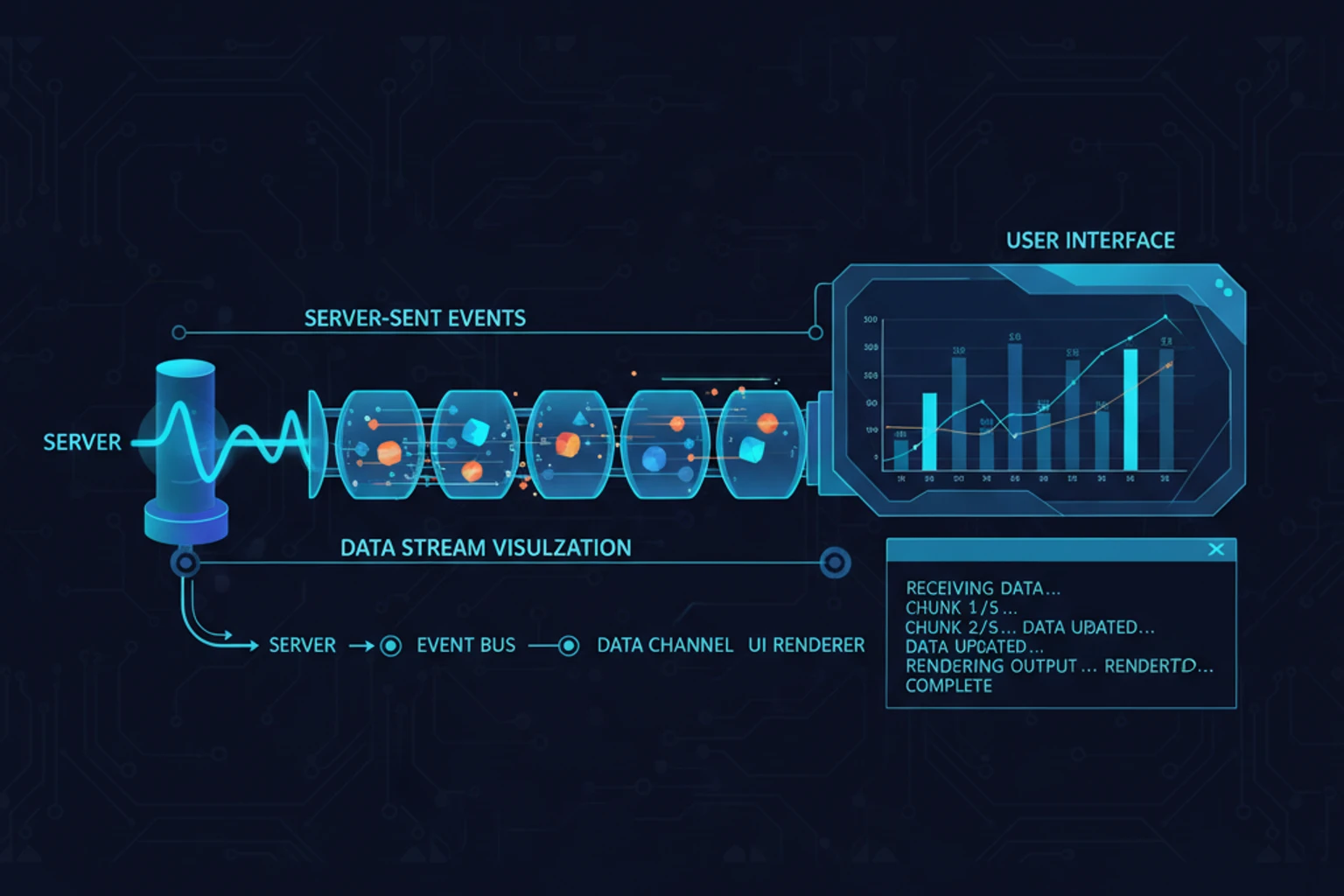
# Chapter 06: Streaming Responses in PHP
## Overview
Waiting 5-10 seconds for Claude to finish generating a response creates a poor user experience. Streaming responses solve this by sending tokens as they're generated, creating fluid, ChatGPT-like interfaces where users see text appear word-by-word in real-time.
This chapter teaches you to implement streaming responses in PHP using Server-Sent Events (SSE), handle partial responses gracefully, build production-ready streaming chatbots, and manage the unique challenges of PHP's request-response model in streaming contexts.
By the end, you'll build a complete streaming chatbot interface with proper error handling, reconnection logic, and state management.
## Prerequisites
Before starting, ensure you understand:
- ✓ Basic Claude API usage (Chapters 00-03)
- ✓ HTTP request/response lifecycle
- ✓ JavaScript fetch API and EventSource
- ✓ PHP output buffering concepts
**Estimated Time**: 45-60 minutes
## What You'll Build
By the end of this chapter, you will have created:
- A `StreamEventHandler` class for processing streaming events with callbacks
- A `StreamingService` class for managing SSE responses
- A `ConversationalStreamingService` for maintaining chat history during streams
- A `BudgetedStreamingService` for tracking API costs across streams
- A `TimeoutAwareStreamingService` for enforcing time limits
- A `RecoverableStreamingService` for recovering from partial responses
- A production-ready chatbot interface with full streaming support
- A robust client-side streaming consumer with automatic reconnection
- Multiple streaming patterns from simple to advanced
## Objectives
By the end of this chapter, you will be able to:
- Understand the difference between blocking and streaming API responses
- Implement Server-Sent Events (SSE) in PHP for real-time communication
- Disable PHP output buffering correctly for streaming contexts
- Build streaming endpoints that work across Apache, Nginx, and PHP development server
- Handle streaming events with callbacks for text, completion, and errors
- Implement client-side streaming consumers with EventSource or fetch API
- Build conversational streaming with full message history
- Track and manage API costs across streaming responses
- Implement reconnection logic for resilient streaming clients
- Handle edge cases including timeouts, disconnections, and partial responses
- Test streaming implementations effectively
## Quick Start: 5-Minute Streaming Example (~5 min)
Get up and running with streaming immediately. This minimal example shows the core pattern:
**Backend** (`stream.php`):
```php
messages()->create([
'model' => 'claude-sonnet-4-5-20250929',
'max_tokens' => 1024,
'stream' => true,
'messages' => [
[
'role' => 'user',
'content' => 'Explain quantum computing in 3 sentences.'
]
]
]);
foreach ($stream as $event) {
echo "data: " . json_encode($event) . "\n\n";
flush();
}
echo "data: {\"type\": \"done\"}\n\n";
flush();
```
**Frontend** (`index.html`):
```html
Streaming Chat
```
**Result**: Open `index.html` in your browser and see Claude's response stream in real-time! That's streaming in its simplest form.
## Why Streaming Matters
### The User Experience Problem
```php
messages()->create([
'model' => 'claude-sonnet-4-5-20250929',
'max_tokens' => 2048,
'messages' => [
[
'role' => 'user',
'content' => 'Explain the SOLID principles with PHP examples for each principle.'
]
]
]);
$duration = microtime(true) - $startTime;
echo "Response received after {$duration} seconds:\n\n";
echo $response->content[0]->text;
```
**Output:**
```
Response received after 8.3 seconds:
The SOLID principles are...
```
The user waited 8+ seconds staring at a loading spinner. With streaming, they'd see text appearing immediately.
### Streaming Benefits
1. **Perceived Performance** — Users see progress immediately
2. **Better UX** — Interactive feel like ChatGPT
3. **Cancellable** — Users can stop long responses
4. **Progressive Rendering** — Display partial results while generating
## Key Concepts: Streaming, Buffering, and Events
Before diving into code, understand these three core concepts:
### 1. **Streaming** — The Pattern
Streaming means sending data incrementally as it becomes available, instead of waiting for complete results. Instead of:
```
ClaudePhp: "Send me a 10,000 word essay" → Wait 10 seconds → Server: "Here's the complete essay"
```
You get:
```
ClaudePhp: "Send me a 10,000 word essay"
Server: "The essay is about..." → "...the benefits of..." → "...streaming responses" → "...done."
(User sees text appear word-by-word!)
```
**Why it matters**: Users feel instant feedback and can start reading before the response completes.
### 2. **Output Buffering** — PHP's Hidden Feature
PHP doesn't send responses immediately. It buffers (collects) output and sends it all at once when the script ends. For streaming, we **must disable buffering** so each piece can be sent independently.
```php
// With buffering (default):
echo "Hello"; // Held in memory
echo " World"; // Still held
// Script ends → Both sent together
// Without buffering:
echo "Hello"; flush(); // Sent immediately
echo " World"; flush(); // Sent immediately
```
### 3. **Events** — The Message Format
SSE defines how to send 'messages' => each message is JSON preceded by `data: ` and followed by a blank line:
```
data: {"type": "text_delta", "delta": "Hello"}\n\n
data: {"type": "text_delta", "delta": " world"}\n\n
data: {"type": "message_stop"}\n\n
```
The client reads and parses these, handling each event as it arrives.
## Understanding Server-Sent Events (SSE)
SSE is a standard protocol for server-to-client streaming over HTTP.
### SSE vs WebSockets
| Feature | SSE | WebSockets |
| ---------------- | -------------------- | --------------------- |
| **Direction** | Server → ClaudePhp only | Bidirectional |
| **Protocol** | HTTP | Separate protocol |
| **Reconnection** | Automatic | Manual |
| **Complexity** | Simple | Complex |
| **Use Case** | Real-time updates | Two-way communication |
For Claude streaming, **SSE is perfect** because we only need server-to-client data flow.
### SSE Message Format
```
data: {"type": "message_start"}\n\n
data: {"type": "content_block_delta", "delta": {"text": "Hello"}}\n\n
data: {"type": "content_block_delta", "delta": {"text": " world"}}\n\n
data: {"type": "message_stop"}\n\n
```
Each message:
- Starts with `data: `
- Contains JSON payload
- Ends with double newline `\n\n`
## Basic Streaming Implementation
### Server-Side: Streaming Endpoint
```php
messages()->create([
'stream' => true,
'model' => 'claude-sonnet-4-5-20250929',
'max_tokens' => 1024,
'messages' => [
[
'role' => 'user',
'content' => $userMessage
]
]
);
// Process each chunk as it arrives
foreach ($stream as $event) {
$data = json_encode($event);
// Send SSE message
echo "data: {$data}\n\n";
// Flush output immediately
if (ob_get_level()) {
ob_flush();
}
flush();
}
// Send completion signal
echo "data: {\"type\": \"done\"}\n\n";
flush();
} catch (\Exception $e) {
$error = json_encode([
'type' => 'error',
'message' => $e->getMessage()
]);
echo "data: {$error}\n\n";
flush();
}
```
### ClaudePhp-Side: EventSource Consumer
```html
Claude Streaming Chat
Claude Streaming Chat
```
## Production Streaming Implementation
### Stream Event Handler Class
```php
type) {
'message_start' => $this->handleMessageStart($event),
'content_block_start' => $this->handleContentBlockStart($event),
'content_block_delta' => $this->handleContentDelta($event),
'content_block_stop' => $this->handleContentBlockStop($event),
'message_delta' => $this->handleMessageDelta($event),
'message_stop' => $this->handleMessageStop($event),
'error' => $this->handleError($event),
default => null,
};
}
private function handleMessageStart(object $event): void
{
$this->metadata = [
'id' => $event->message->id,
'model' => $event->message->model,
'role' => $event->message->role,
];
}
private function handleContentBlockStart(object $event): void
{
// Content block starting, prepare to receive text
}
private function handleContentDelta(object $event): void
{
$delta = $event->delta->text ?? '';
$this->currentText .= $delta;
if ($this->onText) {
($this->onText)($delta, $this->currentText);
}
}
private function handleContentBlockStop(object $event): void
{
// Content block complete
}
private function handleMessageDelta(object $event): void
{
if (isset($event->usage)) {
$this->metadata['usage'] = [
'output_tokens' => $event->usage->outputTokens ?? 0,
];
}
if (isset($event->delta->stopReason)) {
$this->metadata['stop_reason'] = $event->delta->stopReason;
}
}
private function handleMessageStop(object $event): void
{
$this->isComplete = true;
if ($this->onComplete) {
($this->onComplete)($this->currentText, $this->metadata);
}
}
private function handleError(object $event): void
{
if ($this->onError) {
($this->onError)($event->error ?? 'Unknown error');
}
}
public function getText(): string
{
return $this->currentText;
}
public function getMetadata(): array
{
return $this->metadata;
}
public function isComplete(): bool
{
return $this->isComplete;
}
}
```
### Streaming Service Class
```php
client = new ClaudePhp(apiKey: $apiKey ?? $_ENV['ANTHROPIC_API_KEY']);
}
public function stream(
string $message,
?string $systemPrompt = null,
array $options = []
): StreamEventHandler {
$handler = new StreamEventHandler(
$options['onText'] ?? null,
$options['onComplete'] ?? null,
$options['onError'] ?? null
);
$messages = [
[
'role' => 'user',
'content' => $message
]
];
$config = [
'model' => $options['model'] ?? 'claude-sonnet-4-5',
'maxTokens' => $options['max_tokens'] ?? 2048,
'stream' => true,
'messages' => $messages,
];
if ($systemPrompt) {
$config['system'] = $systemPrompt;
}
if (isset($options['temperature'])) {
$config['temperature'] = $options['temperature'];
}
try {
$stream = $this->client->messages()->create($config);
foreach ($stream as $event) {
$handler->handleEvent($event);
}
} catch (\Exception $e) {
if ($handler->onError ?? null) {
($handler->onError)($e->getMessage());
}
throw $e;
}
return $handler;
}
public function streamToSSE(
string $message,
?string $systemPrompt = null,
array $options = []
): void {
// Set SSE headers
$this->sendSSEHeaders();
$this->stream(
message: $message,
systemPrompt: $systemPrompt,
options: array_merge($options, [
'onText' => function (string $delta, string $fullText) {
$this->sendSSEMessage([
'type' => 'delta',
'text' => $delta,
'fullText' => $fullText,
]);
},
'onComplete' => function (string $text, array $metadata) {
$this->sendSSEMessage([
'type' => 'complete',
'text' => $text,
'metadata' => $metadata,
]);
$this->sendSSEMessage(['type' => 'done']);
},
'onError' => function (string $error) {
$this->sendSSEMessage([
'type' => 'error',
'message' => $error,
]);
},
]
);
}
private function sendSSEHeaders(): void
{
header('Content-Type: text/event-stream');
header('Cache-Control: no-cache');
header('Connection: keep-alive');
header('X-Accel-Buffering: no');
if (ob_get_level()) {
ob_end_clean();
}
}
private function sendSSEMessage(array $data): void
{
echo "data: " . json_encode($data) . "\n\n";
if (ob_get_level()) {
ob_flush();
}
flush();
}
}
```
### Using the Streaming Service
```php
streamToSSE(
message: $message,
systemPrompt: $systemPrompt,
options: [
'model' => 'claude-sonnet-4-5-20250929',
'max_tokens' => 4096,
'temperature' => 1.0,
]
]);
```
## Advanced Streaming Patterns
### Pattern 1: Conversational History with Streaming
```php
conversationHistory[] = [
'role' => 'user',
'content' => $message
];
$handler = new StreamEventHandler(
$options['onText'] ?? null,
function (string $text, array $metadata) use ($options) {
// Add assistant response to history
$this->conversationHistory[] = [
'role' => 'assistant',
'content' => $text
];
if ($options['onComplete'] ?? null) {
($options['onComplete'])($text, $metadata);
}
},
$options['onError'] ?? null,
);
$config = [
'model' => $options['model'] ?? 'claude-sonnet-4-5',
'maxTokens' => $options['max_tokens'] ?? 2048,
'messages' => $this->conversationHistory,
];
if ($systemPrompt) {
$config['system'] = $systemPrompt;
}
$stream = $this->client->messages()->create($config);
foreach ($stream as $event) {
$handler->handleEvent($event);
}
return $handler;
}
public function getHistory(): array
{
return $this->conversationHistory;
}
public function clearHistory(): void
{
$this->conversationHistory = [];
}
public function loadHistory(array $history): void
{
$this->conversationHistory = $history;
}
}
```
### Pattern 2: Streaming with Token Budget
```php
[
'input' => 3.00, // per 1M tokens
'output' => 15.00, // per 1M tokens
],
'claude-haiku-4-5' => [
'input' => 0.80,
'output' => 4.00,
],
];
public function __construct(?string $apiKey = null, float $budgetUSD = 10.0)
{
parent::__construct($apiKey);
$this->budgetUSD = $budgetUSD;
}
public function stream(
string $message,
?string $systemPrompt = null,
array $options = []
): StreamEventHandler {
if ($this->spentUSD >= $this->budgetUSD) {
throw new \RuntimeException("Budget exceeded: \${$this->budgetUSD} limit reached");
}
$model = $options['model'] ?? 'claude-sonnet-4-5';
$originalOnComplete = $options['onComplete'] ?? null;
$options['onComplete'] = function (string $text, array $metadata) use ($originalOnComplete, $model) {
// Calculate cost
$usage = $metadata['usage'] ?? [];
$inputTokens = $metadata['input_tokens'] ?? 0;
$outputTokens = $usage['output_tokens'] ?? 0;
$pricing = $this->pricing[$model] ?? $this->pricing['claude-sonnet-4-5'];
$cost = (
($inputTokens / 1_000_000) * $pricing['input'] +
($outputTokens / 1_000_000) * $pricing['output']
);
$this->spentUSD += $cost;
$metadata['cost'] = $cost;
$metadata['budget_spent'] = $this->spentUSD;
$metadata['budget_remaining'] = $this->budgetUSD - $this->spentUSD;
if ($originalOnComplete) {
$originalOnComplete($text, $metadata);
}
};
return parent::stream($message, $systemPrompt, $options);
}
public function getSpent(): float
{
return $this->spentUSD;
}
public function getRemaining(): float
{
return max(0, $this->budgetUSD - $this->spentUSD);
}
public function resetBudget(float $newBudgetUSD): void
{
$this->budgetUSD = $newBudgetUSD;
$this->spentUSD = 0.0;
}
}
```
### Pattern 3: Streaming with Progress Callbacks
```php
streamToSSE(
message: 'Write a comprehensive guide to PHP 8.6 features',
options: [
'max_tokens' => 4096,
'onText' => function (string $delta, string $fullText) use (&$wordCount, &$charCount, $startTime) {
$charCount = strlen($fullText);
$wordCount = str_word_count($fullText);
$elapsed = microtime(true) - $startTime;
$charsPerSecond = $elapsed > 0 ? $charCount / $elapsed : 0;
// Send progress update
echo "data: " . json_encode([
'type' => 'progress',
'wordCount' => $wordCount,
'charCount' => $charCount,
'elapsed' => round($elapsed, 2),
'speed' => round($charsPerSecond, 0),
] . "\n\n";
flush();
},
]
]);
```
## Handling Streaming Edge Cases
### Reconnection Logic
```javascript
// filename: examples/07-reconnection-client.js
class RobustStreamingClient {
constructor(endpoint) {
this.endpoint = endpoint;
this.maxRetries = 3;
this.retryDelay = 1000; // Start with 1 second
this.currentRetry = 0;
}
async sendMessage(message, callbacks) {
const { onText, onComplete, onError } = callbacks;
let fullText = "";
let lastEventId = null;
const attemptStream = async () => {
try {
const response = await fetch(this.endpoint, {
method: "POST",
headers: {
"Content-Type": "application/json",
...(lastEventId ? { "Last-Event-ID": lastEventId } : {}),
},
body: JSON.stringify({ message }),
});
if (!response.ok) {
throw new Error(`HTTP ${response.status}: ${response.statusText}`);
}
const reader = response.body.getReader();
const decoder = new TextDecoder();
const read = async () => {
const { done, value } = await reader.read();
if (done) {
this.currentRetry = 0; // Reset on success
return;
}
const chunk = decoder.decode(value, { stream: true });
const lines = chunk.split("\n");
for (const line of lines) {
if (line.startsWith("data: ")) {
const data = JSON.parse(line.substring(6));
if (data.id) {
lastEventId = data.id;
}
if (data.type === "delta") {
fullText += data.text;
onText?.(data.text, fullText);
}
if (data.type === "complete") {
onComplete?.(data.text, data.metadata);
}
if (data.type === "error") {
throw new Error(data.message);
}
}
}
await read();
};
await read();
} catch (error) {
if (this.currentRetry < this.maxRetries) {
this.currentRetry++;
const delay = this.retryDelay * Math.pow(2, this.currentRetry - 1);
console.warn(
`Stream failed, retrying in ${delay}ms (attempt ${this.currentRetry}/${this.maxRetries})`
);
await new Promise((resolve) => setTimeout(resolve, delay));
await attemptStream();
} else {
onError?.(error.message);
throw error;
}
}
};
await attemptStream();
}
}
// Usage
const client = new RobustStreamingClient("stream.php");
client.sendMessage("Explain async PHP", {
onText: (delta, fullText) => {
document.getElementById("output").textContent = fullText;
},
onComplete: (text, metadata) => {
console.log("Stream complete:", metadata);
},
onError: (error) => {
console.error("Stream failed:", error);
document.getElementById("output").textContent = "Error: " + error;
},
});
```
### Timeout Handling
```php
$timeoutSeconds) {
throw new \RuntimeException("Stream timeout after {$timeoutSeconds} seconds");
}
if ($originalOnText) {
$originalOnText($delta, $fullText);
}
};
return $this->stream($message, $systemPrompt, $options);
}
}
```
### Partial Response Recovery
```php
cacheDir = $cacheDir ?? sys_get_temp_dir() . '/claude-streams';
if (!is_dir($this->cacheDir)) {
mkdir($this->cacheDir, 0777, true);
}
}
public function streamWithRecovery(
string $requestId,
string $message,
?string $systemPrompt = null,
array $options = []
): StreamEventHandler {
$cachePath = $this->cacheDir . '/' . $requestId . '.txt';
$metadataPath = $this->cacheDir . '/' . $requestId . '.json';
// Check for partial response
$recoveredText = '';
if (file_exists($cachePath)) {
$recoveredText = file_get_contents($cachePath);
// If we have a complete response, return it
if (file_exists($metadataPath)) {
$metadata = json_decode(file_get_contents($metadataPath), true);
if ($metadata['complete'] ?? false) {
$handler = new StreamEventHandler();
// Simulate complete response
if ($options['onComplete'] ?? null) {
($options['onComplete']($recoveredText, $metadata);
}
return $handler;
}
}
}
// Wrap callbacks to save progress
$originalOnText = $options['onText'] ?? null;
$options['onText'] = function (string $delta, string $fullText) use ($originalOnText, $cachePath) {
// Save progress
file_put_contents($cachePath, $fullText);
if ($originalOnText) {
$originalOnText($delta, $fullText);
}
};
$originalOnComplete = $options['onComplete'] ?? null;
$options['onComplete'] = function (string $text, array $metadata) use ($originalOnComplete, $metadataPath) {
// Mark as complete
$metadata['complete'] = true;
file_put_contents($metadataPath, json_encode($metadata));
if ($originalOnComplete) {
$originalOnComplete($text, $metadata);
}
};
$originalOnError = $options['onError'] ?? null;
$options['onError'] = function (string $error) use ($originalOnError, $cachePath, $metadataPath) {
// Save error state
if (file_exists($cachePath)) {
$metadata = [
'complete' => false,
'error' => $error,
'timestamp' => time(),
];
file_put_contents($metadataPath, json_encode($metadata));
}
if ($originalOnError) {
$originalOnError($error);
}
};
return $this->stream($message, $systemPrompt, $options);
}
public function clearCache(string $requestId): void
{
@unlink($this->cacheDir . '/' . $requestId . '.txt');
@unlink($this->cacheDir . '/' . $requestId . '.json');
}
}
```
## Complete Streaming Chatbot
### Backend: Complete Chat API
```php
streamToSSE(
message: $message,
systemPrompt: $systemPrompt,
options: [
'model' => 'claude-sonnet-4-5-20250929',
'max_tokens' => 4096,
]
);
// Save updated service with conversation history
$_SESSION['chat_service'] = serialize($service);
break;
case 'history':
header('Content-Type: application/json');
echo json_encode([
'history' => $service->getHistory()
]);
break;
case 'clear':
$service->clearHistory();
$_SESSION['chat_service'] = serialize($service);
header('Content-Type: application/json');
echo json_encode(['status' => 'cleared']);
break;
default:
http_response_code(400);
echo json_encode(['error' => 'Invalid action']);
}
```
### Frontend: Production Chat Interface
```html
Claude PHP Chat
Claude PHP Chat
C
Hello! I'm Claude, your PHP programming assistant. How can I help you
today?
```
## Performance Optimization
### Chunked Transfer Encoding
```php
'start']));
// ...
sendChunk(json_encode(['type' => 'end']));
// Send terminating chunk
echo "0\r\n\r\n";
```
### Connection Keep-Alive
```php
15) {
echo ": keepalive\n\n";
flush();
$lastKeepalive = time();
}
}
```
## Best Practices for Production Streaming
### 1. Always Disable Output Buffering Completely
```php
// Clear ALL output buffers
while (ob_get_level()) {
ob_end_clean();
}
// Set headers before any output
header('Content-Type: text/event-stream');
header('Cache-Control: no-cache');
header('Connection: keep-alive');
```
### 2. Implement Graceful Degradation
If streaming fails, fall back to polling or regular requests:
```php
try {
$stream = $client->messages()->create($config);
// Stream events...
} catch (Exception $e) {
// Fallback: Send complete response
echo "data: " . json_encode([
'type' => 'fallback',
'message' => 'Streaming unavailable, showing complete response...',
] . "\n\n";
// Return full response instead
}
```
### 3. Monitor and Log Stream Interruptions
```php
$startTime = time();
$eventsProcessed = 0;
foreach ($stream as $event) {
$eventsProcessed++;
// Detect timeout
if (time() - $startTime > 60) {
error_log("Stream timeout after {$eventsProcessed} events");
break;
}
echo "data: " . json_encode($event) . "\n\n";
flush();
}
```
### 4. Security: Validate Before Streaming
```php
// Never trust client input
$userMessage = filter_var($_POST['message'] ?? '', FILTER_SANITIZE_STRING);
if (strlen($userMessage) > 10000) {
http_response_code(400);
echo "data: " . json_encode(['type' => 'error', 'message' => 'Message too long'] . "\n\n";
exit;
}
```
### 5. Handle Web Server Specific Issues
**For Nginx**:
```php
// Prevent Nginx buffering
header('X-Accel-Buffering: no');
header('X-Accel-Charset: utf-8');
```
**For Apache with mod_deflate**:
```
# Add to .htaccess
SetEnvIfNoCase Request_URI ^/stream\.php$ no-gzip dont-vary
```
## Testing Streaming Implementations
### Unit Testing Streaming Service
```php
service = new StreamingService($_ENV['ANTHROPIC_API_KEY']);
}
public function testStreamInitializesWithoutError(): void
{
$callbackFired = false;
$this->service->stream(
message: 'Hello',
options: [
'onText' => function () use (&$callbackFired) {
$callbackFired = true;
},
]
);
$this->assertTrue($callbackFired);
}
public function testStreamGathersCompleteText(): void
{
$fullText = '';
$handler = $this->service->stream(
message: 'Count to 3',
options: [
'onText' => function ($delta, $text) use (&$fullText) {
$fullText = $text;
},
]
);
$this->assertStringContainsString('1', $handler->getText());
}
public function testErrorCallbackTriggersOnException(): void
{
$errorMessage = '';
// This will fail gracefully
try {
$this->service->stream(
message: 'test',
options: [
'onError' => function ($error) use (&$errorMessage) {
$errorMessage = $error;
},
]
);
} catch (Exception $e) {
// Expected
}
}
}
```
### Integration Testing with curl
```bash
#!/bin/bash
# test-streaming.sh
# Test 1: Basic streaming works
echo "Testing basic streaming..."
curl -X POST http://localhost:8000/stream.php \
-H "Content-Type: application/json" \
-d '{"message": "Hello"}' \
| grep -q "data: " && echo "✓ Streaming works" || echo "✗ Streaming failed"
# Test 2: Response contains complete message
echo "Testing response completeness..."
RESPONSE=$(curl -s -X POST http://localhost:8000/stream.php \
-H "Content-Type: application/json" \
-d '{"message": "Say DONE when complete"}')
echo "$RESPONSE" | grep -q "DONE" && echo "✓ Complete response" || echo "✗ Incomplete"
# Test 3: Streaming doesn't buffer all output at once
echo "Testing non-buffering..."
START=$(date +%s%N)
curl -s -X POST http://localhost:8000/stream.php \
-H "Content-Type: application/json" \
-d '{"message": "test"}' &
PID=$!
# Check if data arrives incrementally (not all at once)
sleep 0.5
if ps -p $PID > /dev/null; then
echo "✓ Streaming (not buffered)"
else
echo "✗ Buffered response"
fi
wait $PID
```
### Browser Developer Tools Testing
1. **Open DevTools** → Network tab
2. **Send message** in your chat interface
3. **Look for SSE request** (usually named `stream.php` or similar)
4. **Check Response** tab:
- Should show incremental data with `data: {...}` messages
- **Not** a single large response
5. **Monitor timing**:
- Data should arrive continuously
- Not everything at once after 5 seconds
## Troubleshooting
### Issue: No Streaming Output
**Problem:** Response arrives all at once, not streamed.
**Solutions:**
```php
// 1. Disable all output buffering
while (ob_get_level()) {
ob_end_clean();
}
// 2. Set correct headers
header('X-Accel-Buffering: no'); // Nginx
header('Content-Type: text/event-stream');
// 3. Flush after each write
echo "data: ...\n\n";
flush();
// 4. Check Apache config
// Add to .htaccess:
//
// SetEnvIfNoCase Request_URI ^/stream\.php$ no-gzip dont-vary
//
```
### Issue: Premature Connection Close
**Problem:** Stream stops unexpectedly.
**Solutions:**
```php
// 1. Increase PHP timeout
set_time_limit(300); // 5 minutes
// 2. Ignore client disconnect
ignore_user_abort(true);
// 3. Keep connection alive
register_shutdown_function(function() {
// Cleanup on shutdown
});
// 4. Send periodic keepalive
```
### Issue: High Memory Usage
**Problem:** Memory increases during long streams.
**Solutions:**
```php
// 1. Process events immediately, don't accumulate
foreach ($stream as $event) {
handleEvent($event);
unset($event); // Free memory
}
// 2. Don't store full text in memory
// Use file-backed storage for long responses
// 3. Set memory limit
ini_set('memory_limit', '128M');
```
## Exercises
### Exercise 1: Multi-User Chat Room
Build a streaming chat room where multiple users can see messages in real-time:
**Goal**: Extend streaming beyond single users to support collaborative real-time chat
Create a file called `multi-user-chat.php` and implement:
- Multiple concurrent SSE connections from different users
- Broadcast mechanism to send updates to all connected clients
- User presence tracking (who's online, typing indicators)
- Message history persistence
**Hints:**
- Use a temporary file or Redis as a message queue
- Implement a client registry to track open connections
- Send presence updates (user joined, user typing, user left)
- Implement session-based user identification
**Validation**: Test with multiple browser tabs/windows:
```bash
# Terminal 1: Start PHP server
php -S localhost:8000
# Open browser tabs and open chat.html multiple times
# Send message in one tab → should appear in all tabs in real-time
```
### Exercise 2: Streaming Code Generator with Syntax Highlighting
Create a tool that streams generated code with incremental syntax highlighting:
**Goal**: Build an interactive code generation tool that highlights code as it streams
Create a file called `code-generator.php` and implement:
- Accept requests for code generation (e.g., "Generate a PDF merger class")
- Stream code blocks with language markers
- Parse code fence markers from streaming response
- Send syntax-highlighted HTML incrementally
- Show progress: "Generating class methods... 45%"
**Hints:**
- Use regex to detect ````php markers in streaming text
- Apply a PHP syntax highlighter (like `highlight_string()` or a library)
- Send partial HTML snippets as code is generated
- Track estimated completion based on response length
**Validation**: Request a complex class:
```php
// Check that code appears highlighted as it streams
// Verify all language blocks are properly formatted
// Confirm progress updates are shown
```
### Exercise 3: Streaming Document Processor with Cancellation
Build a document analysis tool that streams results and can be cancelled mid-stream:
**Goal**: Process large documents with Claude while allowing user interruption
Create a file called `doc-processor.php` and implement:
- Accept file uploads (text, markdown, or plain text)
- Stream analysis results: summary → key points → entities → recommendations
- Show progress updates ("Processing section 3/8...")
- Implement cancellation: user can stop processing and get partial results
- Save partial results even if cancelled
**Hints:**
- Use session ID to track cancellation state
- Split documents into sections/chunks
- Process each chunk and stream results incrementally
- Check a cancellation flag before processing each chunk
- Save progress to temporary file after each chunk
**Validation**: Upload a document and test:
```bash
# Start processing
curl -X POST -F "file=@document.txt" http://localhost:8000/doc-processor.php
# In another tab, trigger cancellation
curl http://localhost:8000/doc-processor.php?action=cancel&session=abc123
# Verify: Partial results returned, saved for resume
```
Solution Hints
**Exercise 1**: Store open connections in a file with their session IDs. When a message arrives, read all connections and send to each. Use `flock()` for concurrency safety.
**Exercise 2**: Use `preg_match_all()` to find code blocks as they arrive. Apply `highlight_string()` to each block and send HTML-wrapped output. Track character count to estimate progress.
**Exercise 3**: Store cancellation flag in Redis or temp file. Before processing each chunk, check flag. If cancelled, send current results and exit gracefully. Use transaction-like semantics to handle concurrent requests safely.
## Wrap-Up
In this chapter, you've built a complete streaming infrastructure for Claude API integration. Here's what you accomplished:
### ✓ What You've Learned
- **Streaming fundamentals**: Understood the difference between blocking and streaming responses
- **SSE protocol**: Implemented Server-Sent Events correctly in PHP
- **Buffering management**: Mastered PHP output buffering for streaming contexts
- **Event handling**: Built callback-based systems for processing streaming events
- **ClaudePhp-side streaming**: Created robust streaming consumers with fetch API
- **Production patterns**: Implemented conversational history, budget tracking, and timeouts
- **Error handling**: Built recovery mechanisms for failed or partial responses
- **Real-world application**: Created a complete chatbot with full streaming support
### ✓ You Can Now
- Explain when and why to use streaming responses
- Build streaming endpoints that work across different web servers
- Handle all streaming edge cases (timeouts, reconnections, errors)
- Optimize streaming for performance and cost
- Implement production-ready streaming chatbots
- Debug streaming issues effectively
- Test streaming implementations thoroughly
### ✓ Next Steps
You're ready to explore:
- **System Prompts and Roles** (Chapter 07): Shape Claude's behavior and personality
- **Temperature and Sampling** (Chapter 08): Control response creativity and randomness
- **Tool Use** (Chapter 11+): Give Claude the ability to call functions and APIs
- **Multi-agent Systems** (Chapter 33): Build complex streaming workflows with multiple agents
This streaming foundation unlocks real-time, interactive Claude applications that feel instant and responsive to users.
## Advanced Topics: Streaming + Other Features
### Streaming with Tool Use (Chapter 11)
When using tool use with streaming, Claude sends tool calls as they're generated:
```php
'get_weather',
'description' => 'Get weather for a location',
'input_schema' => [
'type' => 'object',
'properties' => [
'location' => ['type' => 'string', 'description' => 'City name'],
'unit' => ['type' => 'string', 'enum' => ['celsius', 'fahrenheit']]
],
'required' => ['location']
]
]];
// Stream with tools
header('Content-Type: text/event-stream');
if (ob_get_level()) ob_end_clean();
$stream = $client->messages()->create([
'model' => 'claude-sonnet-4-5-20250929',
'max_tokens' => 1024,
'stream' => true,
'tools' => $tools,
'messages' => [
[
'role' => 'user',
'content' => 'What\'s the weather in Paris?'
]
]
]);
$toolCalls = [];
foreach ($stream as $event) {
echo "data: " . json_encode($event) . "\n\n";
// Collect tool calls as they arrive
if (isset($event->delta->type) &&
$event->delta->type === 'input_json_delta') {
$toolCalls[] = $event->delta->partial_json ?? '';
}
flush();
}
echo "data: {\"type\": \"done\", \"tool_calls\": " .
json_encode($toolCalls) . "}\n\n";
flush();
```
**Next Step**: For full tool use workflows, see Chapter 11: Tool Use (Function Calling) Fundamentals.
### Streaming + Token Counting (Chapter 9)
When streaming, tokens are consumed incrementally. Track them for cost management:
```php
messages()->create([
'model' => 'claude-sonnet-4-5-20250929',
'max_tokens' => $maxTokens,
'stream' => true,
'messages' => [
[
'role' => 'user',
'content' => 'List 5 Python tips'
)
]
]);
foreach ($stream as $event) {
// Estimate tokens from response chunks
if (isset($event->delta->text)) {
$text = $event->delta->text;
// Rough estimate: 1 token ≈ 4 characters
$outputTokens += strlen($text) / 4;
}
// Stop if approaching limit
if ($outputTokens > $maxTokens * 0.9) {
echo "data: " . json_encode([
'type' => 'warning',
'message' => 'Approaching token limit'
] . "\n\n";
break;
}
echo "data: " . json_encode($event) . "\n\n";
flush();
}
echo "data: {\"type\": \"done\", \"estimated_tokens\": " .
round($outputTokens) . "}\n\n";
flush();
```
**Next Step**: For comprehensive token management, see Chapter 9: Token Management and Counting.
### Streaming Structured Outputs (Chapter 15)
Stream JSON responses for real-time parsing:
```php
messages()->create([
'model' => 'claude-sonnet-4-5-20250929',
'max_tokens' => 1024,
'stream' => true,
'messages' => [
[
'role' => 'user',
'content' => 'Return a JSON with { "name": "...", "age": 0, "skills": ["..."] }'
)
]
]);
$jsonBuffer = '';
foreach ($stream as $event) {
if (isset($event->delta->text)) {
$jsonBuffer .= $event->delta->text;
// Try to parse complete JSON objects
try {
$decoded = json_decode($jsonBuffer, true, flags: JSON_THROW_ON_ERROR);
// Valid JSON found!
echo "data: " . json_encode([
'type' => 'json_complete',
'data' => $decoded
] . "\n\n";
$jsonBuffer = ''; // Reset for next object
} catch (JsonException $e) {
// JSON not complete yet, keep buffering
// Send partial update
echo "data: " . json_encode([
'type' => 'json_partial',
'buffer' => substr($jsonBuffer, 0, 50)
] . "\n\n";
}
}
flush();
}
echo "data: {\"type\": \"done\"}\n\n";
flush();
```
**Next Step**: For schema validation and error handling, see Chapter 15: Structured Outputs with JSON.
### Caching Streamed Responses
Cache the complete response after streaming completes:
```php
cache->has($cacheKey)) {
$cached = $this->cache->get($cacheKey);
// Replay cached response
echo "data: " . json_encode([
'type' => 'cached',
'text' => $cached
] . "\n\n";
flush();
return;
}
// Stream and cache
$fullText = '';
$stream = $this->client->messages()->create([
'model' => 'claude-sonnet-4-5-20250929',
'max_tokens' => 1024,
'stream' => true,
'messages' => [
[
'role' => 'user',
'content' => $message
]
]
]);
foreach ($stream as $event) {
echo "data: " . json_encode($event) . "\n\n";
if (isset($event->delta->text)) {
$fullText .= $event->delta->text;
}
flush();
}
// Cache the complete response for 1 hour
$this->cache->set($cacheKey, $fullText, 3600);
echo "data: {\"type\": \"done\", \"cached\": true}\n\n";
flush();
}
}
```
**Next Step**: For comprehensive caching strategies, see Chapter 18: Caching Strategies for API Calls.
## When NOT to Use Streaming
Streaming isn't always the right choice. Use regular (non-streaming) requests when:
| Scenario | Why | Alternative |
| -------------------------------- | ----------------------------------------- | ----------------------------------- |
| **Small responses** (~100 words) | Overhead of SSE > benefit of streaming | Regular blocking request |
| **Multiple parallel requests** | Each needs its own connection | Batch API with `'model' => "batch"` |
| **Simple backend-to-backend** | No UI to update in real-time | Standard async/queue processing |
| **Unreliable networks** | Streams break easily on poor connections | Message queue + async processing |
| **Structured data extraction** | JSON parsing harder with streaming | Chapter 15 (Structured Outputs) |
| **Response caching critical** | Streaming defeats many cache strategies | Redis caching + regular requests |
| **Load testing/benchmarking** | Streaming adds complexity to measurements | Use non-streaming for baseline |
### Cost Consideration
Streaming costs the same as regular requests—there's **no cost savings**. The value is UX/perceived performance, not price.
## Key Takeaways
- ✓ Streaming improves perceived performance dramatically
- ✓ Server-Sent Events (SSE) is ideal for Claude API streaming
- ✓ Proper buffering configuration is critical for PHP streaming
- ✓ Always implement reconnection logic on the client side
- ✓ Track partial responses for recovery from failures
- ✓ Use chunked transfer encoding for better performance
- ✓ Test streaming behavior across different web servers (Apache, Nginx)
- ✓ Streaming integrates with tool use, token counting, and caching
- ✓ Choose streaming for UX benefits, not cost savings
- ✓ Not every use case benefits from streaming—evaluate carefully
## Further Reading
- [Claude API Documentation](https://docs.claude.com) — Complete API reference and guides
- [Claude-PHP-SDK Repository](https://github.com/claude-php/Claude-PHP-SDK) — Community PHP SDK source code
- [Server-Sent Events (MDN)](https://developer.mozilla.org/en-US/docs/Web/API/Server-sent_events) — Standard SSE protocol reference
- [PHP Output Buffering](https://www.php.net/manual/en/function.ob-start.php) — PHP output buffering documentation
- [HTTP/1.1 Chunked Transfer Encoding](https://developer.mozilla.org/en-US/docs/Web/HTTP/Headers/Transfer-Encoding) — Transfer encoding specification
- [Fetch API Stream Reading](https://developer.mozilla.org/en-US/docs/Web/API/ReadableStream) — ClaudePhp-side streaming with fetch
---
Continue to [Chapter 07: System Prompts and Role Definition](/series/claude-php-developers/chapters/07-system-prompts-roles) to learn about shaping Claude's personality and behavior.
## 💻 Code Samples
All code examples from this chapter are available in the GitHub repository:
**[View Chapter 06 Code Samples](https://github.com/dalehurley/codewithphp/tree/main/code/claude-php/chapter-06)**
Clone and run locally:
```bash
git clone https://github.com/dalehurley/codewithphp.git
cd codewithphp/code/claude-php/chapter-06
composer install
export CLAUDE_API_KEY="sk-ant-your-key-here"
php -S localhost:8000
# Open http://localhost:8000/10-complete-chatbot.html
```